
Definite Integral Accumulated Area
Loading the math board and drawing, please wait…
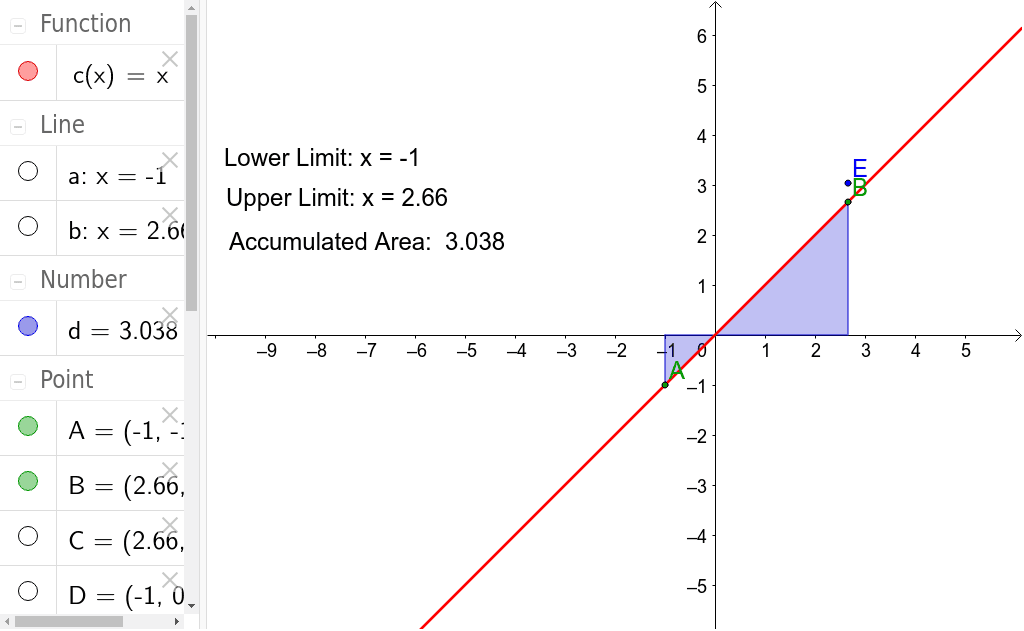
This example demonstrates the calculation of area under a curve using definite integrals. It involves core mathematical concepts like definite integrals, accumulated area, and coordinate geometry. Construction highlights include using GeoGebra commands such as Point, OrthogonalLine, Intersect, and Integral to plot points, lines, calculate intersections, and compute integrals. Suitable for high school mathematics instruction and introductory calculus learners.
GeoGebra Commands & Parameters
Point(c) → BOrthogonalLine(B, xAxis) → bIntersect(b, xAxis) → CPoint(c) → AOrthogonalLine(A, xAxis) → aIntersect(a, xAxis) → DIntegral(c, x(D), x(C)) → d
AI Drawing Prompt Reference
Draw the area under a curve using definite integrals. Start by selecting a point c on the x-axis, then draw perpendicular lines b and a from this point. Find the intersections of these lines with the x-axis to get points C and D. Finally, calculate the definite integrals from c to D and from C to c to obtain the area d.
The prompt above was compiled from the original drawing commands and is for reference only.