
Creating a Tessellation from a Rectangle - Step 1
Loading the math board and drawing, please wait…
In collections
How to create a Tessellation (Rectangle)
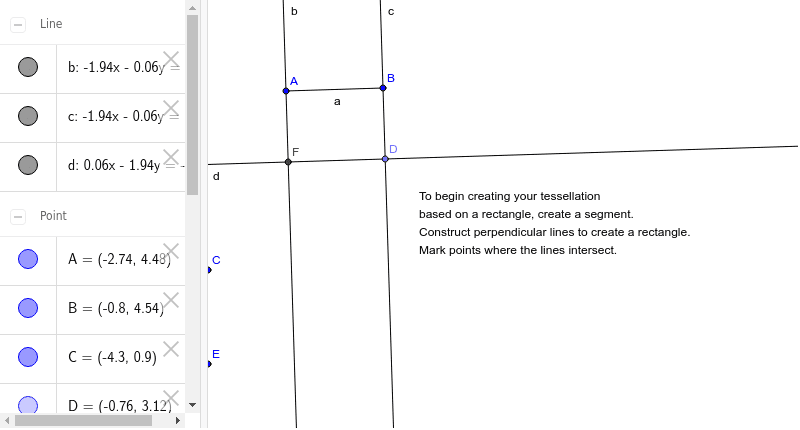
This example demonstrates how to create a tessellation using a rectangle as the starting polygon. Key math concepts include polygon construction, line segments, orthogonal lines, points, and intersections. Construction highlights derived from GeoGebra commands: Segment, OrthogonalLine, Point, Intersect; objects: A, B, a, C, b, c, D, d, E, F, text1. Suitable for middle school and above students learning geometric constructions and transformations, ideal for classroom demonstrations or geometric exploration.
GeoGebra Commands & Parameters
Segment(A, B) → aOrthogonalLine(A, a) → bOrthogonalLine(B, a) → cPoint(c) → DOrthogonalLine(D, b) → dIntersect(b, d) → F
AI Drawing Prompt Reference
Draw a rectangle and then draw a perpendicular line from one side extending outward, and another perpendicular line from the opposite side. Let these two perpendicular lines intersect at a point outside the rectangle. Then draw a perpendicular line from this intersection point to the remaining side of the rectangle, and find the intersection of these lines to illustrate the construction and intersection relationships of the rectangle and perpendicular lines.
The prompt above was compiled from the original drawing commands and is for reference only.