
Constructing Segment and Angle Bisectors
Loading the math board and drawing, please wait…
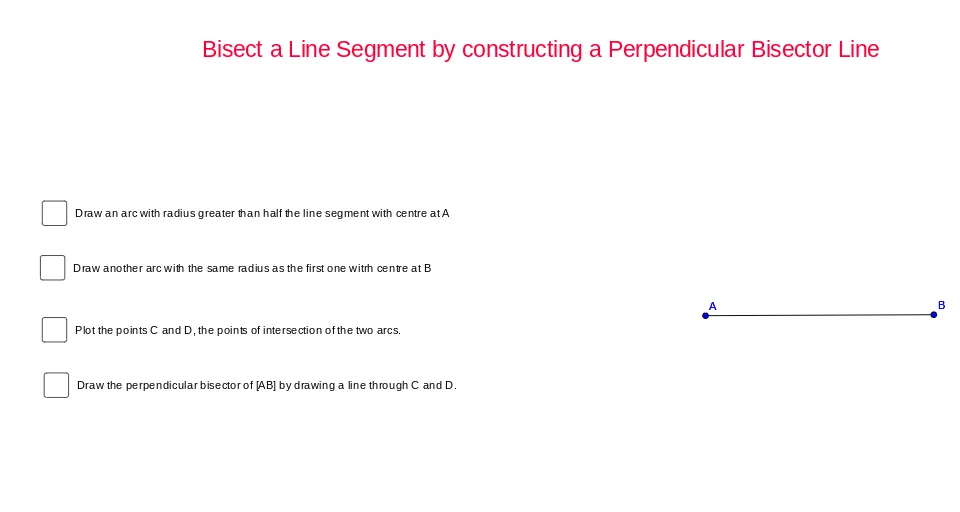
This GeoGebra example demonstrates how to construct the perpendicular bisector of a segment and the angle bisector using classic straightedge-and-compass ideas. Students can observe the resulting bisectors as sets of points that are equidistant from endpoints (for a segment) or form equal angles with the sides (for an angle). The core concepts are segment perpendicular bisectors, angle bisectors, and the way these constructions rely on equidistance and circle intersections to create the needed symmetry lines. Construction workflow is derived from the provided commands and objects: Segment defines the initial segment (e.g., A and B); Circle is used to draw circles with selected centers and radii (e.g., objects a, b, c, d); Intersect computes intersection points of circles and/or lines (e.g., C, D and intermediate points such as e, f); Line then connects the computed points to produce the bisectors (e.g., g, h). The activity is well-suited for middle school geometry, exam preparation, and teaching geometric construction methods visually.
GeoGebra Commands & Parameters
Segment(A, B) → aCircle(A, 3) → cCircle(B, 3) → dIntersect(c, d) → C, D, ,Line(C, D) → b
AI Drawing Prompt Reference
Draw a line segment, then draw two circles with equal radii centered at the endpoints of the segment. Find the intersection points of the two circles, and connect these points to form a line segment, which is the perpendicular bisector of the original segment.
The prompt above was compiled from the original drawing commands and is for reference only.