
Constructing Functions Task
Loading the math board and drawing, please wait…
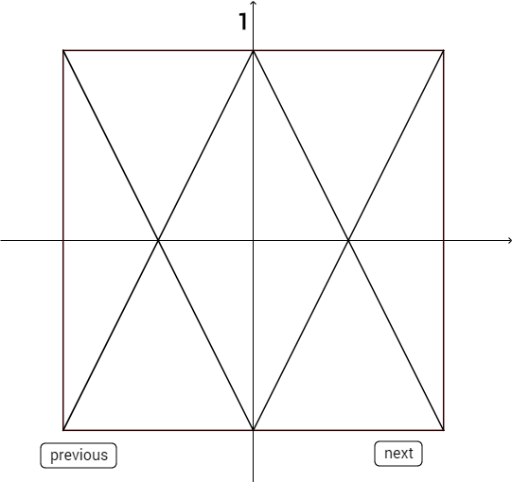
This example demonstrates how to construct functional relationships through geometric constructions. It involves core mathematical concepts such as functions, circumcircle, polygon construction, and statistical characteristics. Key GeoGebra commands used include Polygon and Segment for geometric construction. Suitable for high school mathematics teaching, demonstrating the integration of functions and geometry.
GeoGebra Commands & Parameters
Polygon((-5, -5), (5, -5), (5, 5), (-5, 5)) → poly1, f, g, h, iSegment((-5, 0), (5, 0)) → jSegment((-5, -5), (0, 5)) → kSegment((0, 5), (5, -5)) → lSegment((-5, 5), (0, -5)) → mSegment((0, -5), (5, 5)) → nSegment((-5, 5), (-2.5, -5)) → pSegment((-2.5, -5), (0, 5)) → qSegment((0, 5), (2.5, -5)) → rSegment((2.5, -5), (5, 5)) → sSegment((-5, 0), (0, -5)) → tSegment((0, -5), (5, 0)) → bSegment((5, 0), (0, 5)) → cSegment((-5, 0), (0, 5)) → dSegment((-5, 0), (0, -5)) → eSegment((-5, 5), (0, -5)) → f_1Segment((0, -5), (5, 0)) → g_1Segment((0, -5), (5, 5)) → h_1Segment((-5, 5), (5, 0)) → i_1Segment((-5, 0), (5, 5)) → j_1Segment((-5, -2.5), (2.5, 5)) → k_1Segment((-5, 2.5), (2.5, -5)) → l_1Segment((-2.5, 5), (5, -2.5)) → m_1Segment((-5, 2.5), (-2.5, 5)) → n_1Segment((2.5, -5), (5, -2.5)) → p_1Segment((-2.5, -5), (5, 2.5)) → q_1Segment((-5, -2.5), (-2.5, -5)) → r_1Segment((2.5, 5), (5, 2.5)) → s_1Segment((0, -5), (5, 5)) → t_1Segment((-5, -5), (5, 5)) → a_1Segment((-5, -5), (0, 5)) → b_1Segment((-5, 0), (0, 5)) → c_1Segment((0, -5), (5, 0)) → d_1
AI Drawing Prompt Reference
Draw a square with a side length of 10, then construct a semicircle with each side of the square as its diameter. Next, connect the diagonals of the square to form a rhombus. Finally, connect the vertices of the square to the centers of the semicircles to form several triangles.
The prompt above was compiled from the original drawing commands and is for reference only.