
Construct an Equilateral Triangle by Ashley Derrick
Loading the math board and drawing, please wait…
In collections
Geometric Constructions
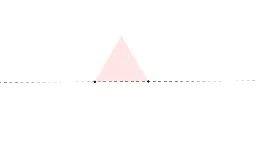
This example demonstrates how to construct an equilateral triangle using GeoGebra. Key mathematical concepts include the properties of triangles and geometric construction. By using commands such as Line, Circle, Intersect, and Polygon, the construction process of an equilateral triangle can be visually understood. Suitable for students at the junior high school level and above to learn about geometric construction and the properties of equilateral triangles.
GeoGebra Commands & Parameters
Line(A, B) → aCircle(A, B) → cCircle(B, A) → dIntersect(c, d, 1) → CPolygon(C, A, B) → target, b, c_1, a_1
AI Drawing Prompt Reference
Draw a horizontal segment as the base. Then draw two circles, each centered at one endpoint of the segment with radius equal to the segment length. These two circles intersect at a point above the segment. Connect this intersection point to both endpoints of the segment to form a triangle. This triangle has all three sides equal, making it an equilateral triangle. Finally, fill the triangle with a light color and keep the auxiliary circles and the base segment visible to show the construction steps.
The prompt above was compiled from the original drawing commands and is for reference only.