
Comparing Two-Digit Numbers
Loading the math board and drawing, please wait…
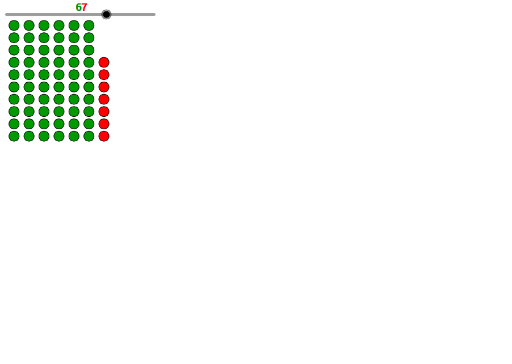
This example demonstrates how to use GeoGebra for comparing two-digit numbers. It involves core math concepts like number comparison, tens and ones place values, and sequence generation. Key GeoGebra commands and objects used include Sequence, m, tens, ones, list1, list2, text1, and text2. Suitable for middle elementary mathematics education, helping visualize and understand number comparison methods.
GeoGebra Commands & Parameters
Sequence(Sequence[(t, o), o, 1, 10], t, 1, tens) → list2Sequence((tens + 1, o), o, 1, ones) → list1
AI Drawing Prompt Reference
Create a visual representation to demonstrate the core concept of comparing two-digit numbers. Generate two sequences: the first shows numbers from 10 to 19, with the unit digit varying from 1 to 10 for each; the second sequence has the tens digit incremented by 1 while the unit digit also varies from 1 to 10. Visualize these sequences distinctly to compare their values and structures, aiding in understanding the significance of tens and units places.
The prompt above was compiled from the original drawing commands and is for reference only.