
Comparing Shape Areas by Cutting and Pasting
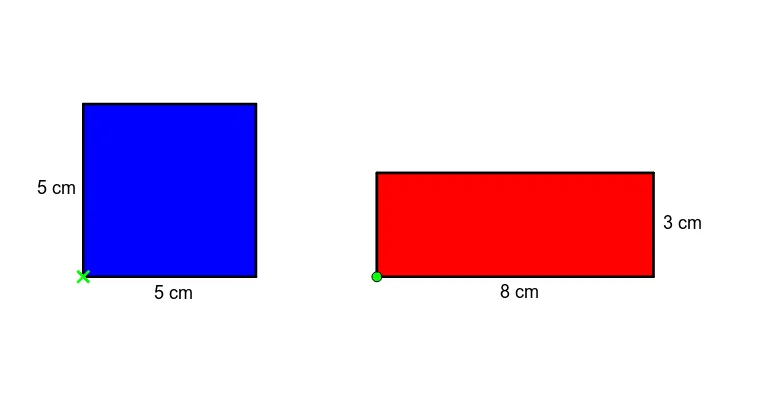
This GeoGebra applet helps students correct the common misconception that a longer perimeter always means a larger area before formally learning the concept of area. Through dynamic cutting, pasting, and translation operations, students can visually verify and compare the areas of various polygons. It serves as an excellent interactive activity for introducing the concept of area and deepening the understanding of the relationship between perimeter and area. In this interactive environment, learners are presented with different polygons that may have identical areas but vastly different perimeters, or similar perimeters but different areas. Using intuitive on-screen tools, students can virtually cut a shape into smaller, manageable geometric pieces. They can then drag, rotate, and translate these individual pieces to rearrange and paste them onto a target shape. If the dissected pieces perfectly cover the target shape without overlapping or leaving gaps, the areas are proven to be equal. This hands-on manipulation transforms an abstract geometric concept into a tangible, visual puzzle. The applet fundamentally demonstrates the principle of conservation of area, illustrating that the total area of a shape remains constant regardless of how its parts are rearranged. By physically moving the pieces, students internalize that area is a measure of the two-dimensional space enclosed by a boundary, rather than the length of the boundary itself. This directly confronts the cognitive bias where young learners conflate the one-dimensional measurement of perimeter with the two-dimensional measurement of area. The activity lays crucial groundwork for later formal lessons on area formulas, grid counting, and geometric transformations. For educators, this applet is a highly effective instructional scaffold. Instead of simply telling students that perimeter and area are distinct concepts, teachers can guide them to discover this truth through guided inquiry and experimentation. The immediate visual feedback provided by the dynamic geometry environment allows students to test their hypotheses in real time, fostering critical thinking and spatial reasoning skills. It is particularly beneficial for visual and kinesthetic learners who struggle with purely numerical explanations. Ultimately, by resolving this foundational misconception early on, students build a robust geometric intuition that supports their success in advanced mathematics.
Loading the math board and drawing, please wait…