
Comparing Areas by Cut and Paste (Problem 2)
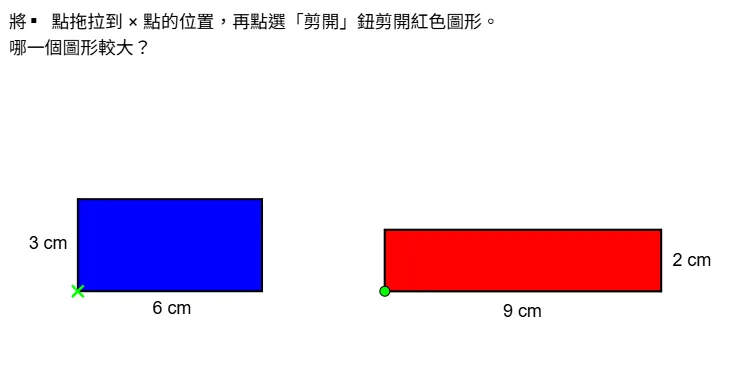
This GeoGebra applet demonstrates how to compare the areas of two different geometric figures using the cut-and-paste method. Students interact with polygons that can be divided into smaller pieces through constructions and then rearranged via translation transformations. By dragging vertices or using animation controls, learners can decompose complex shapes into simpler components, move those pieces to new positions, and observe how the total area remains unchanged throughout the process. This hands-on exploration makes the principle of area conservation tangible and intuitive. The applet highlights the concept of equidecomposability, showing that two figures with equal areas can always be cut into a finite number of polygonal pieces that can be reassembled to form each other. The visual transformation from one figure to another provides powerful geometric insight that standard formula-based approaches cannot offer. This interactive demonstration is particularly valuable for plane geometry instruction, where it supports both area comparison tasks and formal geometric proofs. Teachers can use it to guide students through step-by-step reasoning about why two shapes have the same area, reinforcing the logical structure of geometric arguments. The dynamic nature of the applet encourages experimentation, allowing learners to test different dissection strategies and discover multiple valid ways to transform one figure into another. This promotes flexible mathematical thinking and deepens understanding of the relationship between shape, size, and area. The cut-and-paste approach also connects naturally to broader topics such as tiling, symmetry, and congruence, making this applet a versatile resource for multiple lessons in the geometry curriculum.
Loading the math board and drawing, please wait…