
Circle vs Ellipse Demonstration
Loading the math board and drawing, please wait…
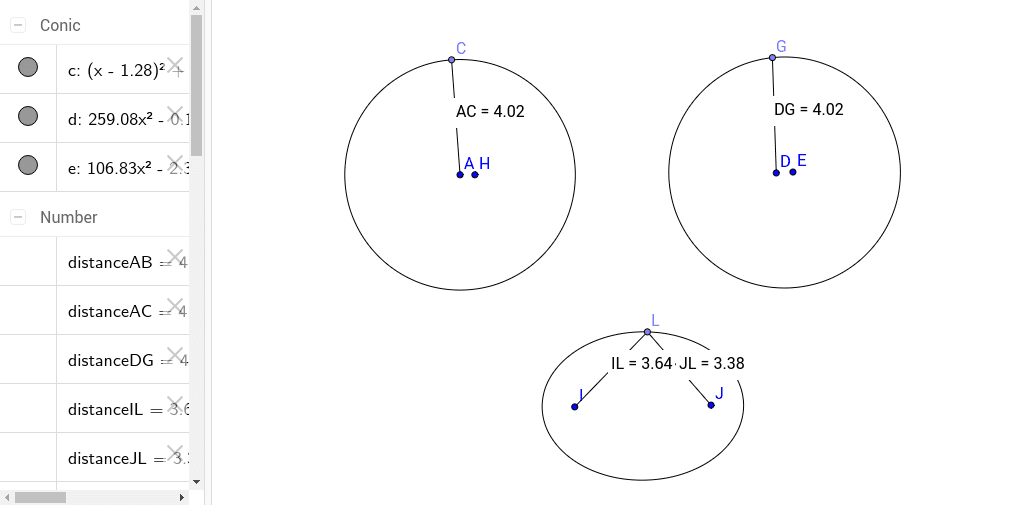
This example demonstrates the geometric comparison between a circle and an ellipse, focusing on their intersection properties and defining characteristics. It involves core mathematical concepts such as the definitions of circles and ellipses, coordinate geometry distance calculations, and applications of integral calculus and exponential functions. The construction utilizes GeoGebra commands like Circle, Point, Segment, Distance, Midpoint, Ellipse, Area, and PointIn to create interactive visualizations. Suitable for high school and above, it serves as a tool for understanding the integration of analytical geometry, calculus, and geometric transformations.
GeoGebra Commands & Parameters
Circle(A, B) → cPoint(c) → CSegment(A, C) → aDistance(A, C) → distanceACMidpoint(A, C) →Distance(A, B) → distanceABMidpoint(A, B) →Ellipse(D, E, F) → dPoint(d) → GSegment(D, G) → bDistance(D, G) → distanceDGMidpoint(D, G) →Ellipse(I, J, K) → ePoint(e) → LSegment(I, L) → fSegment(J, L) → gDistance(I, L) → distanceILMidpoint(I, L) →Distance(J, L) → distanceJLMidpoint(J, L) →Area(e) → hPointIn(e) → Pointe_1Area(e) → iPointIn(e) → PointeDistance(I, L) → ILDistance(J, L) → JL
AI Drawing Prompt Reference
Draw a circle and an ellipse to demonstrate their geometric comparison. First, create a circle and mark a point on it, then connect the center of the circle to this point to form a line segment. Next, draw an ellipse centered at the circle's center with another line segment as the radius, and mark a point on the ellipse, connecting the ellipse's center to this point with two line segments. Finally, calculate and display the area of the ellipse and check if a point lies inside the ellipse.
The prompt above was compiled from the original drawing commands and is for reference only.