
Circle and Trigonometry Ratios Demo
Loading the math board and drawing, please wait…
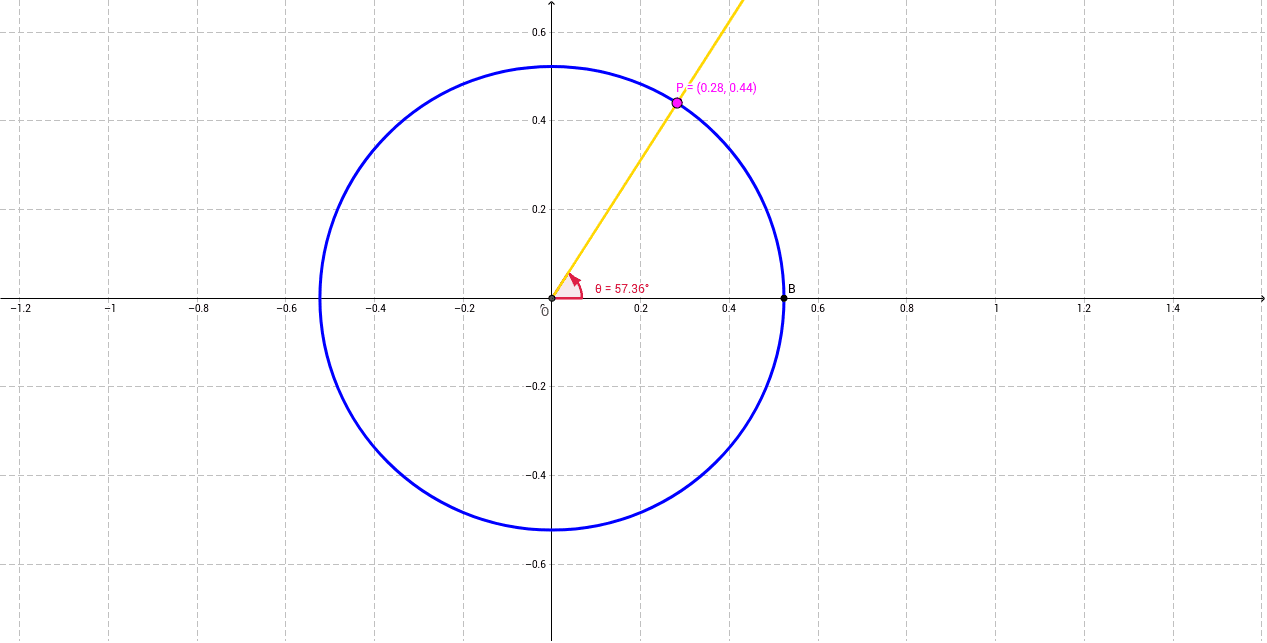
This example demonstrates the relationship between the unit circle and trigonometric functions, showing the correspondence between angles and sine/cosine values dynamically. Core math concepts include the unit circle, trigonometric functions, angles, and coordinate geometry. It uses GeoGebra commands like Intersect, Point, Circle, Angle, Ray, and Radius. Suitable for high school mathematics teaching to understand the definition and graph of trigonometric functions.
GeoGebra Commands & Parameters
Intersect(xAxis, yAxis) → OPoint(xAxis) → BCircle(O, B) → cPoint(c) → PAngle(B, O, P) → θRay(O, P) → aRadius(c) → r
AI Drawing Prompt Reference
Draw a unit circle with its center at the origin of a coordinate system. Mark a point on the x-axis, draw a ray from the origin to a point on the circle, and connect this point to the origin to form the radius. Show the angle between the ray and the radius, and dynamically display the sine and cosine values of this angle on the coordinate axes to illustrate the relationship between the unit circle and trigonometric functions.
The prompt above was compiled from the original drawing commands and is for reference only.