
Bruch-Tickets: Fraction Operations and Geometric Construction
Loading the math board and drawing, please wait…
In collections
Zahlenstrahl und Ordnen von Brüchen
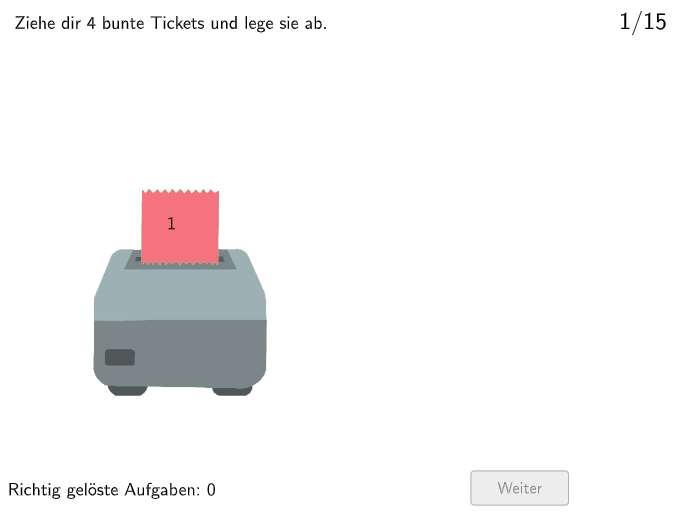
The Bruch-Tickets example demonstrates how fractions can be understood as relative proportions and frequencies through geometric diagrams. Key mathematical concepts include fraction operations, geometric construction, and ratio relationships. Construction involves GeoGebra commands such as Shuffle, Polygon, IsInRegion, etc. Suitable for elementary students in grades 5-6 for math practice and classroom activities.
GeoGebra Commands & Parameters
Shuffle({1, 2}) → ModusListe, {1, 2}Shuffle({1, 2, 3, 4, 5, 6, 7, 8, 9, 10, 11, 12, 13, 14, 15}) → RandoNumListe, {6, 12, 11, 5, 1, 13, 3, 9, 2, 10, 7, 4, 8, 14, 15}Polygon(Q1E1, Q1E2, 4) → Box1, f, g, h, i, Q1E3, Q1E4IsInRegion(PosZettel4, Box1) → Z4inB1IsInRegion(PosZettel2, Box1) → Z2inB1IsInRegion(PosZettel1, Box1) → Z1inB1IsInRegion(PosZettel3, Box1) → Z3inB1Polygon(Q2E1, Q2E2, 4) → Box2, j, k, l, m, Q2E3, Q2E4IsInRegion(PosZettel4, Box2) → Z4inB2IsInRegion(PosZettel2, Box2) → Z2inB2IsInRegion(PosZettel1, Box2) → Z1inB2IsInRegion(PosZettel3, Box2) → Z3inB2Polygon(Q3E1, Q3E2, 4) → Box3, n, p, q, r, Q3E3, Q3E4IsInRegion(PosZettel4, Box3) → Z4inB3IsInRegion(PosZettel2, Box3) → Z2inB3IsInRegion(PosZettel1, Box3) → Z1inB3IsInRegion(PosZettel3, Box3) → Z3inB3Polygon(Q4E1, Q4E2, 4) → Box4, s, t, a, b, Q4E3, Q4E4IsInRegion(PosZettel4, Box4) → Z4inB4IsInRegion(PosZettel2, Box4) → Z2inB4IsInRegion(PosZettel1, Box4) → Z1inB4IsInRegion(PosZettel3, Box4) → Z3inB4Shuffle({1, 2}) → ZufallslisteZettel1, {2, 1}Shuffle({1, 2}) → ZufallslisteZettel2, {2, 1}Shuffle({1, 2}) → ZufallslisteZettel3, {1, 2}Shuffle({1, 2}) → ZufallslisteZettel4, {2, 1}Polygon(Z1VieleckE1, Z1VieleckE2, Zettel1Anchor_1, Z1VieleckH, Z1VieleckE3, Z1VieleckE4) → Vieleck1, z1vielecke1, z1vielecke2, zettel1anchor_1, z1vieleckh, z1vielecke3, z1vielecke4Polygon(Z2VieleckE1, Z2VieleckE2, Zettel2Anchor_1, Z2VieleckH, Z2VieleckE3, Z2VieleckE4) → Vieleck2, z2vielecke1, z2vielecke2, zettel2anchor_1, z2vieleckh, z2vielecke3, z2vielecke4Polygon(Z3VieleckE1, Z3VieleckE2, Zettel3Anchor_1, Z3VieleckH, Z3VieleckE3, Z3VieleckE4) → Vieleck3, z3vielecke1, z3vielecke2, zettel3anchor_1, z3vieleckh, z3vielecke3, z3vielecke4Polygon(Z4VieleckE1, Z4VieleckE2, Zettel4Anchor_1, Z4VieleckH, Z4VieleckE3, Z4VieleckE4) → Vieleck4, z4vielecke1, z4vielecke2, zettel4anchor_1, z4vieleckh, z4vielecke3, z4vielecke4Text(FeedbackText, A, false, true, 0) → Text3
AI Drawing Prompt Reference
Draw four rectangular box regions on a coordinate plane, arranged from left to right as the first box through the fourth box. Construct each box as a closed polygon using two adjacent defining corners so the rectangular boundaries are clearly visible. Then place four distinct points per box such that the same four point positions lie inside each corresponding box area. Add a short feedback text at the bottom to label the purpose of the diagram and visually link the points with their box regions.
The prompt above was compiled from the original drawing commands and is for reference only.