
Area of Rectangles and Triangles
Loading the math board and drawing, please wait…
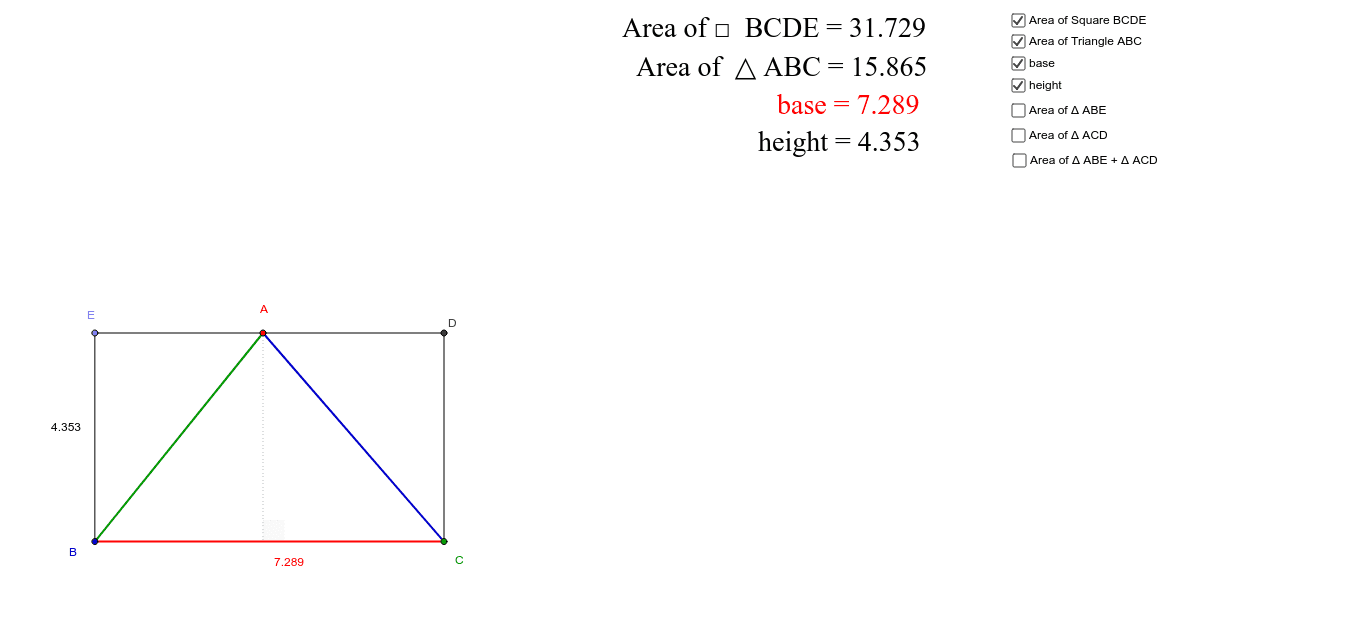
This example demonstrates dynamic calculation of rectangle and triangle areas using GeoGebra. It involves core math concepts like area formulas, geometric constructions, vectors, and angle calculations. Key GeoGebra commands used include Intersect, Point, Line, OrthogonalLine, Segment, Angle, with objects like areaSQ and areaΔ for area display. Suitable for middle school and above students learning geometric area calculations and GeoGebra operations.
GeoGebra Commands & Parameters
Intersect(xAxis, yAxis) → BPoint(xAxis) → CLine(B, C) → aOrthogonalLine(C, a) → dPoint(yAxis) → EOrthogonalLine(E, a) → bOrthogonalLine(E, b) → cIntersect(c, d) → DSegment(E, D) → eSegment(B, C) → fSegment(E, B) → gSegment(D, C) → hPoint(e) → ASegment(A, B) → iSegment(A, C) → jAngle(B, A, C) → αAngle(C, B, A) → βAngle(A, C, B) → γOrthogonalLine(A, e) → kIntersect(k, f) → FSegment(A, F) → lAngle(C, F, A) → δSegment(E, A) → ubase
AI Drawing Prompt Reference
Draw a coordinate system and then a rectangle and a right triangle in the first quadrant. The base of the rectangle is parallel to the x-axis, with vertices A, B, C, and D. The right angle of the triangle is at C, with the other two vertices at A and E. Calculate and display the areas of the rectangle and triangle.
The prompt above was compiled from the original drawing commands and is for reference only.