
Area of a circle explained
Loading the math board and drawing, please wait…
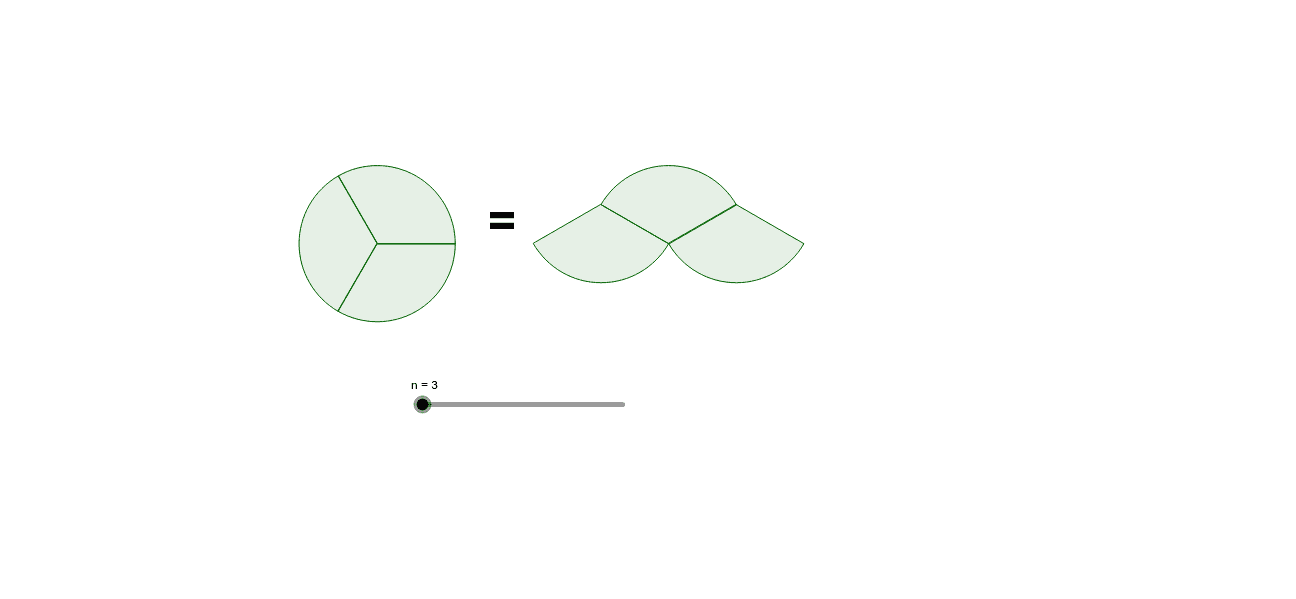
This example demonstrates how to derive the area of a circle by partitioning it into sectors and rearranging them. The key mathematical concepts include sector area, π, and geometric transformations. Construction involves using GeoGebra's Sequence command and list objects to dynamically adjust sector sizes. Suitable for middle or high school mathematics courses to understand circle geometry and area calculations.
GeoGebra Commands & Parameters
Sequence(CircleSector[(((2 * sin(π / n)) * ((2 * i) + 1)), (2 * cos(π / n))), (((4 * sin(π / n)) * i), 0), (((4 * sin(π / n)) * (i + 1)), 0)], i, 0, Div[n + 1, 2] - 1) → liste1Sequence(CircleSector[(((4 * sin(π / n)) * i), 0), (((2 * sin(π / n)) * ((2 * i) + 1)), (2 * cos(π / n))), (((2 * sin(π / n)) * ((2 * i) - 1)), (2 * cos(π / n)))], i, 1, Div[n, 2]) → liste2Sequence(CircleSector[(-4, 0), ((-4) + (2 * cos(((2 * i) * π / n))), (2 * sin(((2 * i) * π / n)))), ((-4) + (2 * cos(((2 * (i + 1)) * π / n))), (2 * sin(((2 * (i + 1)) * π / n))))], i, 0, n - 1) → liste3
AI Drawing Prompt Reference
Draw a circle and partition it into multiple sectors, then demonstrate how these sectors can be rearranged through geometric transformations to form a shape resembling a rectangle, explaining the area of a circle. Use a slider to dynamically adjust the number of sectors, showing the area calculation process and highlighting the relationship between sector area, π, and geometric transformations.
The prompt above was compiled from the original drawing commands and is for reference only.