
Area Model: Multiplying Fractions
Loading the math board and drawing, please wait…
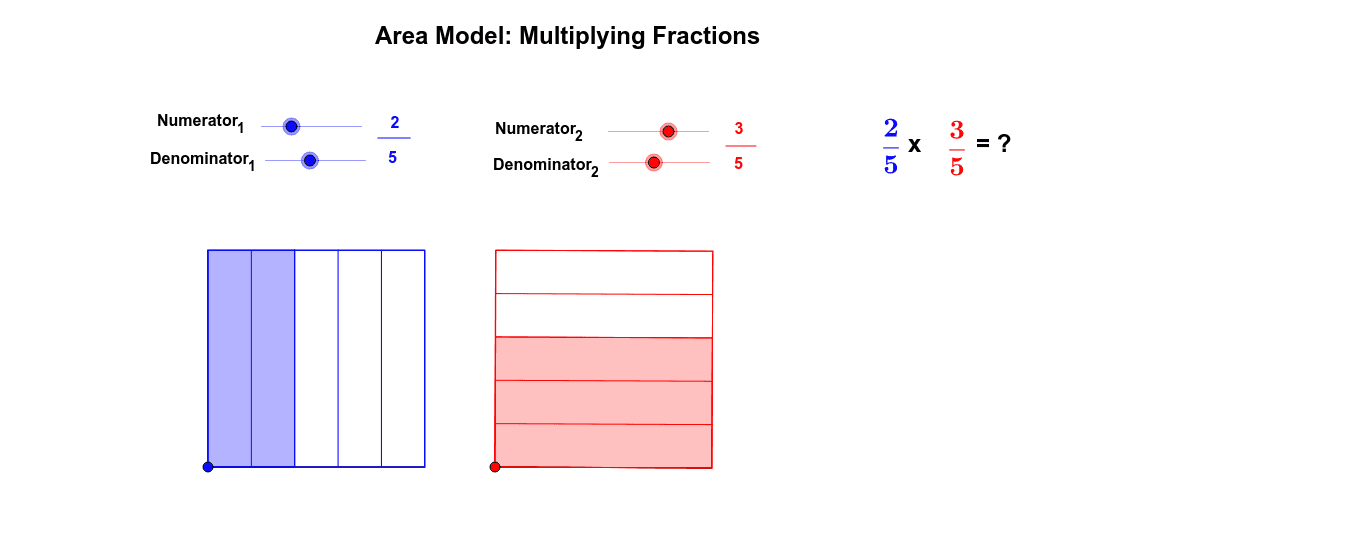
This example demonstrates multiplying fractions using an area model through GeoGebra. It visually illustrates the concept by breaking down fractions into geometric areas. Key math concepts include fraction multiplication, area calculation, and geometric modeling. Constructed using commands like Point, Segment, Polygon, Line, Dilate, Sequence, Translate, Intersect, and If, along with objects such as A, B, poly1, etc. Ideal for middle school mathematics teaching to enhance understanding of abstract fraction operations.
GeoGebra Commands & Parameters
Point(Circle[A, 5]) → BSegment(A, B) → aPolygon(A, B, 4) → poly1, b, c, d, e, C, DLine(A, B) → fPoint(f) → ESegment(A, E) → gPoint(g) → FPoint(Circle[F, 5]) → GSegment(F, G) → hPolygon(F, G, 4) → poly2, i, j_1, k_1, l, H, IDilate(B, 1 / part_1, A) → B_1Sequence(Segment[Translate[D, Vector[i * Vector[A, B_1]]], Translate[A, Vector[i * Vector[A, B_1]]]], i, 1, part_1 - 1) → list1Dilate(H, 1 / part2, G) → H_1Sequence(Segment[Translate[F, Vector[i * Vector[G, H_1]]], Translate[G, Vector[i * Vector[G, H_1]]]], i, 1, part2 - 1) → list2Translate(A, Vector[num_1 * Vector[A, B_1]]) → B_2Translate(B_2, Vector[A, D]) → C_2Translate(G, Vector[num_2 * Vector[G, H_1]]) → H_2Translate(H_2, Vector[G, F]) → I_2Polygon(A, B_2, C_2, D) → poly3, a_1, b_2, c_2, d_1Polygon(F, G, H_2, I_2) → poly4, f_1, g_1, h_2, i_2Line(B_2, C_2) → jLine(I_2, H_2) → kIntersect(j, k) → SPolygon(A, B_2, S, I_2) → poly5, a_2, b_1, s, i_1If(Distance[A, F] < 0.01, true, false) → overSegment(J, K) → mSegment(L, M) → n
AI Drawing Prompt Reference
Draw an area model for multiplying fractions, showing one circle divided into four parts to represent two fractions, with their centers overlapping. Connect the centers with lines and extend them to form multiple geometric regions, demonstrating the concept of fraction multiplication, and use a slider to control the size of some regions.
The prompt above was compiled from the original drawing commands and is for reference only.