
Area and Perimeter of a Rectangle by John Ulbright (2)
Loading the math board and drawing, please wait…
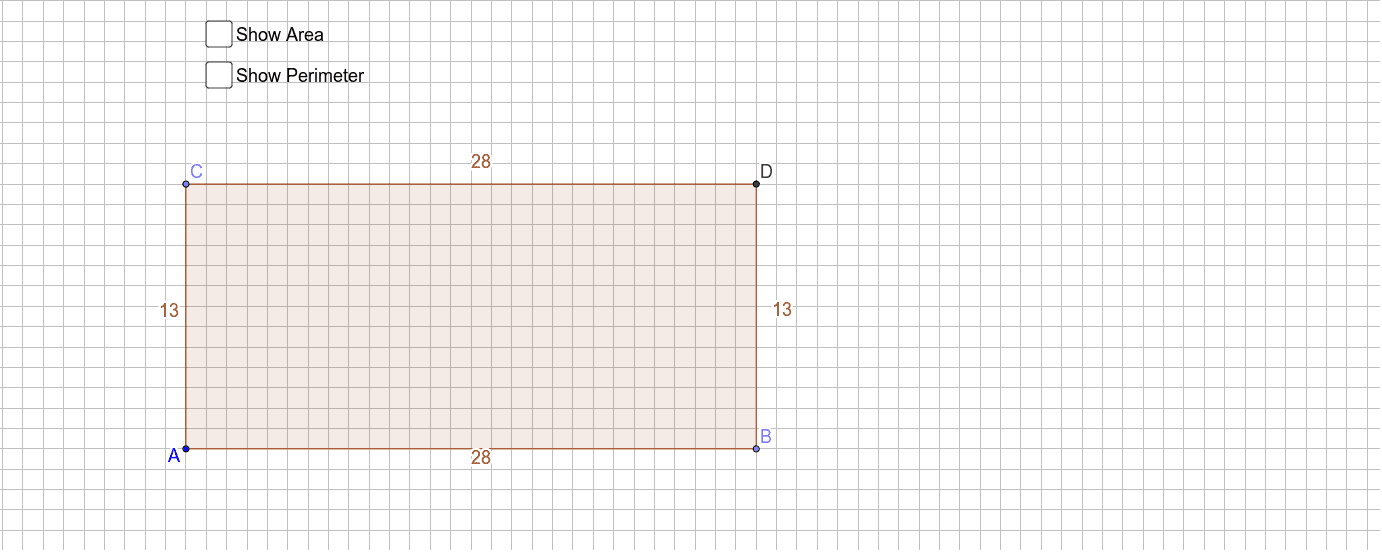
This GeoGebra example demonstrates an interactive tool for calculating the area and perimeter of a rectangle. By dragging the vertices, users can see how changes in length and width instantly update the displayed area and perimeter values. Core mathematical concepts include the definition of a rectangle, the area formula (length × width), and the perimeter formula (2 × (length + width)), along with geometric dependencies between points and sides. Construction details: the tool uses GeoGebra commands such as Point to create vertices A, B, C, D, OrthogonalLine to ensure perpendicular adjacent sides, Intersect to find intersection points, Polygon to form the rectangle poly1, and Perimeter to compute its perimeter. Objects include sides a, b, c, d, text1 and text2 for displaying numerical results, and auxiliary segments. This resource is suitable for upper elementary to middle school students learning basic geometry and formula application, and serves as a clear visual aid for teachers in classroom demonstrations or for student self-exploration of rectangle properties.
GeoGebra Commands & Parameters
Point(a) → BPoint(b) → COrthogonalLine(B, a) → cOrthogonalLine(C, b) → dIntersect(c, d) → DPolygon(A, B, D, C) → poly1, a_1, b_1, d_1, c_1Perimeter(poly1) → e
AI Drawing Prompt Reference
Draw an interactive rectangle with draggable vertices to show how changes in length and width instantly update the displayed area and perimeter. The rectangle has four sides and four vertices, with adjacent sides being perpendicular. Label the area and perimeter values with text and include auxiliary segments. Start by plotting the four vertices, then draw perpendicular adjacent sides and find intersection points to form the rectangle, finally calculating and displaying the area and perimeter.
The prompt above was compiled from the original drawing commands and is for reference only.