
3D Translated Sphere
Loading the math board and drawing, please wait…
In collections
Surface Area Book
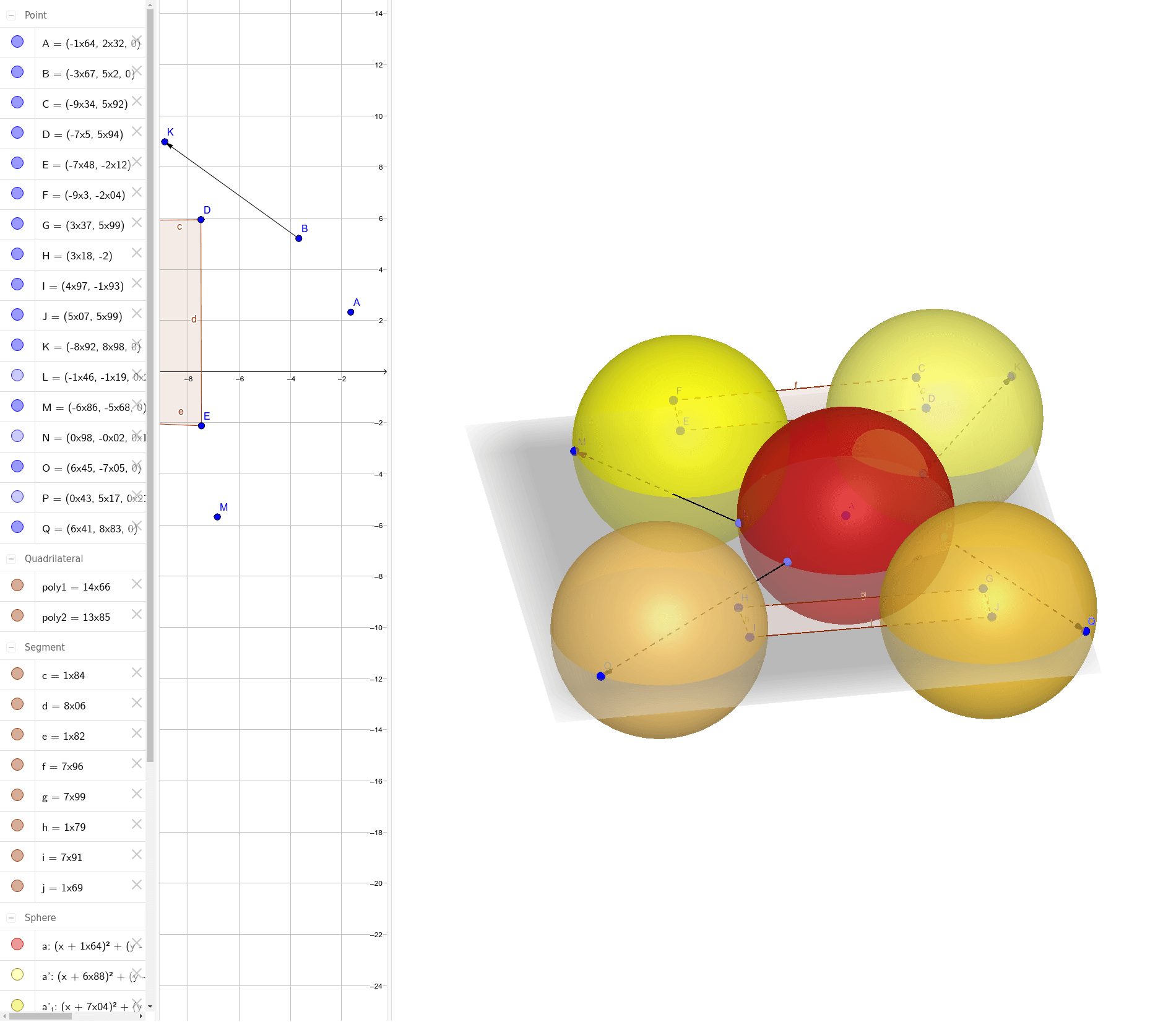
This example demonstrates the translation transformation of a sphere in 3D space. Key math concepts include spatial geometry, vector operations, parametric equations, and geometric transformations. Construction involves commands like Sphere, Polygon, Vector, Translate, and PointIn to create and manipulate the sphere and its translated versions. Suitable for high school and above students studying spatial geometry, vectors, and transformations, or for educational demonstrations and explorations.
GeoGebra Commands & Parameters
Sphere(A, B) → aPolygon(C, D, E, F) → poly1, c, d, e, fPolygon(G, H, I, J) → poly2, g, h, i, jVector(B, K) → uTranslate(a, u) → a'PointIn(a) → LVector(L, M) → vTranslate(a, v) → a'_1PointIn(a) → NVector(N, O) → wTranslate(a, w) → a'_2PointIn(a) → PVector(P, Q) → bTranslate(a, b) → a'_3
AI Drawing Prompt Reference
Draw a sphere in 3D space defined by two endpoints of its diameter. Add two quadrilateral polygons nearby as reference planes. From a point on the sphere, draw a vector and translate the sphere along that vector to create a new sphere. Repeat this process with different points on the original sphere, each time drawing a vector and translating the sphere to produce three translated spheres. All spheres have the same size, only positions differ, with vectors showing the translation directions.
The prompt above was compiled from the original drawing commands and is for reference only.