
3-3 Walking Instructions
Loading the math board and drawing, please wait…
In collections
Algebra 1|3: Linear Equations
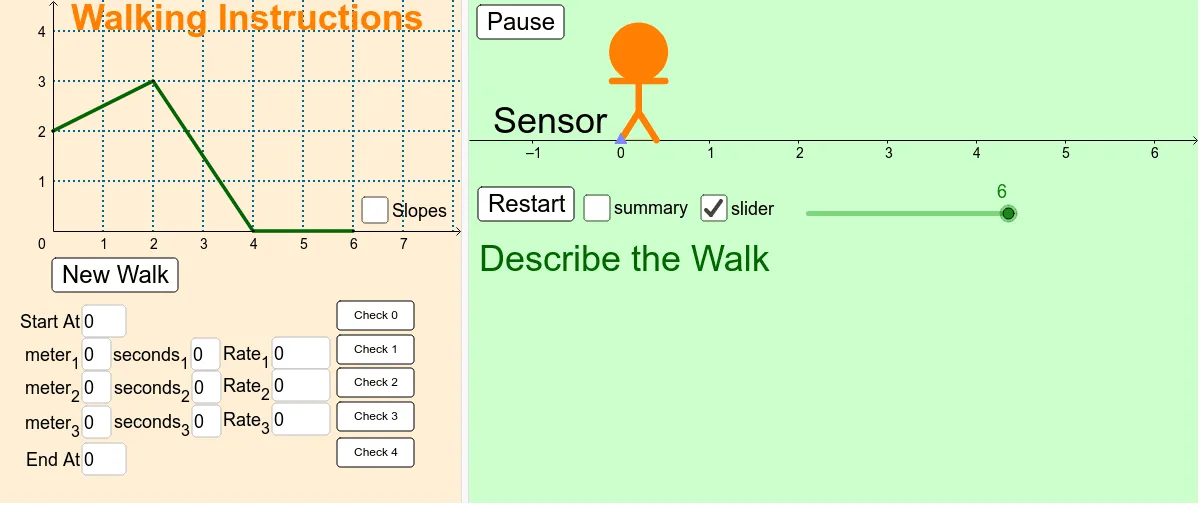
This example demonstrates the construction and manipulation of mathematical elements like triangles, definite integrals, tangent functions, and pie charts using GeoGebra. Core concepts include scalene triangles, definite integrals, tangent functions, circles, and calculus. Key GeoGebra commands and objects used are Random, Slope, Segment, Textfield, Line, Point, LineBisector, Circle, and Mirror. Suitable for high school mathematics students and educators for teaching demonstrations and explorations.
GeoGebra Commands & Parameters
Random(0, 4) → y4Random(0, 4) → y3Slope(Line[C, D]) → cRandom(0, 4) → y2Slope(Line[B, C]) → bRandom(0, 4) → y1Slope(Line[A, B]) → aSegment(A, B) → dSegment(B, C) → eSegment(C, D) → fTextfield(Rate_1) → InputBox3Textfield(Rate_2) → InputBox6Textfield(Rate_3) → InputBox9Line(A, B) → lLine(B, C) → nLine(C, D) → qTextfield(meter1') → InputBox1Textfield(meter2') → InputBox2Textfield(meter3') → InputBox4Textfield(seconds1') → InputBox5Textfield(seconds2') → InputBox7Textfield(meter3') → InputBox8Point(Circle[L, 0.4]) → ESegment(L, E) → gLineBisector(g) → hPoint(h) → FPoint(h) → GPoint(h) → HCircle(H, G) → kSegment(G, F) → mSegment(L, F) → pSegment(E, F) → sPoint(Circle[G, 0.3]) → ISegment(G, I) → iMirror(I, h) → I'Segment(G, I') → jTextfield(seconds3') → InputBox10Textfield(StartValue) → InputBox11Textfield(StopValue) → InputBox12