
分数与几何作图:探索分数表示与图形变换
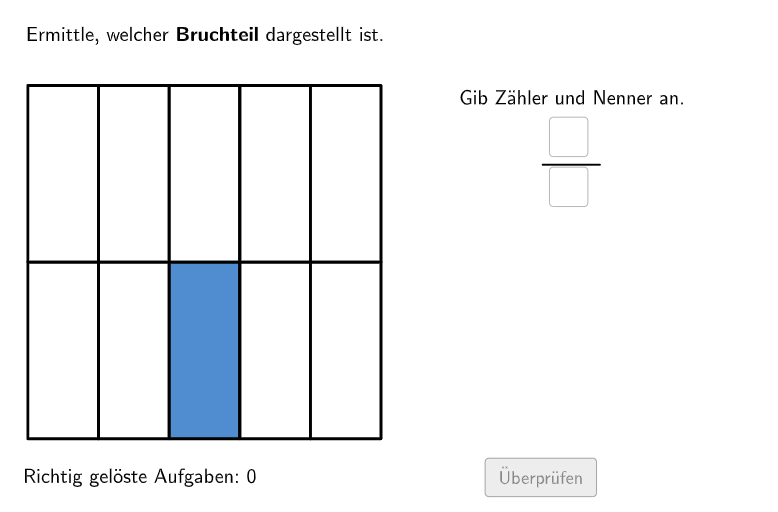
几何画板及绘图内容加载中,请稍等……
本范例通过GeoGebra演示分数作为部分与整体的关系,并结合几何图形变换展示分数操作。核心数学概念包括分数表示、图形变换与比例关系。作图要点涉及使用Shuffle、Append、Polygon等GeoGebra命令创建动态图形,适用于小学5-6年级学生进行分数与几何结合的数学学习。
GeoGebra 命令及参数
Shuffle(Sequence[Random[2, 5], i, 1, 100]) → randomNosCols, {5, 2, 4, 3, 4, 2, 4, 5, 3, 2, 2, 5, 2, 2, 2, 5, 5, 5, 3, 5, 4, 5, 2, 4, 2, 2, 3, 2, 4, 3, 3, 3, 2, 4, 2, 4, 3, 5, 5, 5, 4, 3, 4, 3, 3, 5, 3, 4, 3, 5, 5, 5, 4, 3, 3, 5, 3, 5, 4, 4, 5, 3, 4, 5, 4, 3, 3, 3, 3, 2, 4, 2, 4, 2, 4, 4, 4, 4, 5, 4, 2, 3, 4, 4, 2, 2, 5, 5, 5, 5, 2, 5, 5, 5, 3, 5, 5, 5, 5, 5}Shuffle(Sequence[Random[2, 5], i, 1, 100]) → randomNosRows, {5, 5, 5, 3, 4, 3, 2, 2, 4, 3, 5, 3, 2, 3, 5, 2, 3, 5, 4, 5, 3, 4, 4, 4, 3, 2, 3, 5, 4, 3, 5, 4, 5, 5, 4, 5, 5, 5, 4, 3, 2, 4, 3, 2, 4, 3, 4, 3, 4, 4, 5, 2, 4, 3, 4, 2, 3, 5, 4, 4, 2, 2, 2, 3, 5, 3, 4, 5, 4, 2, 2, 4, 5, 2, 5, 2, 2, 3, 3, 2, 3, 3, 2, 3, 3, 2, 3, 5, 4, 4, 2, 4, 3, 5, 3, 3, 3, 2, 5, 5}Append(Random[1, (randomNosCols(1) * randomNosRows(1)) - 1], Sequence[Random[1, (randomNosCols(i) * randomNosRows(i))], i, 2, 100]) → randomNosNumColoredElement(randomNosCols, Mod[count, 100] + 1) → colsElement(randomNosRows, Mod[count, 100] + 1) → rowsElement(randomNosNumColored, Mod[count, 100] + 1) → numColoredTextfield(aInput) → InputBox1Textfield(bInput) → InputBox2Polygon(PtopLeftCornerFeedback, PtopRightCornerFeedback, PbottomRightCornerFeedback, PbottomLeftCornerFeedback) → rectangleCorrect, ptopleftcornerfeedback, ptoprightcornerfeedback, pbottomrightcornerfeedback, pbottomleftcornerfeedbackFlatten(Sequence[Sequence[Polygon[PtableTopLeft + ((r * heightCell) * (0, -1)) + ((c * widthCell) * (1, 0)), PtableTopLeft + ((r * heightCell) * (0, -1)) + (((c + 1) * widthCell) * (1, 0)), PtableTopLeft + (((r + 1) * heightCell) * (0, -1)) + (((c + 1) * widthCell) * (1, 0)), PtableTopLeft + (((r + 1) * heightCell) * (0, -1)) + ((c * widthCell) * (1, 0))], c, 0, cols - 1], r, 0, rows - 1]) → gridSegment(A_{1}, B) → bruchstrichTake(Shuffle[grid], 1, numColored) → coloredCellsFlatten(Sequence[Sequence[Polygon[PtableTopLeft + ((r * heightCell) * (0, -1)) + ((c * widthCell) * (1, 0)), PtableTopLeft + ((r * heightCell) * (0, -1)) + (((c + 1) * widthCell) * (1, 0)), PtableTopLeft + (((r + 1) * heightCell) * (0, -1)) + (((c + 1) * widthCell) * (1, 0)), PtableTopLeft + (((r + 1) * heightCell) * (0, -1)) + ((c * widthCell) * (1, 0))], c, 0, cols - 1], r, 0, rows - 1]) → grid2OrthogonalLine(C, xAxis) → fPoint(f) → C1Point(f) → APoint(f) → C3Defined((aInput * bInput)) → fixed