
Umkehraufgaben - Volumen:体积计算与几何作图
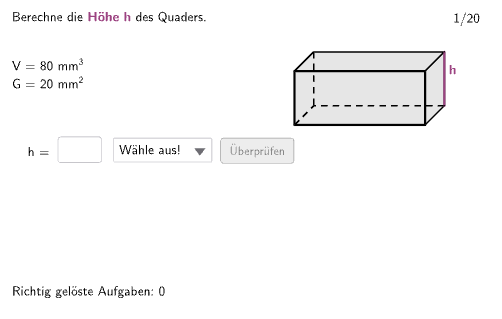
几何画板及绘图内容加载中,请稍等……
这个范例演示了如何通过几何图形计算体积,涉及立方体、平行四边形等立体几何概念。构造中使用了Random、Shuffle、Join等GeoGebra命令,以及Polygon、Segment等对象。适合初中及以上学生用于学习体积计算和几何作图技巧。
GeoGebra 命令及参数
Random(1, 4) → randoEinheitShuffle(Sequence[i, i, 1, 20]) → RandoExListHelperHelper, {7, 2, 17, 9, 1, 5, 11, 16, 13, 4, 12, 14, 6, 10, 15, 8, 3, 19, 18, 20}Join({{9}, RandoExListHelper}) → RandoExListIf(ex < 11, 1, 2) → TypIf(ex < 11, ex, ex - 10) → StepTextfield(input1) → InputBox1Textfield(input2) → InputBox2Polygon(PtopLeftCornerFeedback, PtopRightCornerFeedback, PbottomRightCornerFeedback, PbottomLeftCornerFeedback) → rectangleCorrect, ptopleftcornerfeedback, ptoprightcornerfeedback, pbottomrightcornerfeedback, pbottomleftcornerfeedbackSegment(Q1, Q1') → q1Segment(Q4', Q1') → q2Segment(Q2', Q1') → q3Polygon(Q1, Q2, Q2', Q1') → G, q3', q4', q2', q1'Segment(Q2', Q3') → hSegment(Q1, Q2) → aSegment(Q2, Q2') → bSegment(Q3', Q2') → cElement(ListCorrectG, Step) → AuswahlGElement(ListCorrectH, Step) → AuswahlHElement(ListCorrectA, Step) → AuswahlAElement(ListCorrectB, Step) → AuswahlBElement(ListCorrectC, Step) → AuswahlCElement(ListCorrectV1, Step) → AuswahlV1Element(ListCorrectV2, Step) → AuswahlV2If(gesG, "G = ", If[gesH, "h = ", If[gesA, "a = ", If[gesB, "b = ", If[gesC, "c = "]]]]) → solhelper1