
Teiler-Check-O-Mat
几何画板及绘图内容加载中,请稍等……
所属专题
Teilbarkeitsregeln
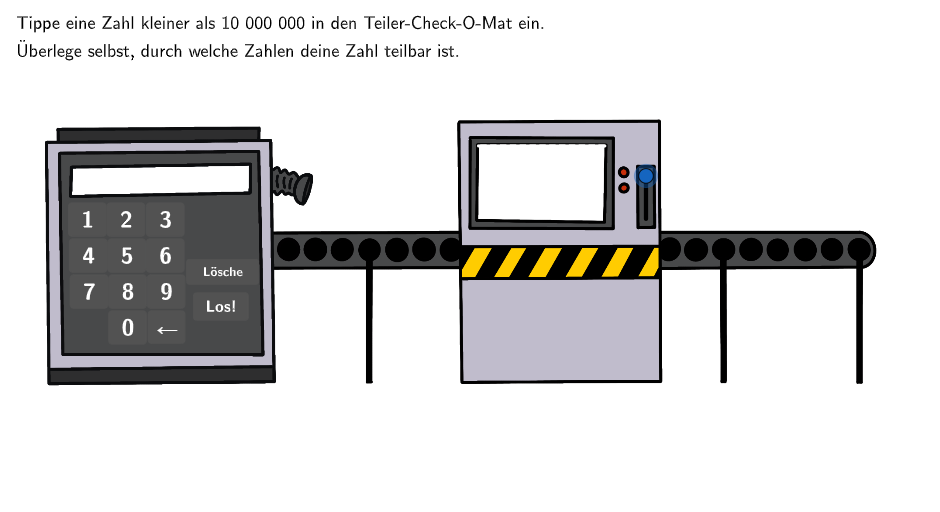
Teiler-Check-O-Mat是一款数学工具,用于检查数字是否能被特定数值整除。通过输入一个数字,用户可以检查该数字是否能被5或4整除。工具还提供了一个问题,要求用户输入自己的出生年份,并检查该年份是否能被某些数值整除。该工具适合中小学数学教育,特别是对于学习整除规则和数字因数的学生。GeoGebra 命令:Textfield, Polygon, Shuffle, Element, Append, Remove, DivisorsList, Factors, CountIf, Mod, Intersection, Length, Segment; 对象:counterNK, AB, AA, Blue, Green, Orange, Red, Purple, Gray, GrayDark, validate, showanswer, showsolution, btnValidate, attemptCount, correctCount, btnTryAgain, btnNew, textCountCorrect, showButtonNew, showButtonTryAgain, showButtonValidate, showhint, hintText, btnNoSelectionInputBoxes, btnSelectionAllowedInputBoxes, questionText, btnFixAllText, btnEmptyInputBoxes, inactiveButtonBackgroundColor, answerText, solutionText, text1, text2, aInput, InputBox1, bInput, InputBox2, correct, showcorrecttext。
GeoGebra 命令及参数
Textfield(aInput) → InputBox1Textfield(bInput) → InputBox2Polygon(PtopLeftCornerFeedback, PtopRightCornerFeedback, PbottomRightCornerFeedback, PbottomLeftCornerFeedback) → rectangleCorrect, ptopleftcornerfeedback, ptoprightcornerfeedback, pbottomrightcornerfeedback, pbottomleftcornerfeedbackShuffle(Sequence[Random[0, 10], i, 1, 100]) → randomNosForX, {3, 6, 2, 5, 2, 8, 5, 0, 3, 7, 2, 6, 5, 5, 10, 0, 3, 3, 2, 0, 7, 4, 9, 0, 8, 4, 0, 9, 2, 4, 10, 10, 6, 0, 8, 10, 9, 10, 4, 5, 7, 9, 7, 3, 6, 2, 0, 7, 6, 3, 3, 4, 10, 5, 5, 10, 3, 2, 3, 3, 3, 4, 7, 7, 8, 1, 1, 0, 8, 5, 7, 9, 3, 3, 9, 10, 5, 5, 10, 7, 4, 3, 2, 5, 9, 2, 2, 0, 2, 7, 3, 2, 10, 9, 2, 7, 9, 10, 10, 1}Element(randomNosForX, Mod[questionCount, 100] + 1) → numXShuffle(Sequence[Random[0, 10], i, 1, 100]) → randomNosForY, {4, 2, 8, 7, 1, 0, 2, 4, 3, 3, 7, 0, 9, 7, 6, 2, 9, 0, 6, 0, 6, 2, 6, 7, 10, 4, 4, 10, 6, 2, 0, 0, 1, 4, 4, 2, 2, 0, 8, 0, 2, 2, 9, 10, 9, 0, 4, 1, 8, 7, 8, 5, 5, 0, 4, 4, 6, 10, 7, 7, 8, 5, 6, 9, 1, 5, 8, 0, 8, 2, 4, 6, 3, 6, 10, 6, 5, 7, 4, 1, 9, 4, 4, 4, 4, 8, 3, 6, 2, 10, 9, 4, 1, 6, 5, 7, 8, 7, 5, 7}Element(randomNosForY, Mod[questionCount, 100] + 1) → numYAppend(true, Sequence[If[randomNosForX(i) ≟ randomNosForX(i - 1), false, true], i, 2, 100]) → stayXAppend(true, Sequence[If[randomNosForY(i) ≟ randomNosForY(i - 1), false, true], i, 2, 100]) → stayYRemove(Sequence[If[stayX(i), randomNosForX(i), 0], i, 1, 100], Sequence[0, i, 1, 100]) → randomNosForXwithoutRepeatRemove(Sequence[If[stayY(i), randomNosForY(i), 0], i, 1, 100], Sequence[0, i, 1, 100]) → randomNosForYwithoutRepeatElement(randomNosForXwithoutRepeat, Mod[questionCount, Length[randomNosForXwithoutRepeat]] + 1) → numXwithoutRepeatElement(randomNosForYwithoutRepeat, Mod[questionCount, Length[randomNosForYwithoutRepeat]] + 1) → numYwithoutRepeatPolygon(O, P, R, Q) → v1, o, p, r, qDivisorsList(AA) → TeilermengeFactors(AA) →CountIf(x > 0, Teilermenge) → countingElementsMod(ZahlGesamtPrüfung, 2) → Mod2Mod(ZahlGesamtPrüfung, 3) → Mod3Mod(ZahlGesamtPrüfung, 4) → Mod4Mod(ZahlGesamtPrüfung, 5) → Mod5Mod(ZahlGesamtPrüfung, 9) → Mod9Mod(ZahlGesamtPrüfung, 10) → Mod10Mod(ZahlGesamtPrüfung, 25) → Mod25Intersection(TeilerListSol, Teilermenge) → TeilerTextLength(TeilerText) → teileranzahlSegment(S, T) → h
AI 绘图提示语参考
绘制一个可以检查数字是否能被5或4整除的工具。首先创建两个输入框,分别输入数字A和B。然后生成100个随机数,从中随机选择两个不同的数作为X和Y坐标。接着绘制一个矩形,表示正确答案区域。定义一个数字AA,计算它的除数列表和因子,统计除数数量。根据AA除以2、3、4、5、9、10、25的余数,判断是否能被这些数整除,并显示相应的提示信息。
以上提示语为根据原始绘图命令整理而来,仅供参考。