
太空贴纸分配问题
几何画板及绘图内容加载中,请稍等……
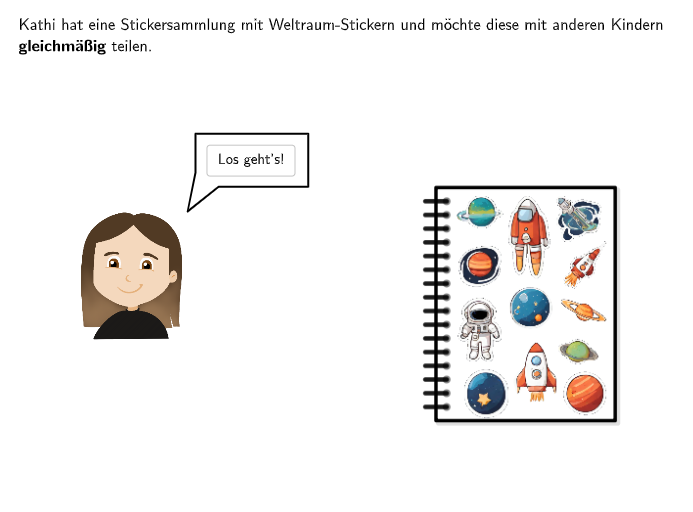
本范例演示了如何将12个太空贴纸均匀分配给6个孩子。涉及的核心数学概念是比例关系。通过使用GeoGebra命令如Sequence、Point、Vector等,可以直观地展示如何计算每个孩子分得的贴纸数量。适合小学5-6年级学生学习比例关系和分配问题。
GeoGebra 命令及参数
Point(Line[A41a, xAxis]) → A33aPoint(Line[A12a, xAxis]) → A61aIf(step < 5, 1, If[step < 7, 2, 3]) → rundeSelectedIndex(DropDown1) → numkids1SelectedIndex(DropDown2) → numkids2SelectedIndex(DropDown3) → numkids3Midpoint(Corner[Bild12, 1], Corner[Bild12, 3]) → M12Midpoint(Corner[Bild11, 1], Corner[Bild11, 3]) → M11Midpoint(Corner[Bild10, 1], Corner[Bild10, 3]) → M10Midpoint(Corner[Bild9, 1], Corner[Bild9, 3]) → M9Midpoint(Corner[Bild8, 1], Corner[Bild8, 3]) → M8Midpoint(Corner[Bild7, 1], Corner[Bild7, 3]) → M7Midpoint(Corner[Bild6, 1], Corner[Bild6, 3]) → M6Midpoint(Corner[Bild5, 1], Corner[Bild5, 3]) → M5Midpoint(Corner[Bild4, 1], Corner[Bild4, 3]) → M4Midpoint(Corner[Bild3, 1], Corner[Bild3, 3]) → M3Midpoint(Corner[Bild2, 1], Corner[Bild2, 3]) → M2Midpoint(Corner[Bild1, 1], Corner[Bild1, 3]) → M1Point(Line[Base1, xAxis]) → Base2Polygon(Aa, (x(Aa), y(Ab)), Ab, (x(Ab), y(Aa))) → v1, h, i, ab, jCountIf(A ∈ v1, A, {M1, M2, M3, M4, M5, M6, M7, M8, M9, M10, M11, M12}) → stickerin1If(step < 12, Element[{numkids1, numkids2, numkids3}, runde], 4) → numkidsJoin({Sequence[Base1 + (m * ((x(Base2) - x(Base1)) / numkids, 0)), m, 0, numkids - 1], Sequence[Base1 + (20, 0), m, 1, 3]}) → pointsBasePolygon(Ca, (x(Ca), y(Cb)), Cb, (x(Cb), y(Ca))) → v3, ca, m, cb, nCountIf(A ∈ v3, A, {M1, M2, M3, M4, M5, M6, M7, M8, M9, M10, M11, M12}) → stickerin3Polygon(Ba, (x(Ba), y(Bb)), Bb, (x(Bb), y(Ba))) → v2, ba, k, bb, lCountIf(A ∈ v2, A, {M1, M2, M3, M4, M5, M6, M7, M8, M9, M10, M11, M12}) → stickerin2Polygon(Da, (x(Da), y(Db)), Db, (x(Db), y(Da))) → v4, da, p, q, rCountIf(A ∈ v4, A, {M1, M2, M3, M4, M5, M6, M7, M8, M9, M10, M11, M12}) → stickerin4Polygon(Base1, Base2 + (-0.9, 0), (x(Base2) - 0.9, y(Ab)), (x(Base1), y(Ab))) → vstickera, f, g, s, tTextfield(input1) → Eingabefeld1Textfield(input2) → Eingabefeld2Sequence(Aa + (m * (0, (y(Ab) - y(Aa)) / numpaperpoints)), m, 1, numpaperpoints - 1) → paperpointsAZip(Segment[M - (linewidth / 2, 0), M + (linewidth / 2, 0)], M, paperpointsA) → paperlinesAZip(P + (linewidth / 2, 0), P, paperpointsA) → paperholesASequence(Ca + (m * (0, (y(Cb) - y(Ca)) / numpaperpoints)), m, 1, numpaperpoints - 1) → paperpointsCSequence(Da + (m * (0, (y(Db) - y(Da)) / numpaperpoints)), m, 1, numpaperpoints - 1) → paperpointsDZip(Segment[M - (linewidth / 2, 0), M + (linewidth / 2, 0)], M, paperpointsC) → paperlinesCZip(Segment[M - (linewidth / 2, 0), M + (linewidth / 2, 0)], M, paperpointsD) → paperlinesDZip(P + (linewidth / 2, 0), P, paperpointsD) → paperholesDIf(step ≟ 1, K1, K2) → KaPointIn(vstickera) → P1aPointIn(vstickera) → P2aPointIn(vstickera) → P3aPointIn(vstickera) → P4aPointIn(vstickera) → P5aPointIn(vstickera) → P6aPointIn(vstickera) → P7aPointIn(vstickera) → P8aPointIn(vstickera) → P9aPointIn(vstickera) → P11aPointIn(vstickera) → P10aPointIn(vstickera) → P12aVector(Aa, Ab) → vLaTeX(v, true, true) → Text5Translate(vstickera, (1, 0)) → vstickerbPointIn(vstickerb) → P10bPointIn(vstickerb) → P11bPointIn(vstickerb) → P12bPointIn(vstickerb) → P1bPointIn(vstickerb) → P2bPointIn(vstickerb) → P3bPointIn(vstickerb) → P4bPointIn(vstickerb) → P5bPointIn(vstickerb) → P6bPointIn(vstickerb) → P7bPointIn(vstickerb) → P8bPointIn(vstickerb) → P9bElement({Ab, Bb, Cb, Db}, numkids) → Base3Textfield(input3) → Eingabefeld3Point(Line[Gr1a + (0, -0.6), xAxis]) → Gr3aPoint(Line[Gr1a + (0, -0.6), xAxis]) → Gr4aPoint(Line[Gr1a, xAxis]) → Gr2aIf(step ≟ 12, 552, 605) → posTextAnzahlSpeechBubbleLeft(B, 2.3, 1) → Vieleck1Point(Line[E, xAxis]) → FDistance(Aa, Ba) → absABDistance(Aa, Ca) → absACDistance(Aa, Da) → absADPoint(Line[G, xAxis]) → HZip(P + (linewidth / 2, 0), P, paperpointsC) → paperholesCSequence(Ba + (m * (0, (y(Bb) - y(Ba)) / numpaperpoints)), m, 1, numpaperpoints - 1) → paperpointsBZip(Segment[M - (linewidth / 2, 0), M + (linewidth / 2, 0)], M, paperpointsB) → paperlinesBZip(P + (linewidth / 2, 0), P, paperpointsB) → paperholesB
AI 绘图提示语参考
在坐标平面上画两条对称的基准线并创建多个等分位置。取一条水平基准线上的左右端点作为分发底边,并在其上按所选的孩子数量得到等间距的若干位置点,同时在对应的垂直边上也做等间距的分割。把基准边与这些分割点连接成由若干矩形/扇形式区域组成的多边形分区图。再用若干中点构造出分区内部的参考位置,并在每个分区里标出与中点集合重合的计数结果,作为“贴纸落点”的集合来源。最后用文本输入框让孩子数量与贴纸分配点数量可变化,并沿分割高度方向生成竖向孔位与纸条线的细分描绘。
以上提示语为根据原始绘图命令整理而来,仅供参考。