
简单方程的逆运算求解
几何画板及绘图内容加载中,请稍等……
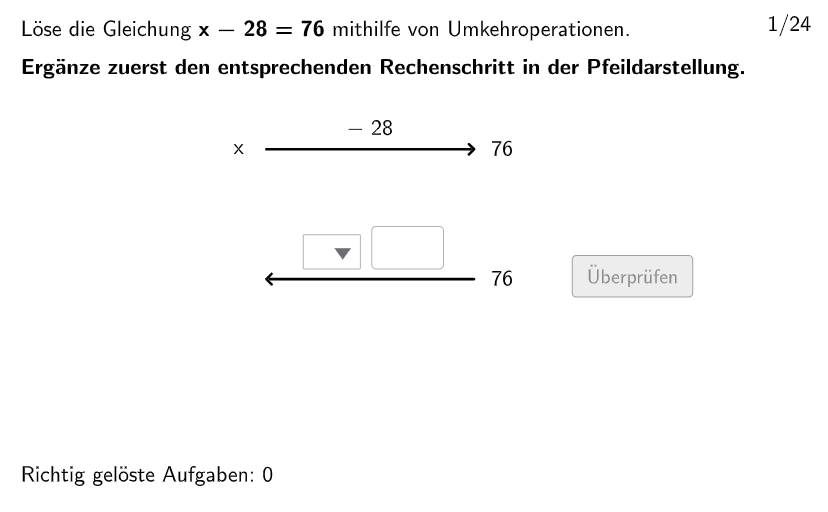
本范例演示了如何使用逆运算来求解简单的线性方程。它涉及到核心数学概念——逆运算和线性方程。作图要点包括:使用 Shuffle、Join、Insert 等 GeoGebra 命令来生成随机的线性方程,使用 Invert 命令来求解方程,使用 Textfield 和 Element 命令来显示结果。适合的学段或用途是初中数学教育,特别是线性方程的求解。
GeoGebra 命令及参数
Shuffle(1…6) → Type1List, {3, 4, 1, 6, 5, 2}Shuffle(13…18) → Type3List, {17, 13, 14, 16, 18, 15}Shuffle(19…24) → Type4List, {23, 24, 19, 22, 20, 21}Join({{2}, Shuffle[{1, 3, 4}]}) → Round1Insert(Last[Round1], Shuffle[Take[Round1, 1, 3]], RandomElement[2…4]) → Round2Insert(Last[Round2], Shuffle[Take[Round2, 1, 3]], RandomElement[2…4]) → Round3Insert(Last[Round3], Shuffle[Take[Round3, 1, 3]], RandomElement[2…4]) → Round4Insert(Last[Round4], Shuffle[Take[Round4, 1, 3]], RandomElement[2…4]) → Round5Insert(Last[Round5], Shuffle[Take[Round5, 1, 3]], RandomElement[2…4]) → Round6Join({{8}, Shuffle[{7, 9, 10, 11, 12}]}) → Type2ListJoin({Round1, Round2, Round3, Round4, Round5, Round6}) → TypeListSequence(Element[If[TypeList(k) ≟ 1, Type1List, TypeList(k) ≟ 2, Type2List, TypeList(k) ≟ 3, Type3List, Type4List], floor(k / 4.1) + 1], k, 1, 24) → ReihenfolgeSelectedIndex(dropdown1) → indexdd1Textfield(input1) → InputBox1Sequence(If[TaskSignList(k) ≟ 1, 2, TaskSignList(k) ≟ 2, 1, TaskSignList(k) ≟ 3, 4, TaskSignList(k) ≟ 4, 3], k, 1, 24) → UTaskSignListTextfield(input2) → InputBox2Shuffle(1…numberOfQuestions) → randomQuestions, {17, 19, 3, 6, 1, 4, 13, 15, 14, 5, 11, 10, 9, 16, 20, 24, 22, 8, 23, 18, 12, 21, 7, 2}Textfield(input) → inputBoxElement(randomQuestions, Mod[questionCount - 1, Length[randomQuestions]] + 1) → randomQuestionSequence(ParseToNumber[((((Text[Number1List(k)] * "") * Element[SignList, TaskSignList(k)]) * "") * Text[Number2List(k)])], k, 1, 24) → Number3ListElement(SignTextList, TaskSignList(question)) → txtSignMidpoint(Corner[txt02, 3], Corner[txt02, 2] + (3.5, 0.05)) → PosSegSegment(PosSeg, PosSeg + (segLength, 0)) → segInvert(pixMat) → invPixMatSelectedIndex(dropdown2) → indexdd2Segment(PosSegSol, PosSegSol + (segLength, 0)) → segSolText((((("\textsf{" * SignTextList(UTaskSignList(question))) * " ") * ReplaceAll[Text[number2], ".", ","]) * "}"), Midpoint[segSol], false, true, 0, 1) → txtSolution3Segment(PosSeg1, PosSeg1 + (segLength, 0)) → seg1Text((((("\textsf{" * SignTextList(TaskSignList(question))) * " ") * ReplaceAll[Text[number2], ".", ","]) * "}"), Midpoint[seg1], false, true, 0, 1) → txt03Text(txtSolution4, Midpoint[segSol] + (0.25, -1), false, true, 0, 0) → txtSolution5
AI 绘图提示语参考
绘制一系列线性方程的求解过程,包括随机生成的方程、使用逆运算求解的过程以及显示结果的文本框。首先生成随机数字列表,然后通过插入和组合操作生成方程,接着使用逆运算求解方程,并在图形中显示解的过程和结果。
以上提示语为根据原始绘图命令整理而来,仅供参考。