
相对频率计算练习
几何画板及绘图内容加载中,请稍等……
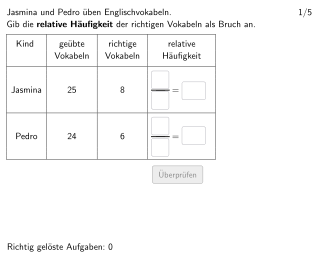
本范例是一个交互式统计练习,演示如何计算一组数据的相对频率,并将结果以分数、小数和百分比三种形式表示。核心数学概念包括相对频率、频率分布和数据的统计特征表示。制作要点:利用Textfield输入框获取学生答案,使用Shuffle和Element命令实现题目随机抽取,通过If和Defined命令进行答案验证,并配合Polygon和Segment绘制统计图表展示数据分布。本练习适合德国5-6年级(国内对应小学高年级或初中低年级)学生学习统计初步,培养数据分析和表达能力。
GeoGebra 命令及参数
Element(randomNosForX_1, selectedNum) → numX_1Element(randomNosForY_1, selectedNum) → numY_1Element(randomNosForY_2, selectedNum) → numY_2Element(randomNosForX_2, selectedNum) → numX_2Shuffle({1, 2, 3, 4, 5, 6, 7, 8, 9, 10, 11, 12, 13}) → randomNosForY_3, {11, 3, 13, 7, 10, 5, 2, 6, 1, 4, 8, 9, 12}Element(randomNosForY_3, selectedNum) → numY_3Textfield(aInput) → InputBox1Textfield(bInput) → InputBox2Textfield(eInput) → InputBox5Textfield(fInput) → InputBox6Polygon(PtopLeftCornerFeedback, PtopRightCornerFeedback, PbottomRightCornerFeedback, PbottomLeftCornerFeedback) → rectangleCorrect, ptopleftcornerfeedback, ptoprightcornerfeedback, pbottomrightcornerfeedback, pbottomleftcornerfeedbackTextfield(cInput) → InputBox3Textfield(dInput) → InputBox4Segment(A, B) → fSegment(C, D) → gSegment(E, F) → hPolygon(PtopLeftCornerFeedback_{1}, PtopRightCornerFeedback_{1}, PbottomRightCornerFeedback_{1}, PbottomLeftCornerFeedback_{1}) → rectangleCorrect_{1}, ptopleftcornerfeedback_{1}, ptoprightcornerfeedback_{1}, pbottomrightcornerfeedback_{1}, pbottomleftcornerfeedback_{1}Defined((((((aInput * bInput) * cInput) * dInput) * eInput) * fInput)) → fixedTextfield(gInput) → InputBox7Textfield(hInput) → InputBox8SelectedIndex(drop) → indexIf(numY_1 / numX_1 > numY_2 / numX_2, 2, 3) → corindex
AI 绘图提示语参考
绘制一个数据分布图,包含12个随机数,通过Shuffle命令打乱顺序。使用Textfield输入学生答案,通过If和Defined命令验证答案是否正确。利用Polygon和Segment命令绘制矩形和线段,展示数据分布情况。
以上提示语为根据原始绘图命令整理而来,仅供参考。