
圆周长与直径的关系
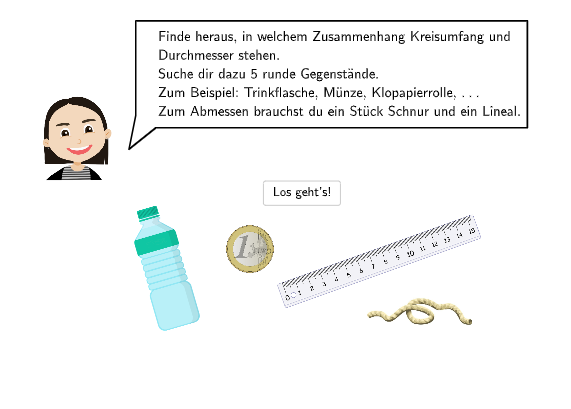
几何画板及绘图内容加载中,请稍等……
所属专题
Kreiszahl PI
①本范例演示圆周长与直径的比值关系;②核心数学概念为圆周率π,通过实验探究其近似值;③构造要点:使用GeoGebra命令如SpeechBubbleLeft, Textfield, Circle, Line, Point, Segment, Vector, Remove, Polygon等创建交互式图形;④适合初中七、八年级学生,用于理解圆的基本性质和π的意义。
GeoGebra 命令及参数
SpeechBubbleLeft(PBubbleAnnaStart, 11, 2.8) → bubble1SpeechBubbleLeft(PBubbleAnna - (0, 0.3), 12.7, 2.3) → bubble2Textfield(input1) → InputBox1Textfield(input2) → InputBox2Textfield(input3) → InputBox3Circle(MittelpunktKreis, RandKreis) → cLine(MittelpunktKreis, RandKreis) → fPoint(c) → ASegment(A, RandKreis) → gVector(B, C) → uVector(D, E) → vSpeechBubbleLeft(PBubbleAnna, 13.5, 2) → bubble3SpeechBubbleLeft(PBubbleAnna, 9.3, 1.2) → bubble4SpeechBubbleLeft(PBubbleAnna, 11.4, 1.8) → bubble5Textfield(input4) → InputBox4Textfield(input5) → InputBox5Textfield(input6) → InputBox6Textfield(input7) → InputBox7Textfield(input8) → InputBox8Textfield(input9) → InputBox9Textfield(input10) → InputBox10Textfield(input11) → InputBox11Textfield(input12) → InputBox12SpeechBubbleLeft(PBubbleAnna, 11, 2) → bubble7Textfield(input13) → InputBox13Textfield(input14) → InputBox14Textfield(input15) → InputBox15Textfield(input16) → InputBox16Textfield(input17) → InputBox17Remove(verhaeltnisse, {input13}) → l1Remove(l1, {input14}) → l2Remove(l2, {input15}) → l3Remove(l3, {input16}) → l4SpeechBubbleLeft(PBubbleAnna, 13.7, 1.2) → bubble8SpeechBubbleLeft(PAnnaBubbleEnde, 8.2, 1.3) → bubble9SpeechBubbleLeft(PBubbleAnnaStart, 10.5, 2.5) → bubble15Polygon(Box1_1, Box1_2, Box1_4, Box1_3) → box1, f_1, g_1, h, iPolygon(Box2_1, Box2_2, Box2_3, Box2_4) → box2, f_{2}, g_{2}, h_{1}, i_{1}Polygon(Box3_1, Box3_2, Box3_3, Box3_4) → box3, f_{3}, g_{3}, h_{2}, i_{2}Polygon(Box4_1, Box4_2, Box4_3, Box4_4) → box4, f_{4}, g_{4}, h_{3}, i_{3}
AI 绘图提示语参考
绘制一个圆,并标出圆心和圆上一点,用线段连接圆心与圆上一点作为半径。在圆上另取一点,用线段连接该点与圆上已知点,形成一条弦。在图形旁放置多个输入框,用于填写圆的周长、直径及周长与直径的比值。用气泡对话框引导观察,提示通过测量周长与直径来估算圆周率π。用箭头向量表示测量方向,并用多边形框出若干输入区域,整体布局用于实验探究圆的周长与直径的关系。
以上提示语为根据原始绘图命令整理而来,仅供参考。