
自然数集合识别与随机出题系统
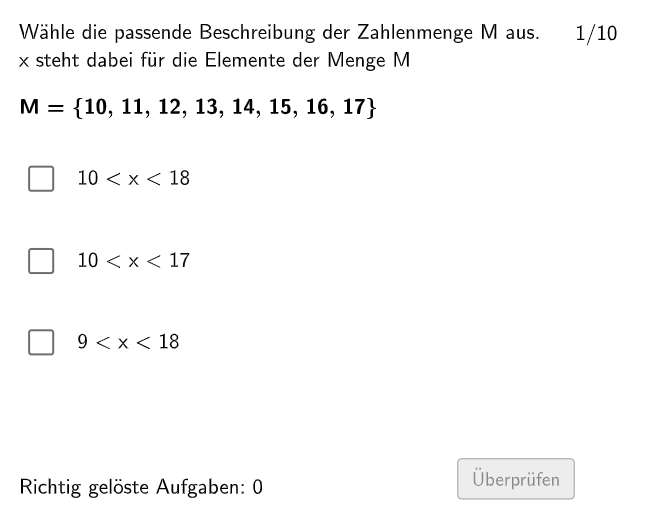
几何画板及绘图内容加载中,请稍等……
所属专题
Ⓔ Zahlenmengen
本范例演示一个交互式自然数练习系统,通过GeoGebra命令Shuffle、Sequence、Element、IndexOf实现题目随机生成与答案乱序排列。系统使用Point、Polygon、Midpoint命令构造几何图形辅助题目展示,利用Textfield组件呈现题目与选项,配合If条件语句实现正误判定。核心数学概念包括自然数识别、乘法运算、方差统计基础、双曲线函数图像及利息计算应用。适合中小学数学课堂练习使用,教师可调整题目参数实现差异化教学,学生可通过交互练习巩固数集概念与运算能力。构造要点:随机数生成→题目库构建→选项打乱→图形辅助→条件判断反馈。
GeoGebra 命令及参数
Shuffle(Sequence[Random[1, 3], i, 1, 100]) → randomNosPositionAnswerCorrect, {1, 3, 1, 3, 3, 2, 3, 1, 1, 2, 1, 2, 1, 3, 3, 2, 1, 2, 2, 1, 1, 1, 3, 3, 3, 2, 2, 1, 2, 3, 1, 1, 3, 3, 2, 1, 1, 1, 1, 2, 1, 2, 2, 3, 3, 2, 3, 3, 2, 3, 1, 1, 1, 3, 1, 1, 1, 2, 2, 2, 3, 1, 3, 2, 1, 3, 1, 3, 2, 2, 3, 2, 2, 1, 1, 2, 1, 2, 3, 3, 3, 2, 1, 1, 3, 1, 1, 1, 3, 3, 1, 2, 3, 1, 1, 3, 2, 3, 1, 3}Sequence(RandomElement[Remove[Sequence[3], {randomNosPositionAnswerCorrect(i)}]], i, 1, 100) → randomNosPositionAnswerWrong1, {2, 2, 2, 1, 1, 3, 2, 3, 2, 1, 3, 3, 3, 1, 1, 1, 2, 1, 1, 2, 2, 3, 1, 1, 1, 1, 3, 3, 1, 1, 2, 2, 1, 1, 1, 3, 3, 2, 2, 3, 3, 1, 1, 1, 2, 1, 2, 1, 3, 1, 2, 3, 2, 1, 3, 3, 3, 3, 3, 3, 1, 3, 2, 1, 3, 2, 2, 1, 3, 3, 1, 3, 1, 3, 2, 3, 3, 3, 2, 1, 1, 1, 2, 2, 1, 2, 2, 2, 2, 2, 3, 1, 2, 3, 2, 1, 1, 2, 2, 2}Element(randomNosPositionAnswerWrong1, Mod[questionCount, 100] + 1) → numPositionAnswerWrong1Sequence(RandomElement[Remove[Remove[Sequence[3], {randomNosPositionAnswerCorrect(i)}], {randomNosPositionAnswerWrong1(i)}]], i, 1, 100) → randomNosPositionAnswerWrong2, {3, 1, 3, 2, 2, 1, 1, 2, 3, 3, 2, 1, 2, 2, 2, 3, 3, 3, 3, 3, 3, 2, 2, 2, 2, 3, 1, 2, 3, 2, 3, 3, 2, 2, 3, 2, 2, 3, 3, 1, 2, 3, 3, 2, 1, 3, 1, 2, 1, 2, 3, 2, 3, 2, 2, 2, 2, 1, 1, 1, 2, 2, 1, 3, 2, 1, 3, 2, 1, 1, 2, 1, 3, 2, 3, 1, 2, 1, 1, 2, 2, 3, 3, 3, 2, 3, 3, 3, 1, 1, 2, 3, 1, 2, 3, 2, 3, 1, 3, 1}Element(randomNosPositionAnswerWrong2, Mod[questionCount, 100] + 1) → numPositionAnswerWrong2Element(randomNosPositionAnswerCorrect, Mod[questionCount, 100] + 1) → numPositionAnswerCorrectShuffle({1, 2, 3, 4, 5, 6, 7, 8, 9, 10}) → NosCase, {3, 10, 9, 4, 8, 7, 6, 1, 5, 2}IndexOf(true, checkboxes) → SelectedCheckboxPoint(Line[F11, Vector[(0, 0), (0, -1.2)]]) → F21Textfield(aInput) → InputBox1Textfield(bInput) → InputBox2Polygon(PtopLeftCornerFeedback, PtopRightCornerFeedback, PbottomRightCornerFeedback, PbottomLeftCornerFeedback) → rectangleCorrect, ptopleftcornerfeedback, ptoprightcornerfeedback, pbottomrightcornerfeedback, pbottomleftcornerfeedbackShuffle(Sequence[Random[1, 15], i, 1, 100]) → randomNosCase, {3, 1, 11, 9, 10, 8, 14, 10, 9, 1, 3, 10, 5, 6, 3, 3, 12, 8, 7, 3, 12, 7, 11, 5, 13, 5, 9, 2, 11, 1, 15, 15, 15, 4, 3, 4, 9, 9, 12, 12, 10, 7, 7, 1, 9, 2, 7, 6, 6, 15, 6, 3, 15, 10, 8, 8, 12, 13, 6, 8, 4, 8, 3, 7, 11, 4, 6, 3, 9, 10, 8, 3, 12, 10, 14, 5, 4, 3, 14, 5, 5, 15, 8, 9, 8, 8, 15, 4, 10, 7, 10, 15, 10, 5, 7, 14, 4, 3, 14, 12}Midpoint(PbottomLeftCornerFeedback, PbottomRightCornerFeedback) → PbottomMiddleIf(numPositionAnswerCorrect ≟ 1, true, false) → c1If(numPositionAnswerCorrect ≟ 2, true, false) → c2If(numPositionAnswerCorrect ≟ 3, true, false) → c3Polygon(F11, (x(F13), y(F11)), F13, (x(F11), y(F13))) → q1, f11, j, f13, kPolygon(F21, (x(F23), y(F21)), F23, (x(F21), y(F23))) → q2, f21, l, f23, mPolygon(F31, (x(F31), y(F33)), F33, (x(F33), y(F31))) → q3, n, p, q, r
AI 绘图提示语参考
在坐标平面上构建一个用于测验的几何反馈界面:先在下方创建一个用于“矩形正确反馈”的框架,由四个角点围成的矩形,并取其底边中点作为视觉锚点。再放置三个四边形形状,分别以同一条竖直基准线上的两个端点为顶点基准,通过两点的连线与对角点配合形成三块小区域;其中一块对应基础四边形,两块分别由另一条更下方的竖直线端点生成。最后在图上留出两个输入框位置用于填写 a 与 b 的答案,并预留一个文本区域用来显示选择题的判定结果。
以上提示语为根据原始绘图命令整理而来,仅供参考。