
命名图形1
几何画板及绘图内容加载中,请稍等……
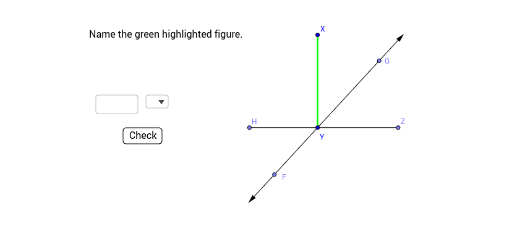
①本范例演示如何使用 GeoGebra 命令命名和构建几何图形;②涉及的核心数学概念包括线段、向量、角度、点、直线等;③作图要点:从下方『构造摘要』提炼用到了 Textfield, SelectedIndex, Segment, OrthogonalLine, Point, Line, Vector, Angle, Element, SelectedElement 等命令/对象;④适合高中数学教学或几何作图练习。
GeoGebra 命令及参数
Textfield() → InputBox1SelectedIndex(listType) → symbolSegment(X, Y) → fOrthogonalLine(Y, f) → gPoint(g) → ZSegment(Y, Z) → iSegment(Y, A) → kLine(A, Y) → lVector(Y, A) → uPoint(l) → CVector(Y, C) → wPoint(w) → FPoint(u) → GLine(Z, Y) → mPoint(m) → HSegment(Y, H) → nAngle(X, Y, H) → αElement(listType, symbol) → inputSelectedElement(listType) → element