
多少钱?- 直接与间接比例练习
几何画板及绘图内容加载中,请稍等……
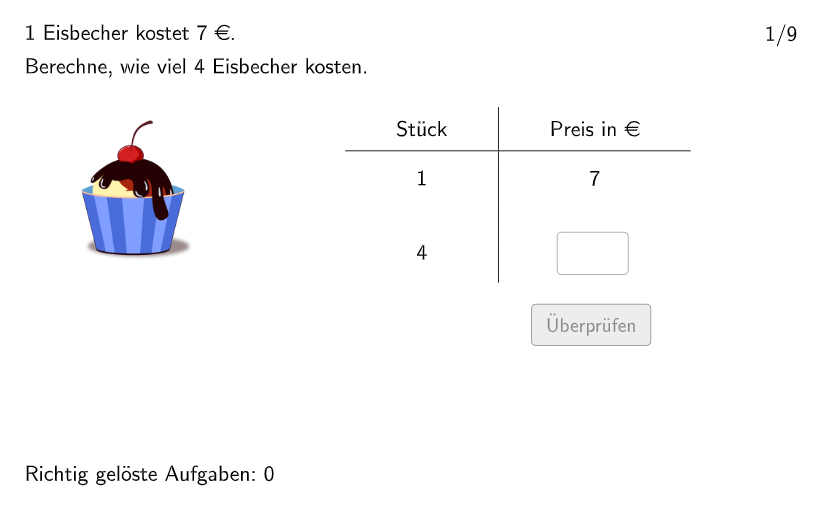
本范例是一个交互式数学练习,旨在帮助学生掌握直接比例和间接比例的应用。题目以日常生活中常见的购物价格计算为背景,要求学生根据已知条件求解未知量。核心数学概念包括:比例关系的建立与求解、变量之间的函数关系、以及结果的验证。作图要点方面,该范例使用了RandomElement、Shuffle等命令实现随机题目生成,利用Textfield创建输入框,结合Validate验证按钮实现即时反馈,还使用了Point、Polygon、Semicircle等命令绘制辅助图形直观展示题意。本练习适合5-6年级学生使用,可用于课堂练习或课后巩固,帮助学生理解比例在现实生活中的应用,培养数学建模能力和逻辑推理能力。
GeoGebra 命令及参数
Join(Sequence[Join[{Shuffle[{1, 2, 3, 4, 5, 6}], Shuffle[{7, 8, 9}]}], i, 1, 9]) → listExnumsRandomElement({1, 2, 3, 4, 5, 6}) → excount1Join({{excount1}, Shuffle[{1, 2, 3, 4, 5, 6, 7, 8, 9} \ {excount1}], Join[Sequence[Shuffle[Sequence[m, m, 1, 9]], i, 1, 15]]}) → l3Join(Sequence[Shuffle[Sequence[m, m, 3, 9]], i, 1, 15]) → randomNosForXElement(randomNosForX, Mod[questionCount, 100] + 1) → numXJoin({numsNat, numsDezi}) → numsYTextfield(input1) → InputBox1Textfield(input2) → InputBox2Polygon(PtopLeftCornerFeedback, PtopRightCornerFeedback, PbottomRightCornerFeedback, PbottomLeftCornerFeedback) → rectangleCorrect, rectangleCorrectS3, rectangleCorrectS4, rectangleCorrectS2, rectangleCorrectS1Shuffle(Sequence[Random[0, 10], i, 1, 100]) → randomNosForY, {3, 10, 0, 2, 8, 10, 3, 7, 7, 1, 10, 7, 9, 10, 3, 10, 7, 4, 0, 7, 7, 8, 6, 6, 8, 5, 10, 1, 4, 2, 6, 9, 10, 5, 0, 5, 8, 5, 2, 7, 9, 8, 5, 0, 3, 10, 7, 4, 6, 2, 6, 6, 5, 10, 2, 4, 6, 10, 7, 6, 1, 10, 8, 10, 6, 7, 2, 3, 3, 9, 7, 2, 7, 1, 6, 6, 7, 9, 5, 6, 4, 9, 0, 5, 10, 8, 0, 6, 7, 9, 4, 5, 10, 10, 0, 0, 6, 2, 8, 0}Append(true, Sequence[If[randomNosForX(i) ≟ randomNosForX(i - 1), false, true], i, 2, 100]) → stayXAppend(true, Sequence[If[randomNosForY(i) ≟ randomNosForY(i - 1), false, true], i, 2, 100]) → stayYRemove(Sequence[If[stayX(i), randomNosForX(i), 0], i, 1, 100], Sequence[0, i, 1, 100]) → randomNosForXwithoutRepeatRemove(Sequence[If[stayY(i), randomNosForY(i), 0], i, 1, 100], Sequence[0, i, 1, 100]) → randomNosForYwithoutRepeatElement(randomNosForXwithoutRepeat, Mod[questionCount, Length[randomNosForXwithoutRepeat]] + 1) → numXwithoutRepeatElement(randomNosForYwithoutRepeat, Mod[questionCount, Length[randomNosForYwithoutRepeat]] + 1) → numYwithoutRepeatLength(numsY) → maxexnumSemicircle(A2, A) → cSemicircle(B, B2) → dPoint(Line[E, xAxis]) → FPoint(Line[C, xAxis]) → DPoint(Line[G, xAxis]) → HPoint(Line[I, xAxis]) → JPoint(Line[M, xAxis]) → NPoint(Line[K, xAxis]) → LPoint(Line[O, xAxis]) → PPoint(Line[Q, xAxis]) → RPoint(Line[S, xAxis]) → TPoint(Line[U, xAxis]) → V
AI 绘图提示语参考
描述一个用于数学比例练习的图形界面。包含两个输入框用于用户输入,一个正确答案矩形,一个比例圆弧和多个点。构造顺序:先创建输入框,然后随机生成数字并绘制矩形,接着绘制圆弧和点以表示比例关系。图形用于帮助学生理解比例应用在现实生活中的数学建模和逻辑推理技能。
以上提示语为根据原始绘图命令整理而来,仅供参考。