
分数乘法演示 by John Ulbright (2)
几何画板及绘图内容加载中,请稍等……
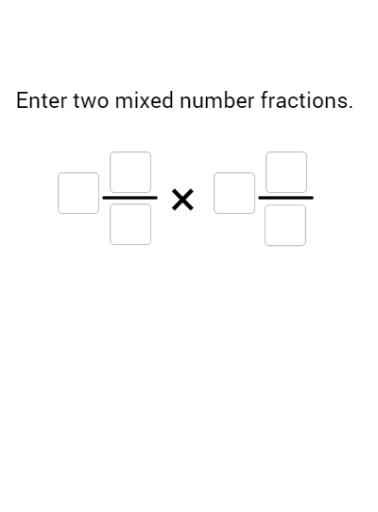
①本范例演示了如何使用 GeoGebra 将带分数进行乘法运算,并通过饼图直观展示结果;②涉及核心数学概念包括分数乘法、带分数转换、几何图形表示;③作图要点:使用Textfield, Point, Intersect, Segment, Polygon, Flatten, First, If, Sequence, Remove, Sort, Take, Max等命令创建输入框、点、线段、多边形等对象,实现动态交互;④适合初中及以上数学学习者,用于理解分数运算与几何可视化。
GeoGebra 命令及参数
Textfield(w1T) → InputBox1Textfield(n1T) → InputBox2Textfield(d1T) → InputBox3Textfield(w2T) → InputBox4Textfield(d2T) → InputBox6Textfield(n2T) → InputBox5Point({(f1 * grow), 0}) → APoint({0, (f2 * grow)}) → BIntersect(xAxis, yAxis) → CSegment(C, A) → fSegment(C, B) → gPoint({f1, (grow2 * f2)}) → DPoint({(f1 * grow2), f2}) → ESegment(A, D) → hSegment(B, E) → iPolygon(C, (floor(f1), 0), (floor(f1), floor(f2)), (0, floor(f2))) → poly1, c, j, k, lFlatten(Sequence[Sequence[Point[{i, j}], i, w1 + (n1 - 1) / d1, 0, -1 / d1], j, w2, w2 + (n2 - 1) / d2, 1 / d2]) → topAndCornerPolygon((w1, 0), (f1, 0), (f1, f2), (0, f2), (0, w2), (w1, w2)) → poly2, m, n, p, q, r, sPolygon((0, 0), (f1, 0), (f1, f2), (0, f2)) → poly3, t, d, e, f_1Polygon((w1, 0), (f1, 0), (f1, w2), (w1, w2)) → poly4, g_1, h_1, i_1, j_1Polygon((0, w2), (f1, w2), (f1, f2), (0, f2)) → poly5, a, k_1, l_1, m_1First(Flatten[Sequence[Sequence[Polygon[(i, j), (i + 1, j), 4], j, 0, w2 - 1], i, w1, w1 + ceil(newOnes / w2)]], newOnes) → newWholesInBrownIf(w2T ≟ "", "0", w2T) → w2BTIf(w1T ≟ "", "0", w1T) → w1BTIf(n1T ≟ "", "0", n1T) → n1BTIf(n2T ≟ "", "0", n2T) → n2BTIf(d1T ≟ "", "1", d1T) → d1BTIf(d2T ≟ "", "1", d2T) → d2BTSequence(Sequence[Point[{i, j}], i, w1, f1 - 1 / d1, 1 / d1], j, 0, w2 - 1 / d2, 1 / d2) → rightFlatten(Join[{right, topAndCorner}]) → origFractionPointsFirst(Flatten[Sequence[Sequence[Sequence[Sequence[Point[{i + k, j + m}], i, 0, 1 - 1 / d1, 1 / d1], j, 0, 1 - 1 / d2, 1 / d2], m, 0, w2 - 1], k, w1, w1 + ceil(newOnes / w2)]], Length[origFractionPoints]) → destinationFractionPointsRemove(origFractionPoints, destinationFractionPoints) → thesePointsWillMoveSort(Remove[destinationFractionPoints, origFractionPoints]) → movingTargetsFirst(Flatten[Sequence[Sequence[Polygon[(i, j), (i + 1, j), 4], j, 0, Max[0, w2 - 1]], i, w1, w1 + newOnes]], newOnes) → newWholesInGreenSort(Remove[Unique[Flatten[Join[{right, destinationFractionPoints}]]], thesePointsWillMove]) → finalRightSequence(y(Element[finalRight, i]), i, 1, Length[finalRight]) → finalYvaluesSort(finalRight, finalYvalues) → sortedFinalRightTake(destinationFractionPoints, ((newOnes * d1) * d2) + 1, Length[destinationFractionPoints]) → leftoverFractionPointsPolygon((w1, 0), (f1, 0), (f1, Min[w2, newOnes]), (w1, Min[w2, newOnes])) → poly6, b, n_1, p_1, q_1Sequence(Polygon[Element[leftoverFractionPoints, i], Element[leftoverFractionPoints, i] + (1 / d1, 0), Element[leftoverFractionPoints, i] + (1 / d1, 1 / d2), Element[leftoverFractionPoints, i] + (0, 1 / d2)], i, 1, Length[leftoverFractionPoints]) → leftoverFractionPolysSequence((Element[thesePointsWillMove, i] * (1 - partMover)) + (Element[movingTargets, i] * partMover), i, 1, Length[movingTargets]) → movingPointsSequence(Polygon[Element[movingPoints, i], Element[movingPoints, i] + (1 / d1, 0), Element[movingPoints, i] + (1 / d1, 1 / d2), Element[movingPoints, i] + (0, 1 / d2)], i, 1, Length[movingPoints]) → movingPolysRemove(leftoverFractionPoints, movingTargets) → addthesePointsSequence(Polygon[Element[addthesePoints, i], Element[addthesePoints, i] + (1 / d1, 0), Element[addthesePoints, i] + (1 / d1, 1 / d2), Element[addthesePoints, i] + (0, 1 / d2)], i, 1, Length[addthesePoints]) → addThesePolysPoint(yAxis) → GSegment(F, G) → r_1Segment(H, I) → s_1Max({f2, 2, f1 + If[w2 > 0, ceil(newOnes / w2), newOnes]}) → scaleSequence(Sequence[Polygon[Element[leftoverFractionPoints, 1] + (i, j), Element[leftoverFractionPoints, 2] + (i, j), Element[leftoverFractionPoints, d1 + 2] + (i, j), Element[leftoverFractionPoints, d1 + 1] + (i, j)], i, 0, 1 - 1 / d1, 1 / d1], j, 0, 1 - 1 / d2, 1 / d2) → leftoveroutlines
AI 绘图提示语参考
画一个分数乘法演示图,包含两个输入框分别输入两个带分数,用饼图可视化结果。首先画出坐标轴和原点,然后根据输入的带分数画出代表分数的几何图形,包括整部分和分数部分。接着用动态的饼图展示乘法结果,饼图的颜色和数量要能体现乘法运算的过程。最后,用动态效果展示分数乘法的结果变化,使图形具有交互性。
以上提示语为根据原始绘图命令整理而来,仅供参考。