
分数涂改任务:理解相对比例与频率
几何画板及绘图内容加载中,请稍等……
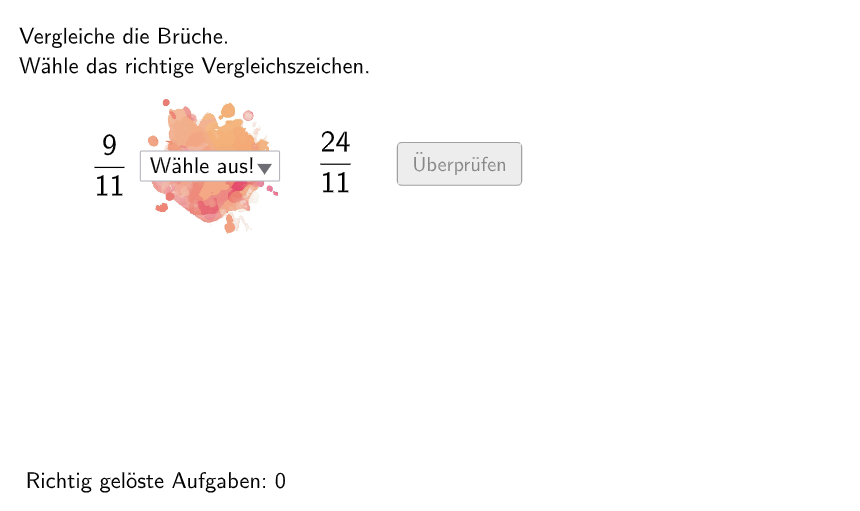
这是一个互动式分数学习工具,模拟德国数学教育中的「Klecksaufgabe」(涂改作业)形式,通过随机生成的分数题目,让学生理解分数作为相对比例和相对频率的含义。核心数学概念包括:分数的分子分母关系、分数的大小比较、分数与小数的转换。构造要点:使用Shuffle和Element命令随机抽取分子分母数据,利用If和SelectedIndex实现答案验证逻辑,通过Textfield创建输入框,配合Polygon和Corner绘制题目界面装饰元素,设有btnValidate验证、btnTryAgain重试、btnNew新题目等交互按钮,实时记录attemptCount尝试次数和correctCount正确数。适合5-6年级学生进行分数概念巩固练习,也可供教师作为课堂互动演示使用。
GeoGebra 命令及参数
Shuffle(Sequence[Random[1, 2], i, 1, 100]) → randomNosForGanzeZahl, {1, 2, 2, 1, 1, 2, 1, 2, 1, 1, 1, 2, 2, 2, 2, 2, 1, 2, 2, 2, 1, 1, 2, 2, 1, 2, 1, 1, 1, 2, 1, 2, 2, 1, 2, 2, 1, 2, 1, 1, 1, 1, 1, 1, 2, 1, 2, 2, 1, 2, 1, 1, 1, 2, 2, 2, 2, 2, 2, 1, 1, 1, 1, 1, 1, 1, 1, 1, 2, 1, 2, 1, 1, 2, 2, 1, 1, 1, 1, 2, 2, 1, 1, 2, 2, 2, 2, 1, 2, 2, 1, 2, 2, 2, 1, 1, 1, 1, 2, 2}Element(randomNosForGanzeZahl, Mod[questionCount, 100] + 1) → NennerZaehlerShuffle(Sequence[Random[2, 13], i, 1, 100]) → randomNosForNenner1, {13, 11, 6, 9, 12, 4, 9, 7, 10, 3, 8, 6, 10, 5, 3, 4, 13, 3, 2, 8, 7, 5, 6, 12, 7, 4, 9, 7, 5, 11, 13, 3, 12, 9, 13, 13, 2, 9, 11, 3, 6, 9, 2, 11, 6, 12, 4, 3, 4, 11, 3, 12, 13, 3, 8, 2, 11, 3, 9, 9, 4, 8, 6, 11, 10, 10, 4, 4, 6, 5, 11, 9, 9, 7, 10, 4, 4, 11, 6, 12, 11, 8, 6, 12, 7, 7, 9, 9, 11, 13, 9, 8, 8, 11, 13, 12, 7, 12, 5, 10}Element(randomNosForNenner1, Mod[questionCount, 100] + 1) → nenner1Shuffle(Sequence[Random[2, 13], i, 1, 100]) → randomNosForNenner2, {10, 13, 2, 12, 4, 10, 5, 3, 3, 9, 6, 5, 7, 9, 2, 8, 11, 13, 3, 6, 13, 7, 5, 4, 8, 4, 8, 9, 10, 8, 2, 11, 9, 7, 11, 9, 13, 6, 10, 8, 5, 5, 13, 6, 12, 10, 7, 7, 6, 8, 6, 2, 10, 10, 11, 7, 7, 3, 6, 2, 3, 11, 4, 4, 13, 6, 12, 13, 4, 9, 9, 11, 8, 9, 13, 12, 9, 7, 6, 7, 11, 11, 3, 11, 5, 12, 2, 13, 10, 11, 2, 9, 11, 12, 4, 4, 5, 2, 10, 9}Element(randomNosForNenner2, Mod[questionCount, 100] + 1) → nenner2If(NennerZaehler ≟ 1, nenner2, nenner1) → selectedNenner2Element(randomNosForZaehler1, Mod[questionCount, 100] + 1) → zaehler1Element(randomNosForZaehler2, Mod[questionCount, 100] + 1) → zaehler2If(NennerZaehler ≟ 1, zaehler1, zaehler2) → selectedZaehler2SelectedIndex(zeichen) → indexElement(randomNosForLay, Mod[questionCount, 100] + 1) → layIf(dezimal1 < dezimal2 ∧ index ≟ 3 ∨ dezimal1 > dezimal2 ∧ index ≟ 2 ∨ dezimal1 ≟ dezimal2 ∧ index ≟ 4, true, false) → correct1If(1 < dezimal2 ∧ index ≟ 3 ∨ 1 > dezimal2 ∧ index ≟ 2 ∨ 1 ≟ dezimal2 ∧ index ≟ 4, true, false) → correct3If(dezimal1 < 1 ∧ index ≟ 3 ∨ dezimal1 > 1 ∧ index ≟ 2 ∨ dezimal1 ≟ 1 ∧ index ≟ 4, true, false) → correct2Textfield(aInput) → InputBox1Textfield(bInput) → InputBox2If(lay ≟ 1, correct1, If[lay ≟ 2, correct2, If[lay ≟ 3, correct3]]) → correctPolygon(PtopLeftCornerFeedback, PtopRightCornerFeedback, PbottomRightCornerFeedback, PbottomLeftCornerFeedback) → rectangleCorrect, ptopleftcornerfeedback, ptoprightcornerfeedback, pbottomrightcornerfeedback, pbottomleftcornerfeedbackCorner(bruch1, 3) → CornerText1
AI 绘图提示语参考
这是一个交互式分数学习工具界面,包含随机生成的分数问题、两个输入框、验证按钮和重新尝试按钮。界面会显示当前分数问题,并提供反馈矩形用于标记答案正确与否。学生输入答案后,工具会自动验证并给出相应反馈。整体设计简洁,专注于帮助学生理解分数的相对比例和转换。
以上提示语为根据原始绘图命令整理而来,仅供参考。