
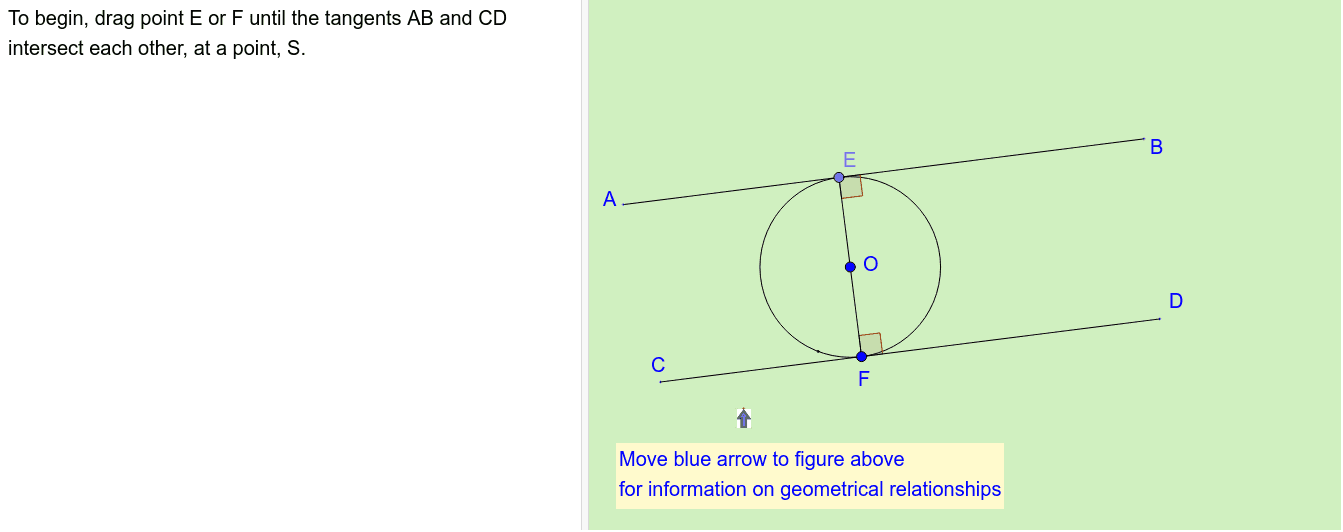
圆的外公切线
几何画板及绘图内容加载中,请稍等……
①本范例演示了如何绘制圆的外公切线及其相关几何性质;②涉及的核心数学概念包括圆、切线、角、相交线、解析几何等;③作图要点提炼自构造摘要,使用了If、Circle、Point、Segment、Tangent、Intersect、Angle、rectangle2endpointsthin、rectanglefrom2endpoints、Polygon、IsInRegion、Element、rectangle2endpointsthin1等GeoGebra命令和对象;④适合高中阶段学习几何作图、圆的性质及解析几何的学生使用。
GeoGebra 命令及参数
If(SelectedIndex[listAnsQ3] ≟ 4, true, false) → Qn3correctIf(SelectedIndex[listAnsQ1] ≟ 5, true, false) → Qn1correctIf(SelectedIndex[listAnsQ5] ≟ 5, true, false) → Qn5correctIf(SelectedIndex[listAnsQ2] ≟ 3, true, false) → Qn2correctIf(SelectedIndex[listAnsQ4] ≟ 5, true, false) → Qn4correctCircle(O, R) → cPoint(c) → FSegment(O, F) → eTangent(F, c) → b,Point(b) → DPoint(b) → CSegment(C, D) → gPoint(c) → ETangent(E, c) → a,Point(a) → BPoint(a) → ASegment(A, B) → hIntersect(g, h) → SSegment(O, S) → fCircle(O, (0.13 * Distance[O, S])) → c_1Intersect(c_1, e) → I,Intersect(c_1, f) → H,Segment(O, E) → dIntersect(c_1, d) → G,Segment(E, S) → mCircle(S, (0.25 * Distance[O, S])) → pIntersect(p, m) → L,Intersect(p, f) → J,Segment(F, S) → nIntersect(p, n) → K,Angle(O, E, B) → αAngle(O, F, D) → βrectangle2endpointsthin(E, L) → poly1rectangle2endpointsthin(F, K) → poly2rectangle2endpointsthin(O, J) → poly3rectanglefrom2endpoints(O, E) → poly4rectanglefrom2endpoints(O, F) → poly5Polygon(G, H, O) → poly6, t, a_1, b_1Polygon(H, I, O) → poly7, i, d_1, e_1Polygon(J, K, S) → poly8, j, k, qPolygon(J, L, S) → poly9, l, r, sIsInRegion(K_p, poly5) → touchOFIsInRegion(K_p, poly4) → touchOEElement(listFeedbackQ5, SelectedIndex[listAnsQ5]) → txtQ5FElement(listFeedbackQ2, SelectedIndex[listAnsQ2]) → txtQ2FSegment(O, S) → f_dAngle(S, O, E) → γSegment(O, F) → e_dSegment(O, E) → d_dAngle(F, O, S) → δAngle(O, S, F) → εAngle(E, S, O) → ζrectangle2endpointsthin1(C, D) → poly10LineCDrectangle2endpointsthin1(A, B) → poly11LineABIsInRegion(K_p, poly10LineCD) → touchCDIsInRegion(K_p, poly11LineAB) → touchAB