
探索水平与垂直线
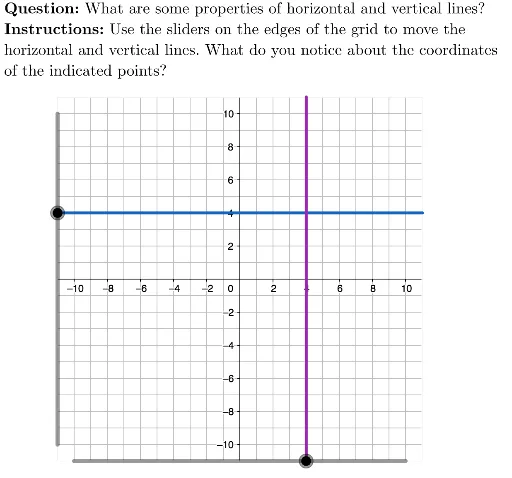
几何画板及绘图内容加载中,请稍等……
①本范例演示如何绘制并探索水平与垂直线;②涉及的核心数学概念包括直线方程、解析几何、向量;③作图要点——从下方『构造摘要』提炼用到了哪些 GeoGebra 命令/对象:Polygon(多边形)、Segment(线段)、LaTeX(文本格式)、Text(文本)、verValue(垂直值)、viewBox(视图框)、horValue(水平值)、TryAnother(尝试另一个)、Initialize(初始化)、horLine(水平线)、verLine(垂直线)、isHorizontalActive(水平激活状态)、isVerticalActive(垂直激活状态)、hor1, hor2, hor3(水平线参数)、ver1, ver2, ver3(垂直线参数)、QUESTION(问题)、INSTRUCTIONS(说明)、TEXT(文本)、offset(偏移量)、hor1Label, hor2Label, hor3Label(水平线标签)、ver1Label, ver2Label, ver3Label(垂直线标签);④适合高中数学学生学习和理解直线的基本性质与方程。
GeoGebra 命令及参数
Polygon({(-11, -11), (-11, 11), (11, 11), (11, -11)}) → viewBoxSegment((-11, horValue), (11, horValue)) → horLineSegment((verValue, -11), (verValue, 11)) → verLineLaTeX("\textbf{Question: }What are some properties of horizontal and vertical lines?") → QUESTIONLaTeX("\textbf{Instructions: }Use the sliders on the edges of the grid to move the\\horizontal and vertical lines. What do you notice about the coordinates\\of the indicated points?") → INSTRUCTIONSText(hor1, hor1 + offset, true, true) → hor1LabelText(hor2, hor2 + offset, true, true) → hor2LabelText(hor3, hor3 + offset, true, true) → hor3LabelText(ver1, ver1 + offset, true, true) → ver1LabelText(ver2, ver2 + offset, true, true) → ver2LabelText(ver3, ver3 + offset, true, true) → ver3Label