
几何作图:估算与调整角度
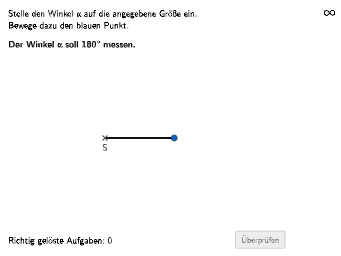
几何画板及绘图内容加载中,请稍等……
这个范例演示了如何通过几何作图估算和调整三角形中的角度。核心数学概念包括角度测量、三角形性质以及几何作图技巧。作图要点包括使用GeoGebra命令如Shuffle、Element、Point、Angle等来构造三角形和调整角度。适合初中或高中数学学习,用于理解几何变换和角度关系。
GeoGebra 命令及参数
Shuffle(list) → l1, {20, 30, 6, 28, 3, 22, 14, 1, 7, 25, 13, 19, 27, 10, 11, 18, 23, 15, 24, 17, 12, 21, 4, 5, 8, 29, 16, 26, 9, 2}Element(l1, auswahl) → faktorPoint(Circle[S, 2.2]) → CPoint(Circle[S, 2.2]) → BAngle(B, S, C) → αTextfield(aInput) → InputBox1Textfield(bInput) → InputBox2Polygon(PtopLeftCornerFeedback, PtopRightCornerFeedback, PbottomRightCornerFeedback, PbottomLeftCornerFeedback) → rectangleCorrect, ptopleftcornerfeedback, ptoprightcornerfeedback, pbottomrightcornerfeedback, pbottomleftcornerfeedbackSegment(S, B) → fSegment(S, C) → gRotate(B, winkel, S) → B'Angle(B, S, B') → βSegment(S, B') → hRotate(B, winkel + 5°, S) → B'_{1}Angle(B, S, B'_{1}) → γRotate(B, winkel - 5°, S) → B'_{2}Angle(B, S, B'_{2}) → δCircleSector(S, B'_{2}, B'_{1}) → c
AI 绘图提示语参考
画一个三角形,包含一个圆心为 S 的圆,圆的半径为 2.2。画出三角形的三条边,分别与圆心相连。然后,根据用户输入的角度值,调整三角形的角度,画出调整后的三角形。最后,画出一个矩形,包含调整后的三角形。
以上提示语为根据原始绘图命令整理而来,仅供参考。