
数轴上的除法演示
几何画板及绘图内容加载中,请稍等……
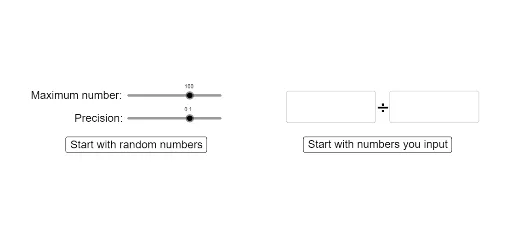
①本范例通过动态演示在数轴上如何进行除法运算,直观展示除法与等分段的对应关系;②涉及的核心数学概念包括数轴、除法、等分、有理数运算;③作图要点——使用了Point, Max, If, Textfield, Text, CurveCartesian, Segment等GeoGebra命令与对象,如movingDivisorPoint, userDividendPointOnNumberLine, divisorMover等,实现动态交互与计算;④适合初中及以上数学学习者,用于理解除法运算的几何意义和数轴表示。
GeoGebra 命令及参数
Point({divisor / endOfSegment, 0}) → correctDivisorPointPoint({dividend / endOfSegment, 0}) → correctDividendPointMax((2 * dec), (Random[mx / 10 / dec, mx / dec] * dec)) → randomDividendIf(inputDividendText ≟ "", 2, FromBase[inputDividendText, 10]) → inputDividendIf(inputDivisorText ≟ "", 1, FromBase[inputDivisorText, 10]) → inputDivisorTextfield(inputDividendText) → InputBox1Textfield(inputDivisorText) → InputBox2Max(dec, round((Random[randomDividend / 20 / dec, (0.5 * randomDividend / dec)] * dec), (-log(10, dec)))) → randomDivisorMax(c, d) → roundingHelperText(0, (-0.05, -0.03)) → text7CurveCartesian((1 / zoomMover / ((2 * π)) * (t - sin(t))), (0.05 * (1 - cos(t))), t, 0, jumper + starter) → eCurveCartesian((h / ((2 * π)) * (t - sin(t))), (0.05 * (1 - cos(t))), t, 0, jumper) → gText(endOfSegment, B + (0.03, -0.03)) → text8CurveCartesian(((divisor / Max[divisor, dividend] * If[goesOver115, scaler, 1] / ((2 * π))) * (t - sin(t))), (0.05 * (1 - cos(t))), t, 0, jumper + starter) → iSegment((0, 0), B) → f
AI 绘图提示语参考
在数轴上动态展示除法,通过移动点演示等分线段的分割过程,包括输入被除数和除数的文本框,显示除法结果,绘制数轴和动态变化的线段,以及相关的计算和文本标注。
以上提示语为根据原始绘图命令整理而来,仅供参考。