
可被2、5和10整除的判断练习
几何画板及绘图内容加载中,请稍等……
所属专题
Teilbarkeitsregeln
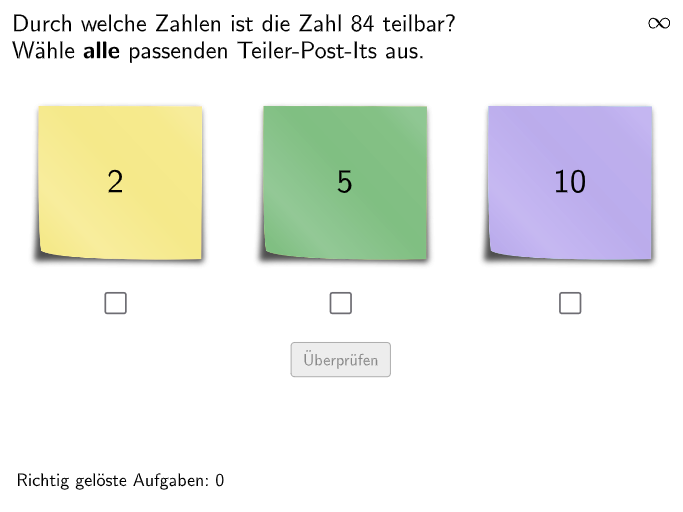
本范例是一个交互式数学练习,演示如何判断一个整数是否能被2、5或10整除。核心数学概念是整除性规则及其应用。具体作图要点:使用Textfield和InputBox创建输入框,让学生输入数字;通过Shuffle命令随机生成练习题(RandomList2、RandomList5、RandomList10);利用条件判断验证输入数字的整除性;通过Text命令和颜色反馈(Blue、Green、Orange、Red等)显示正确答案和错误提示;设置validate、showanswer、showsolution等按钮实现验证、显示答案和显示解题过程功能。适合德国5-6年级学生使用,可用于课堂练习或课后巩固,训练学生对整除性规则的掌握和实际应用能力。
GeoGebra 命令及参数
Textfield(input1) → InputBox1Textfield(input2) → InputBox2Shuffle(Sequence[Element[Shuffle[Sequence[(k * 2), k, 1, 50] \ Shuffle[Sequence[(k * 10), k, 1, 10]]], i], i, 1, 5]) → RandomList2, {14, 64, 84, 6, 38}Shuffle(Sequence[Element[Shuffle[Sequence[(k * 5), k, 1, 20] \ Shuffle[Sequence[(k * 10), k, 1, 10]]], i], i, 1, 5]) → RandomList5, {25, 45, 5, 15, 95}Shuffle(Sequence[Element[Shuffle[Sequence[(k * 10), k, 1, 10]], i], i, 1, 5]) → RandomList10, {80, 90, 30, 40, 80}Shuffle(Join[{RandomList2, RandomList5, RandomList10}]) → RandomListNum, {84, 25, 90, 45, 6, 64, 5, 80, 95, 38, 30, 14, 80, 40, 15}Polygon(PtopLeftCornerFeedback, PtopRightCornerFeedback, PbottomRightCornerFeedback, PbottomLeftCornerFeedback) → rectangleCorrect, rectangleCorrectS3, rectangleCorrectS4, rectangleCorrectS2, rectangleCorrectS1Shuffle(Sequence[Random[0, 10], i, 1, 100]) → randomNosForX, {7, 1, 10, 9, 5, 4, 8, 3, 6, 7, 9, 8, 5, 3, 9, 2, 1, 1, 2, 9, 8, 4, 6, 10, 10, 4, 7, 3, 10, 7, 2, 0, 0, 10, 3, 3, 3, 10, 2, 2, 4, 8, 3, 4, 7, 7, 8, 6, 3, 9, 3, 8, 7, 1, 1, 2, 5, 3, 6, 3, 7, 2, 4, 7, 0, 0, 7, 3, 9, 9, 5, 0, 7, 2, 8, 8, 4, 8, 4, 1, 7, 7, 4, 10, 8, 0, 3, 6, 2, 3, 7, 2, 3, 3, 8, 8, 10, 1, 0, 1}Element(randomNosForX, Mod[questionCount, 100] + 1) → numXShuffle(Sequence[Random[0, 10], i, 1, 100]) → randomNosForY, {7, 9, 7, 4, 3, 1, 0, 4, 9, 9, 5, 10, 9, 10, 9, 9, 0, 8, 9, 3, 5, 0, 10, 3, 7, 2, 7, 10, 1, 2, 7, 9, 6, 0, 7, 8, 9, 6, 4, 4, 3, 8, 9, 7, 3, 3, 10, 6, 0, 9, 5, 2, 1, 0, 8, 8, 6, 8, 10, 1, 8, 1, 2, 10, 8, 1, 4, 4, 7, 6, 5, 2, 4, 2, 6, 0, 2, 9, 10, 2, 9, 10, 6, 7, 3, 10, 0, 1, 10, 3, 2, 10, 2, 2, 8, 9, 4, 10, 7, 0}Element(randomNosForY, Mod[questionCount, 100] + 1) → numYAppend(true, Sequence[If[randomNosForX(i) ≟ randomNosForX(i - 1), false, true], i, 2, 100]) → stayXAppend(true, Sequence[If[randomNosForY(i) ≟ randomNosForY(i - 1), false, true], i, 2, 100]) → stayYRemove(Sequence[If[stayX(i), randomNosForX(i), 0], i, 1, 100], Sequence[0, i, 1, 100]) → randomNosForXwithoutRepeatRemove(Sequence[If[stayY(i), randomNosForY(i), 0], i, 1, 100], Sequence[0, i, 1, 100]) → randomNosForYwithoutRepeatElement(randomNosForXwithoutRepeat, Mod[questionCount, Length[randomNosForXwithoutRepeat]] + 1) → numXwithoutRepeatElement(randomNosForYwithoutRepeat, Mod[questionCount, Length[randomNosForYwithoutRepeat]] + 1) → numYwithoutRepeatShuffle({1, 2}) → Vis1, {2, 1}Shuffle({1, 2}) → Vis2, {2, 1}Shuffle({1, 2}) → Vis3, {1, 2}Corner(PostIt11, 3) → PostIt1_3Corner(PostIt11, 4) → PostIt1_4Corner(PostIt21, 3) → PostIt2_3Corner(PostIt21, 4) → PostIt2_4Corner(PostIt31, 3) → PostIt3_3Corner(PostIt31, 4) → PostIt3_4Text(correctText, CorrP, false, true, 0, 0) → Text4
AI 绘图提示语参考
创建一个用于练习整数可除性的互动练习图。首先放置两个输入框让学生输入题目数;再生成三组练习整数集合,分别对应用于判断能否被2、5和10整除的题号。用矩形围栏的四个角来构成“正确答案区域”的框,并在画面上加入一段用于显示反馈的文本,颜色与对错提示相配合。最后把所有可用的练习数字与该反馈区域共同呈现为一套练习界面,便于学生反复验证答案。
以上提示语为根据原始绘图命令整理而来,仅供参考。