
小数与分数操作练习
几何画板及绘图内容加载中,请稍等……
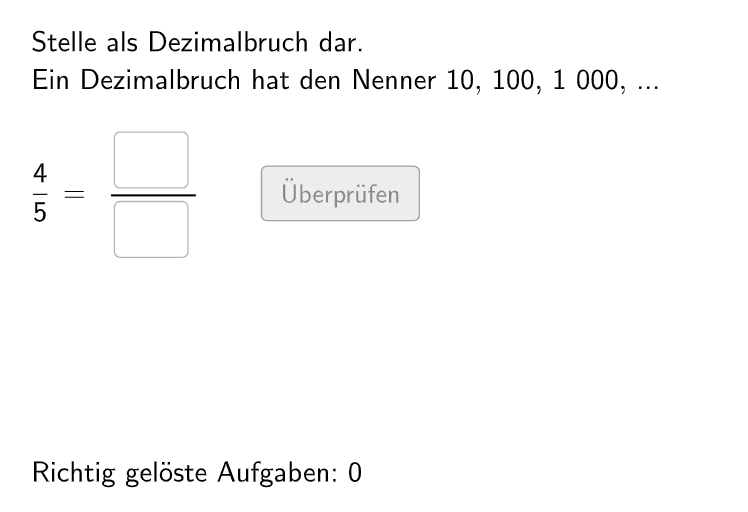
本范例通过互动练习帮助学生理解小数与分数之间的转换关系。涉及的核心数学概念包括小数、分数及其基本运算。通过GeoGebra命令如Shuffle、RandomElement等,学生可以进行随机生成的练习题,提高对小数和分数的理解。适合小学五年级至六年级学生使用。
GeoGebra 命令及参数
Shuffle({2, 5}) → randomNosForY_1, {5, 2}RandomElement(randomNosForY_1) → numY_1Shuffle(Sequence[Random[1, numY_1], i, 1, 100]) → randomNosForX_1, {3, 2, 1, 5, 4, 5, 3, 3, 5, 5, 1, 4, 1, 1, 5, 1, 2, 1, 1, 1, 2, 1, 5, 1, 3, 4, 4, 1, 1, 1, 3, 4, 1, 5, 2, 3, 2, 5, 4, 5, 1, 2, 2, 1, 5, 2, 2, 1, 3, 1, 5, 2, 1, 5, 2, 5, 2, 4, 5, 3, 1, 4, 4, 2, 4, 3, 4, 1, 5, 4, 1, 2, 4, 2, 3, 2, 1, 2, 5, 1, 4, 2, 1, 5, 2, 5, 2, 1, 1, 1, 4, 3, 4, 1, 5, 3, 5, 4, 2, 3}Element(randomNosForX_1, Mod[questionCount, 100] + 1) → numX_1If(numX_1 ≟ numY_1, numX_1 - 1, numX_1) → sol_1Shuffle({2, 4, 5, 25, 50}) → randomNosForY_2, {50, 4, 5, 25, 2}RandomElement(randomNosForY_2) → numY_2Shuffle(Sequence[Random[1, numY_2], i, 1, 100]) → randomNosForX_2, {1, 2, 1, 1, 1, 2, 1, 1, 1, 1, 1, 2, 1, 1, 2, 2, 1, 1, 2, 1, 2, 2, 2, 1, 2, 2, 2, 2, 1, 1, 2, 2, 2, 2, 1, 2, 2, 2, 1, 1, 1, 1, 1, 1, 2, 2, 2, 2, 2, 2, 2, 1, 2, 2, 1, 2, 1, 1, 2, 2, 1, 1, 2, 2, 1, 2, 1, 2, 2, 2, 2, 2, 2, 1, 1, 2, 1, 1, 1, 2, 2, 1, 2, 2, 2, 2, 2, 2, 2, 2, 1, 1, 2, 2, 2, 2, 1, 1, 1, 1}Element(randomNosForX_2, Mod[questionCount, 100] + 1) → numX_2If(numX_2 ≟ numY_2, numX_2 - 1, numX_2) → sol_2Shuffle({2, 4, 5, 8, 20, 25, 40, 50, 125, 200, 250, 500}) → randomNosForY_3, {200, 500, 20, 125, 40, 250, 8, 2, 50, 5, 4, 25}RandomElement(randomNosForY_3) → numY_3Shuffle(Sequence[Random[1, numY_3], i, 1, 100]) → randomNosForX_3, {3, 4, 1, 2, 2, 5, 1, 3, 4, 1, 1, 5, 5, 1, 1, 1, 1, 2, 5, 1, 4, 4, 2, 3, 3, 1, 4, 2, 5, 3, 4, 5, 3, 3, 2, 3, 4, 4, 1, 3, 1, 4, 3, 1, 2, 2, 1, 4, 4, 3, 5, 2, 5, 2, 4, 5, 5, 1, 3, 5, 1, 2, 1, 2, 4, 4, 5, 1, 2, 4, 5, 3, 5, 4, 1, 5, 5, 5, 5, 2, 4, 4, 5, 4, 1, 4, 2, 3, 5, 1, 1, 3, 1, 2, 2, 5, 2, 2, 4, 1}Element(randomNosForX_3, Mod[questionCount, 100] + 1) → numX_3If(numX_3 ≟ numY_3, numX_3 - 1, numX_3) → sol_3Join({{4}, Shuffle[Sequence[Random[1, 3], i, 1, 100]]}) → randomNosForLayElement(randomNosForLay, Mod[questionCount, 100]) → layIf(lay ≟ 4, 10, If[lay ≟ 1, 10, If[lay ≟ 2, 100, 1000]]) → solYIf(lay ≟ 4, 8, If[lay ≟ 1, (sol_1 * 10 / numY_1), If[lay ≟ 2, (sol_2 * 100 / numY_2), (sol_3 * 1000 / numY_3)]]) → solXIf(numY(lay) > 100, aInput ≟ 1000 ∨ aInput ≟ 100 ∨ aInput ≟ 10, If[numY(lay) > 10, aInput ≟ 100 ∨ aInput ≟ 1000 ∨ aInput ≟ 10, aInput ≟ 10 ∨ aInput ≟ 100 ∨ aInput ≟ 1000]) → correct2Corner(text3, 3) → C_TextTextfield(aInput) → InputBox1Textfield(bInput) → InputBox2Polygon(PtopLeftCornerFeedback, PtopRightCornerFeedback, PbottomRightCornerFeedback, PbottomLeftCornerFeedback) → rectangleCorrect, ptopleftcornerfeedback, ptoprightcornerfeedback, pbottomrightcornerfeedback, pbottomleftcornerfeedbackSegment(A, B) → fPolygon(PtopLeftCornerFeedback_{1}, PtopRightCornerFeedback_{1}, PbottomRightCornerFeedback_{1}, PbottomLeftCornerFeedback_{1}) → rectangleCorrect_{1}, ptopleftcornerfeedback_{1}, ptoprightcornerfeedback_{1}, pbottomrightcornerfeedback_{1}, pbottomleftcornerfeedback_{1}Textfield(cInput) → InputBox3Polygon(PtopLeftCornerFeedback_{2}, PtopRightCornerFeedback_{2}, PbottomRightCornerFeedback_{2}, PbottomLeftCornerFeedback_{2}) → rectangleCorrect_{2}, ptopleftcornerfeedback_{2}, ptoprightcornerfeedback_{2}, pbottomrightcornerfeedback_{2}, pbottomleftcornerfeedback_{2}CircleArc(C, D, E) → cCircleArc(F, G, H) → dPoint(c) → IVector(I, J) → uPoint(d) → KVector(K, L) → vIf(Mod[10, numY(lay)] ≟ 0, hintZehn(1), If[Mod[100, numY(lay)] ≟ 0, hintZehn(2), hintZehn(3)]) → chosenHintZahl