
比较绝对值 - 第二级(环游世界)
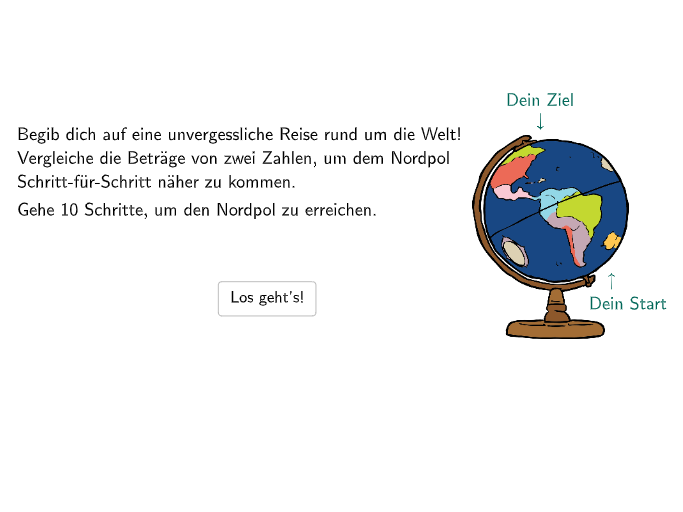
几何画板及绘图内容加载中,请稍等……
本范例通过比较绝对值来帮助学生理解数轴上点到原点的距离。涉及的核心数学概念包括绝对值的解释和应用。通过使用GeoGebra命令如`SelectedIndex`、`Zip`、`If`等,学生可以动态地探索和理解绝对值的概念。适合7-8年级的学生进行练习。
GeoGebra 命令及参数
SelectedIndex(DropDownA) → inputAZip({abs(m), abs(n)}, m, Element[Transpose[listExNums], 1], n, Element[Transpose[listExNums], 2]) → listExNumsAbsIf(numXabs < numYabs, 2, If[numXabs > numYabs, 3, If[numXabs ≟ numYabs, 4]]) → solATextfield(aInput) → InputBox1Textfield(bInput) → InputBox2Polygon(PtopLeftCornerFeedback, PtopRightCornerFeedback, PbottomRightCornerFeedback, PbottomLeftCornerFeedback) → rectangleCorrect, ptopleftcornerfeedback, ptoprightcornerfeedback, pbottomrightcornerfeedback, pbottomleftcornerfeedbackShuffle(Sequence[Random[0, 10], i, 1, 100]) → randomNosForX, {2, 3, 2, 2, 4, 4, 4, 2, 7, 4, 7, 9, 9, 8, 9, 0, 0, 5, 7, 9, 0, 7, 0, 7, 3, 3, 6, 3, 1, 4, 2, 4, 0, 5, 9, 8, 10, 5, 2, 10, 3, 7, 0, 9, 9, 5, 4, 2, 1, 0, 10, 8, 1, 9, 10, 10, 5, 10, 3, 2, 5, 4, 4, 0, 9, 4, 0, 1, 8, 2, 1, 9, 6, 2, 9, 8, 4, 3, 5, 8, 7, 3, 0, 6, 8, 4, 1, 7, 9, 3, 4, 9, 0, 9, 6, 5, 3, 9, 7, 2}Shuffle(Sequence[Random[0, 10], i, 1, 100]) → randomNosForY, {1, 7, 1, 6, 1, 7, 5, 5, 2, 1, 6, 3, 3, 5, 3, 6, 9, 0, 1, 5, 3, 7, 6, 10, 1, 0, 2, 3, 0, 9, 2, 9, 1, 6, 0, 2, 7, 0, 10, 8, 10, 10, 4, 6, 1, 2, 4, 3, 4, 2, 2, 4, 8, 5, 0, 6, 3, 8, 9, 2, 3, 3, 3, 8, 10, 10, 6, 5, 10, 9, 5, 6, 1, 2, 10, 7, 7, 9, 10, 8, 4, 10, 5, 3, 8, 0, 9, 10, 10, 8, 10, 8, 5, 7, 6, 9, 1, 0, 10, 7}Append(true, Sequence[If[randomNosForY(i) ≟ randomNosForY(i - 1), false, true], i, 2, 100]) → stayYRemove(Sequence[If[stayY(i), randomNosForY(i), 0], i, 1, 100], Sequence[0, i, 1, 100]) → randomNosForYwithoutRepeatElement(randomNosForYwithoutRepeat, Mod[questionCount, Length[randomNosForYwithoutRepeat]] + 1) → numYwithoutRepeatTextfield(cInput) → InputBox3Corner(BildBlue, 1) → controlBlueCorner(BildGelb, 1) → controlGelbCorner(BildRosa, 1) → controlRosaCorner(BildGreen, 1) → controlGreenPoint(g) → PCircle(P, Q) → circTextfield(inputAdd1) → Eingabefeld1Textfield(inputAdd2) → Eingabefeld2Polygon(PtopLeftCornerFeedback_{1} + (0.95, 0), PtopRightCornerFeedback_{1} + (-0.1, 0), PbottomRightCornerFeedback_{1} + (-0.1, 0), PbottomLeftCornerFeedback_{1} + (0.95, 0)) → rectangleCorrect_{1}, n, f_1, g_1, h_1Polygon(PtopLeftCornerFeedback_{2}, PtopRightCornerFeedback_{2}, PbottomRightCornerFeedback_{2}, PbottomLeftCornerFeedback_{2}) → rectangleCorrect_{2}, ptopleftcornerfeedback_{2}, ptoprightcornerfeedback_{2}, pbottomrightcornerfeedback_{2}, pbottomleftcornerfeedback_{2}Polygon(PtopLeftCornerFeedback_{3}, PtopRightCornerFeedback_{3}, PbottomRightCornerFeedback_{3}, PbottomLeftCornerFeedback_{3}) → rectangleCorrect_{3}, ptopleftcornerfeedback_{3}, ptoprightcornerfeedback_{3}, pbottomrightcornerfeedback_{3}, pbottomleftcornerfeedback_{3}Point(c) → B_2Point(d) → C_2Point(d) → D_2Point(e) → E_2Point(e) → F_2Point(h) → G_2Point(h) → H_2Point(k) → I_2Point(k) → J_2Point(p) → K_2Point(p) → L_2Point(q) → M_2Point(q) → N_2Point(r) → O_2Point(r) → P_2Point(s) → Q_2Point(s) → R_2Point(t) → S_2Vector(B_2, C_2) → uVector(D_2, E_2) → vVector(F_2, G_2) → wVector(H_2, I_2) → aVector(J_2, K_2) → bVector(L_2, M_2) → iVector(N_2, O_2) → jVector(P_2, Q_2) → lVector(R_2, S_2) → mCountIf(a ≟ true, a, bv) → correctProblemsPoint(Line[LineStart, xAxis]) → LineEndDistance(LineEnd, LineStart) → linelengthMidpoint(LineStart, LineEnd) → LineMiddleSegment(LineStart, LineEnd) → lineSequence(LineMiddle + (m * (lineEH, 0)), m, -3, 3) → linePointsZip(Segment[P + (0, (-lineheightshort)), P + (0, lineheightshort)], P, linePoints) → lineLinesSort({LinePX, LinePY}) → listPointsPJoin({Sequence[Segment[Corner[4] + (RasterPixMat * ((k * RasterStepXY), 0)), Corner[4] + (RasterPixMat * ((k * RasterStepXY), RasterMaxY))], k, 0, RasterMaxX / RasterStepXY], Sequence[Segment[Corner[4] + (RasterPixMat * (0, (k * RasterStepXY))), Corner[4] + (RasterPixMat * (RasterMaxX, (k * RasterStepXY)))], k, 0, RasterMaxY / RasterStepXY]}) → RasterStreckenJoin({Sequence[Text[UnicodeToLetter[65 + k], Midpoint[Corner[4] + (RasterPixMat * ((k * RasterStepXY), RasterMaxY)), Corner[4] + (RasterPixMat * (((k + 1) * RasterStepXY), RasterMaxY))], false, true, 0, -1], k, 0, RasterMaxX / RasterStepXY - 1], Sequence[Text[("" * k), Midpoint[Corner[4] + (RasterPixMat * (RasterMaxX, ((k - 1) * RasterStepXY))), Corner[4] + (RasterPixMat * (RasterMaxX, (k * RasterStepXY)))], false, true, 1, 0], k, 1, RasterMaxY / RasterStepXY]}) → RasterBeschriftungJoin({Zip[Text[(("\textsf{--}\textsf{" * ReplaceAll[("" * n), ".", ","]) * "}"), m + (0, -0.8), true, true, -0, 1], n, Sequence[((-a) * linefaktor), a, -3, -1], m, linePoints], Zip[Text[(("\textsf{" * ReplaceAll[("" * n), ".", ","]) * "}"), m + (0, -0.8), true, true, -0, 1], n, Sequence[(a * linefaktor), a, 1, 3], m, Sequence[linePoints(o), o, 5, 7]]}) → lineTextElement({c, d, e, h, k, p, q, r, s, t}, correctCount + 1) → Cziehmich