
可调节数轴与随机点
几何画板及绘图内容加载中,请稍等……
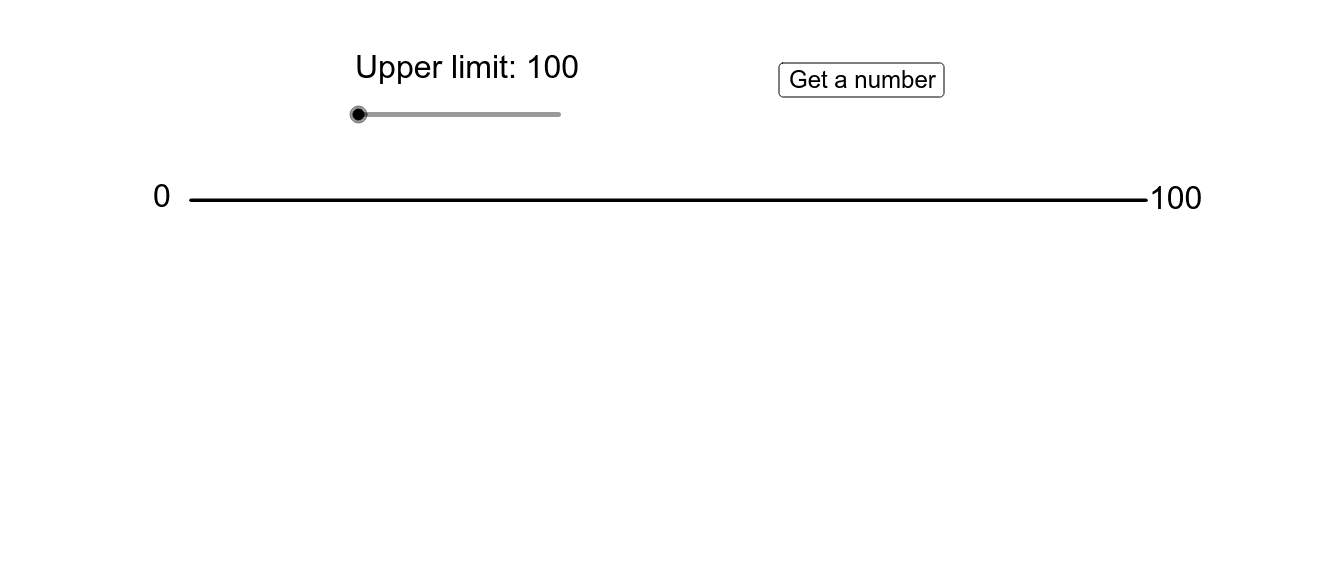
这是一个可调节的数轴,上面有一个随机生成的点。通过调整数轴的范围,可以观察到不同数值区间内的点。该范例涉及数轴、随机数生成和缩放功能。使用了If, Sequence, Element, Segment, Random, Point, Text等命令。适合初中及以上学生学习数轴概念和随机数生成。
GeoGebra 命令及参数
If(limitslider ≥ 4, Shuffle[{0, 1, 2, 3, 4, 5, 6, 7, 8, 9}], {0, 0, 0, 0, 0, 0, 0, 0, 0, 0}) → tenthousandsIf(limitslider ≥ 5, Shuffle[{0, 1, 2, 3, 4, 5, 6, 7, 8, 9}], {0, 0, 0, 0, 0, 0, 0, 0, 0, 0}) → hundredthousandsIf(limitslider ≥ 3, Shuffle[{0, 1, 2, 3, 4, 5, 6, 7, 8, 9}], {0, 0, 0, 0, 0, 0, 0, 0, 0, 0}) → thousandsSequence(Random[0, 100], i, 1, 10) → tensElement({100, 1000, 10000, 100000, 1000000}, limitslider) → limitIf(limitslider ≥ 2, Shuffle[{0, 1, 2, 3, 4, 5, 6, 7, 8, 9}], {0, 0, 0, 0, 0, 0, 0, 0, 0, 0}) → hundredsElement(tenthousands, gradualtimer) → tenthousandElement(hundredthousands, gradualtimer) → hundredthousandElement(thousands, gradualtimer) → thousandElement(tens, gradualtimer) → tenElement(hundreds, gradualtimer) → hundredSegment((0, 0), (limit, 0)) → lineIf(limitslider ≟ 1, "100", If[limitslider ≟ 2, "1,000", If[limitslider ≟ 3, "10,000", If[limitslider ≟ 4, "100,000", "1,000,000"]]]) → fancylimitRandom(50, 100) → timerupperlimitSequence(Point[{(limit / 10 * i), 0}], i, 0, 10) → firststepSequence(Text[(limit * i / 10), (x(Element[firststep, i + 1]), 1 / 3)], i, 1, 9) → firstnumbersSequence(Point[{(floor(n / (limit / 10)) * limit / 10) + (i * limit / 100), 0}], i, 1, 9) → secondstepSequence(Element[firststep, i] - ((x(Corner[Element[firstnumbers, i], 2]) - x(Corner[Element[firstnumbers, i], 1])) / 2, (y(Element[firststep, i]) - y(Corner[Element[firstnumbers, i], 1])) / 2), i, 1, 10) → betterfirstpointsSequence(Text[x(Element[secondstep, i]), (x(Element[secondstep, i]), 1 / 3)], i, 1, 9) → secondnumbersSequence(Point[{(floor(n / (limit / 100)) * limit / 100) + (i * limit / 1000), 0}], i, 1, 9) → thirdstepSequence(Point[{(floor(n / (limit / 1000)) * limit / 1000) + (i * limit / 10000), 0}], i, 1, 9) → fourthstepSequence(Point[{(floor(n / (limit / 10000)) * limit / 10000) + (i * limit / 100000), 0}], i, 1, 9) → fifthstepSequence(Point[{(floor(n / (limit / 100000)) * limit / 100000) + (i * limit / 1000000), 0}], i, 1, 9) → sixthstepSequence(Text[x(Element[thirdstep, i]), (x(Element[thirdstep, i]), 1 / 3)], i, 1, 9) → thirdnumbersSequence(Text[x(Element[fourthstep, i]), (x(Element[fourthstep, i]), 1 / 3)], i, 1, 9) → fourthnumbersSequence(Text[x(Element[fifthstep, i]), (x(Element[fifthstep, i]), 1 / 3)], i, 1, 9) → fifthnumbersSequence(Text[x(Element[sixthstep, i]), (x(Element[sixthstep, i]), 1 / 3)], i, 1, 9) → sixthnumbersElement(xmin, step) → currentleftElement(xmax, step) → currentrightIf(step < (3 * limitslider) + 4, "?", text2) → text5Point({(currentleft + currentright) / 2, -2}) → anchorpointText(text5, A - ((Element[xmax, step] - Element[xmin, step]) / 90, 2)) → stickytextText(text2, A - ((Element[xmax, step] - Element[xmin, step]) / 90, 2)) → text4
AI 绘图提示语参考
画一个可调整范围的数轴,并在数轴上随机生成一个点。数轴的范围可以从100到1000000,根据滑块调整。在数轴上标出刻度和相应的数字,包括十位、百位、千位、万位、十万位和百万位。数轴上有一个随机生成的点,随着数轴范围的调整,该点也会相应变化。
以上提示语为根据原始绘图命令整理而来,仅供参考。