
Writing Natural Number Sets
Loading the math board and drawing, please wait…
In collections
Ⓔ Zahlenmengen
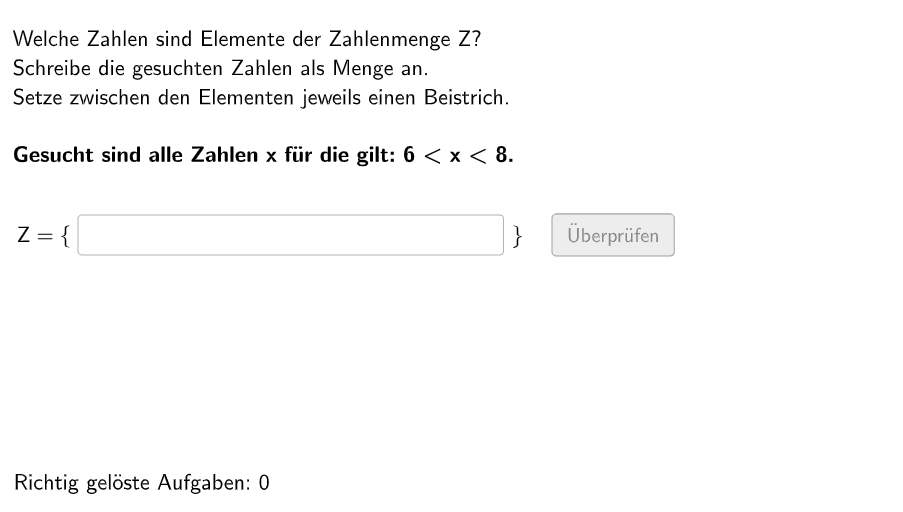
This GeoGebra example demonstrates how to write out natural number sets. It involves the core mathematical concepts of set theory and natural numbers. The construction points include using Shuffle, Element, If, Sequence, Textfield, Polygon, Segment, Circle, etc. GeoGebra commands and objects. This example is suitable for middle school or high school math classrooms, particularly for demonstrating the concepts of sets and natural numbers.
GeoGebra Commands & Parameters
Shuffle(Sequence[Random[1, 2], i, 1, 100]) → randomNosForBsp, {2, 2, 2, 2, 1, 2, 1, 1, 2, 2, 1, 2, 1, 1, 2, 2, 2, 1, 1, 1, 2, 1, 1, 1, 1, 1, 2, 2, 1, 1, 2, 2, 2, 2, 2, 2, 2, 2, 1, 2, 2, 2, 1, 1, 2, 1, 2, 1, 2, 2, 2, 1, 2, 1, 2, 1, 1, 2, 1, 2, 1, 2, 1, 2, 1, 1, 2, 2, 2, 2, 2, 1, 2, 1, 2, 2, 2, 2, 1, 1, 2, 2, 2, 1, 2, 1, 2, 1, 1, 1, 2, 1, 1, 2, 2, 2, 2, 1, 1, 1}Shuffle(Sequence[(2 * n), n, 1, 3]) → randomNosFor1U, {4, 2, 6}Shuffle(Sequence[(2 * n) + 1, n, 1, 3]) → randomNosFor1G, {5, 3, 7}Element(randomNosForBsp, Mod[questionCount, 100] + 1) → bspShuffle(Sequence[Random[1, 2], i, 1, 100]) → randomNosForWort, {2, 2, 2, 2, 1, 2, 2, 2, 2, 1, 1, 1, 1, 2, 2, 2, 2, 2, 2, 1, 2, 2, 1, 2, 2, 1, 1, 1, 1, 1, 1, 1, 2, 1, 2, 1, 1, 1, 1, 2, 2, 2, 1, 2, 1, 1, 1, 1, 1, 2, 2, 1, 2, 2, 2, 2, 2, 2, 1, 1, 2, 2, 1, 2, 2, 1, 1, 2, 1, 2, 1, 1, 1, 1, 2, 2, 2, 2, 1, 1, 1, 2, 2, 1, 2, 2, 2, 2, 1, 1, 1, 2, 1, 2, 2, 2, 1, 1, 1, 2}Element(randomNosForWort, Mod[questionCount, 100] + 1) → indexWortIf(indexWort ≟ 1, Element[randomNosFor1G, Mod[questionCount, 100]], Element[randomNosFor1U, Mod[questionCount, 100]]) → numBsp1If(indexWort ≟ 2, Sequence[(2 * n) + 1, n, 0, numBsp1 / 2 - 1], Sequence[(2 * n), n, 0, numBsp1 / 2]) → solBsp1If(indexWort ≟ 1, Shuffle[Sequence[(2 * n) + 1, n, 1, 3]], Shuffle[Sequence[(2 * n), n, 1, 3]]) → randomNosFor2KElement(randomNosFor2K, Mod[questionCount, 100]) → numBsp2_1If(indexWort ≟ 1, Shuffle[Sequence[(2 * n) + 1, n, 4, 6]], Shuffle[Sequence[(2 * n), n, 4, 6]]) → randomNosFor2GElement(randomNosFor2G, Mod[questionCount, 100]) → numBsp2_2Sequence(numBsp2_1 + 1, numBsp2_2 - 1, 1) → solBsp2_2If(indexWort ≟ 2, Sequence[(2 * n) + 1, n, round(numBsp2_1 / 2), round(numBsp2_2 / 2) - 1], Sequence[(2 * n), n, round(numBsp2_1 / 2), floor(numBsp2_2 / 2)]) → solBsp2Shuffle(Sequence[Random[1, 2], i, 1, 100]) → randomNosForBsp2, {1, 2, 2, 2, 1, 2, 2, 1, 2, 1, 2, 2, 2, 2, 1, 2, 1, 2, 2, 1, 2, 1, 2, 1, 2, 2, 1, 1, 1, 1, 1, 1, 1, 1, 2, 1, 1, 2, 1, 1, 1, 1, 2, 1, 1, 1, 2, 2, 2, 2, 2, 1, 2, 1, 2, 2, 2, 1, 2, 2, 1, 1, 2, 1, 2, 1, 2, 1, 1, 1, 2, 1, 2, 2, 2, 1, 1, 1, 1, 1, 1, 1, 2, 1, 2, 2, 2, 1, 2, 1, 1, 1, 2, 1, 1, 2, 2, 1, 2, 1}Element(randomNosForBsp2, Mod[questionCount, 100] + 1) → selectedBspIf(bsp ≟ 1, solBsp1, If[selectedBsp ≟ 1, solBsp2, solBsp2_2]) → chosenSolListTextfield(aInput) → InputBox1Textfield(bInput) → InputBox2Polygon(PtopLeftCornerFeedback, PtopRightCornerFeedback, PbottomRightCornerFeedback, PbottomLeftCornerFeedback) → rectangleCorrect, ptopleftcornerfeedback, ptoprightcornerfeedback, pbottomrightcornerfeedback, pbottomleftcornerfeedbackSegment((-4.5, 4.4), (5.07, 4.4)) → fSequence(Text["\textsf{" + (i) + "}", B + (0.08 + (0.8 * i), -0.7), true, true, -0, 0], i, 0, 12) → l1Sequence(Segment[((0.8 * i), 4.3), ((0.8 * i), 4.5)], i, -5.65, 6.6) → segsCircle(C, D) → cCircle(C_{1}, D_{1}) → c_{1}Circle(C_{2}, D_{2}) → c_{2}Circle(C_{3}, D_{3}) → c_{3}Circle(C_{4}, D_{4}) → c_{4}Circle(C_{5}, D_{5}) → c_{5}Circle(C_{6}, D_{6}) → c_{6}Circle(C_{7}, D_{7}) → c_{7}Circle(C_{8}, D_{8}) → c_{8}Circle(C_{9}, D_{9}) → c_{9}Circle(C_{10}, D_{10}) → c_{10}Circle(CLIPBOARDmagicSTRINGC_{7}, CLIPBOARDmagicSTRINGD_{7}) → CLIPBOARDmagicSTRINGc_{7}Circle(CLIPBOARDmagicSTRINGC_{1}, CLIPBOARDmagicSTRINGD_{1}) → CLIPBOARDmagicSTRINGc_{1}CountIf(x ≟ numBsp1, aInput) → grenzzahl1
AI Drawing Prompt Reference
Draw a graphic of natural number sets, including 100 random numbers, with different colors for odd and even numbers. First, generate a sequence of 1s and 2s randomly, then create sequences of odd and even numbers based on the sequence. Next, plot points to represent natural numbers. Then, draw a rectangle to indicate the range of numbers. Finally, use lines and circles to represent the set relationships, with odd and even numbers in different colors.
The prompt above was compiled from the original drawing commands and is for reference only.