
Triangle Reflection, y=x
Loading the math board and drawing, please wait…
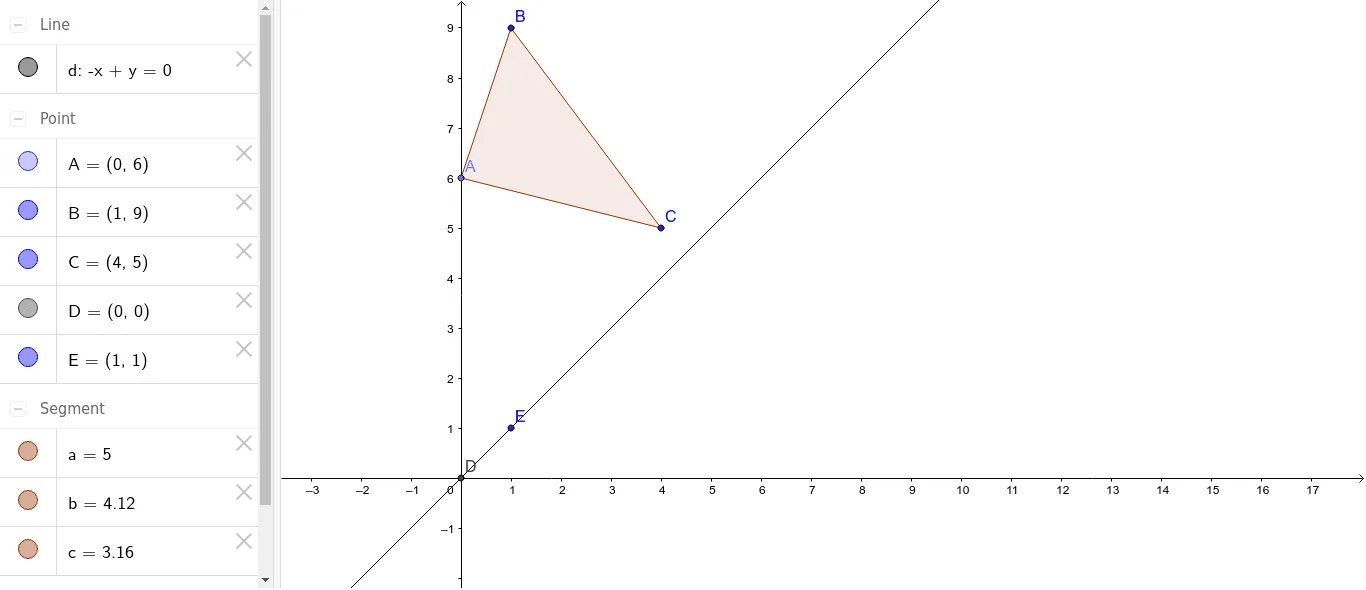
This example demonstrates the reflection of a triangle across the line y=x. Key mathematical concepts include reflection transformations, coordinate geometry, and similar triangles. Construction involves using GeoGebra commands like Point, Polygon, Intersect, and Line to create points, triangles, and lines. The intersection of these elements helps visualize the reflection. Suitable for students learning geometric transformations and coordinate systems.
GeoGebra Commands & Parameters
Point(yAxis) → APolygon(A, B, C) → poly1, c, a, bIntersect(xAxis, yAxis) → DLine(D, E) → d
AI Drawing Prompt Reference
Draw a triangle and show its reflection across the line y=x. First, draw the x-axis and y-axis, then find their intersection point. Next, take an arbitrary point on the x-axis and two arbitrary points on the y-axis to form a triangle. Finally, reflect this triangle across the line y=x and clearly display both the original and reflected triangles.
The prompt above was compiled from the original drawing commands and is for reference only.