
Triangle Centroid Exploration with Dynamic Colors
Loading the math board and drawing, please wait…
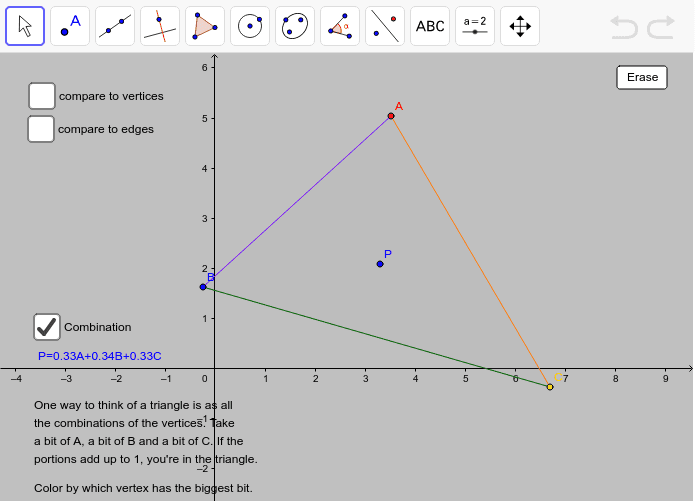
This example demonstrates a triangle centroid inquiry activity using dynamic colors in GeoGebra. Key math concepts include the centroid of a triangle, logic, and geometric construction. Commands used include Polygon, Segment, If, Line, OrthogonalLine, Intersect, PointIn, and Element. Suitable for high school math education and learning.
GeoGebra Commands & Parameters
Polygon(A, B, C) → poly1, c, a, bSegment(D, B) → dSegment(D, A) → eSegment(D, C) → fIf((e ≤ d) ∧ (e ≤ f), 1, 0) → redIf((d ≤ e) ∧ (d ≤ f), 1, 0) → blueIf((f ≤ e) ∧ (f ≤ d), 1, 0) → yelLine(A, B) → hLine(B, C) → iLine(C, A) → jOrthogonalLine(E, h) → kOrthogonalLine(E, j) → lOrthogonalLine(E, i) → mIntersect(l, j) → FIntersect(k, h) → GIntersect(m, i) → HSegment(G, E) → nSegment(E, H) → pSegment(E, F) → qIf((n ≤ p) ∧ (n ≤ q), 1, 0) → purIf((p ≤ n) ∧ (p ≤ q), 1, 0) → greIf((q ≤ n) ∧ (q ≤ p), 1, 0) → oraPointIn(poly1) → PElement(list1, 1, 1) → r2Element(list1, 2, 1) → s2Element(list1, 3, 1) → t2If((r2 ≥ s2) ∧ (r2 ≥ t2), 1, 0) → red3If((t2 ≥ s2) ∧ (t2 ≥ r2), 1, 0) → yel3If((s2 ≥ t2) ∧ (s2 ≥ r2), 1, 0) → blu3
AI Drawing Prompt Reference
Draw a triangle with dynamic colors for its sides based on their lengths. From each vertex, draw lines to the opposite sides, meeting at the centroid. Draw perpendiculars from the centroid to each side, and mark their intersections with different colors. Finally, dynamically change the colors of these intersections based on their distances from the centroid.
The prompt above was compiled from the original drawing commands and is for reference only.