
Trapezoid Sketch and Median Line Properties
Loading the math board and drawing, please wait…
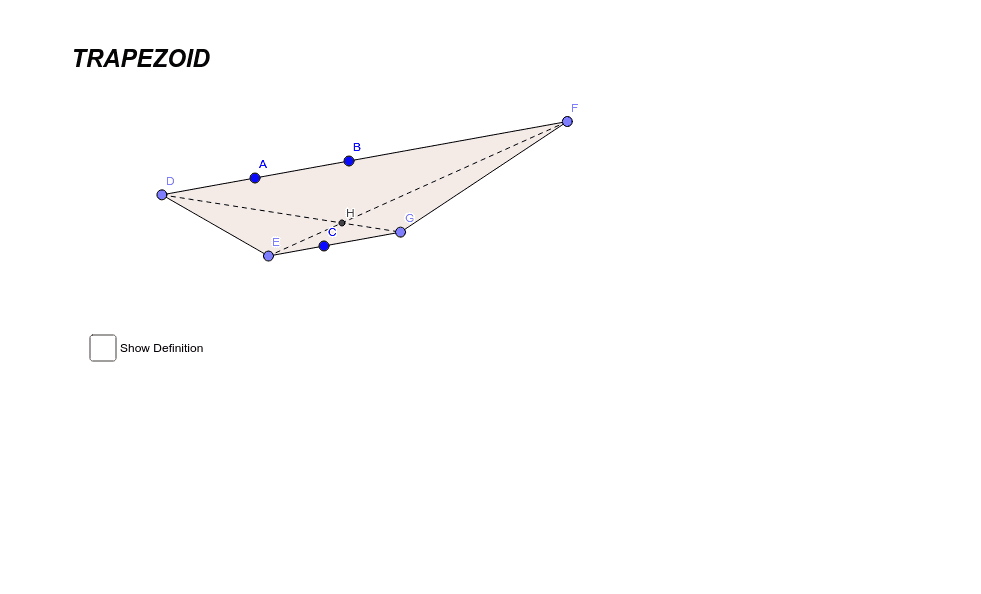
This GeoGebra example demonstrates the geometric construction of a trapezoid and the properties of its median line. Core mathematical concepts include trapezoids, polygons, straight lines, segments, and intersection points. The construction utilizes key GeoGebra commands such as `Line`, `Point`, `Segment`, `Polygon`, and `Intersect` to define vertices A, B, C, D, and auxiliary points E, F, G, H, along with lines and segments like a, b, c, d, e, f, and polygon `poly1`. It is ideal for secondary school geometry lessons, introductory coordinate geometry, and learners practicing dynamic geometry software to visualize geometric theorems and constructions.
GeoGebra Commands & Parameters
Line(A, B) → aLine(C, a) → bPoint(a) → DPoint(b) → EPoint(a) → FPoint(b) → GSegment(D, F) → cSegment(G, F) → dSegment(G, E) → eSegment(D, E) → fPolygon(D, E, G, F) → poly1, d_1, e_1, g, f_1Segment(F, E) → hSegment(D, G) → iIntersect(h, i) → H
AI Drawing Prompt Reference
Draw a trapezoid by first creating a horizontal line as the base, then a parallel line above it. Place two points on the base line as the lower vertices and two points on the upper line as the upper vertices. Connect these four points in order to form the trapezoid. Then draw a segment from the upper-left vertex to the lower-right vertex, and another from the upper-right vertex to the lower-left vertex; these two segments intersect at a point. Finally, draw segments connecting the two upper vertices and the two lower vertices, and mark all intersection points.
The prompt above was compiled from the original drawing commands and is for reference only.