
Translation Exploration by maddison.myers
Loading the math board and drawing, please wait…
In collections
Butterflies, Pinwheels, and Wallpaper
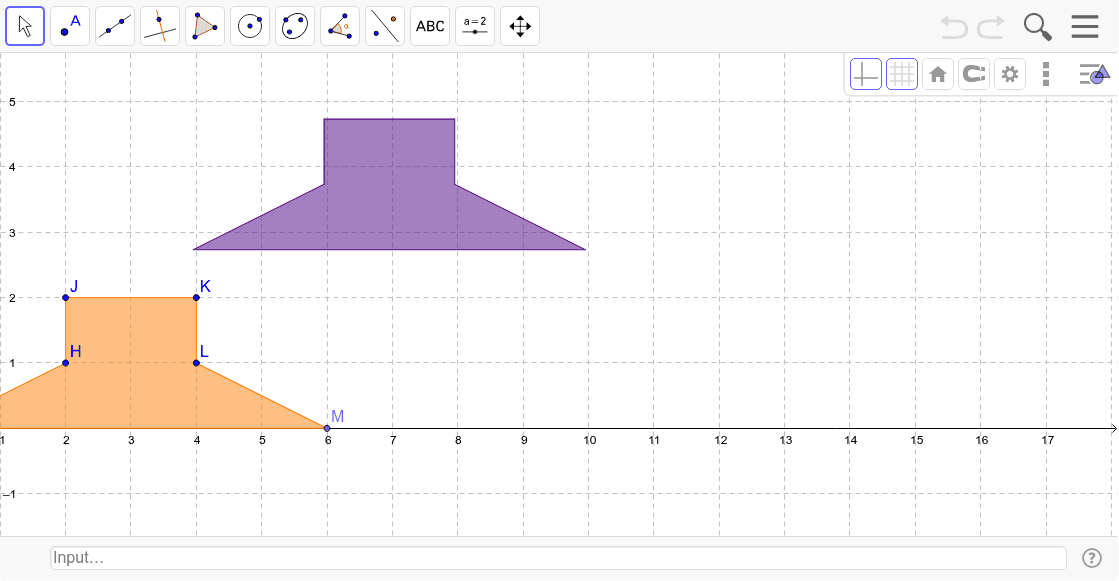
This example demonstrates how to perform translation transformations on shapes in a coordinate system using vectors, and observe the correspondence between the transformed and original shapes. Key math concepts include vectors, translation transformations, and polygon construction. Construction highlights involve using GeoGebra commands and objects like Intersect, Point, Polygon, Vector, Translate. Suitable for middle school and above students to understand spatial transformations and geometric constructions.
GeoGebra Commands & Parameters
Intersect(xAxis, yAxis) → GPoint(xAxis) → MPolygon(G, M, L, K, J, H) → poly1, a, b, c, d, e, fVector(J, A) → uTranslate(G, u) → G'Translate(M, u) → M'Translate(L, u) → L'Translate(K, u) → K'Translate(J, u) → J'Translate(H, u) → H'Polygon(G', M', L', K', J', H') → poly1', g', m', l', k', j', h'
AI Drawing Prompt Reference
Draw a coordinate system and a hexagon, then translate the hexagon using a vector and observe the correspondence between the original and translated hexagons. Start by creating points G and M on the x-axis, then construct a hexagon with these points. Define a vector u from point J to point A, and use this vector to translate each vertex of the hexagon to create the translated hexagon.
The prompt above was compiled from the original drawing commands and is for reference only.