
Tangents from an External Point to a Circle
Loading the math board and drawing, please wait…
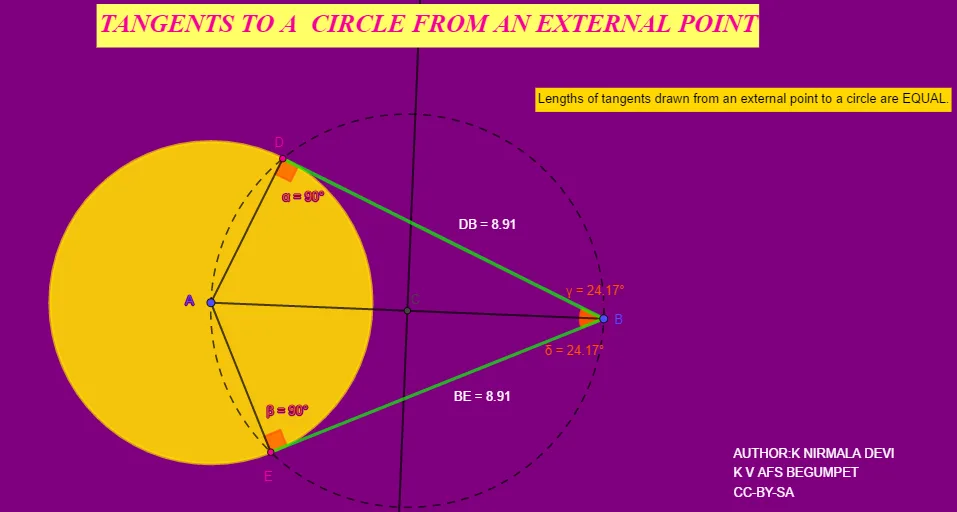
This example demonstrates how to draw tangents from an external point to a circle. Key mathematical concepts include the properties of tangents and geometric constructions. Using GeoGebra commands such as Circle, Segment, LineBisector, and Intersect, the construction process is visually illustrated. Suitable for students at the junior high school level and above, focusing on geometric constructions and circle properties.
GeoGebra Commands & Parameters
Circle(A, 4) → cSegment(A, B) → fLineBisector(A, B) → gIntersect(f, g) → CCircle(C, Segment[B, C]) → dIntersect(c, d) → D, E, ,Segment(D, B) → hSegment(E, B) → iSegment(D, A) → jSegment(A, E) → kAngle(A, D, B) → αAngle(B, E, A) → βAngle(D, B, A) → γAngle(A, B, E) → δDistance(D, B) → distanceDBMidpoint(D, B) →Distance(B, E) → distanceBEMidpoint(B, E) →
AI Drawing Prompt Reference
Draw a circle with its center on the left and a radius of 4 units. Place an external point to the right of the circle. Connect this external point to the circle's center with a segment. Construct the perpendicular bisector of this segment, which intersects the segment at its midpoint. Using this midpoint as the center and the distance from the midpoint to the external point as the radius, draw an auxiliary circle. This auxiliary circle intersects the original circle at two points. From the external point, draw segments to each of these two intersection points, forming two tangents to the original circle. Also draw segments from the circle's center to each intersection point, creating two right triangles. Mark the right angles at the tangent pointscars, and label the angles at the external point between each tangent and the center-connecting segment. Measure and display the lengths of both tangent segments.
The prompt above was compiled from the original drawing commands and is for reference only.