
SSS Triangle Congruence Exploration Activity
Loading the math board and drawing, please wait…
In collections
Similarity and Congruence Year 8 Pedagogies in Practice
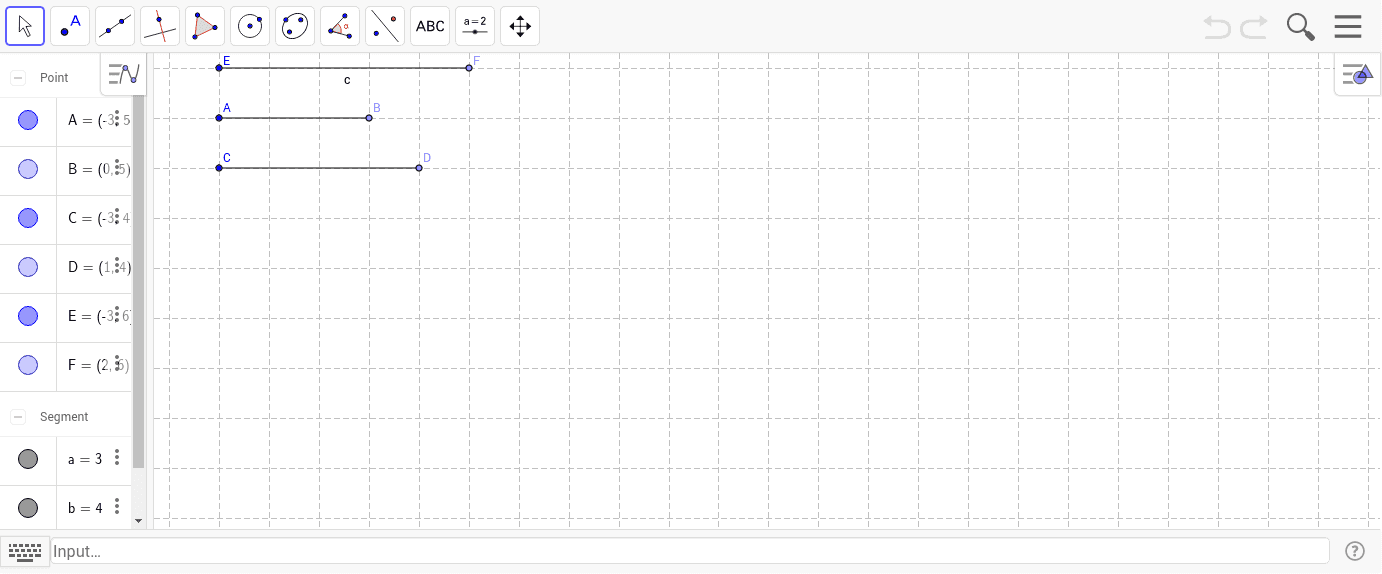
This activity explores the SSS (Side‑Side‑Side) congruence theorem for triangles using GeoGebra. By dragging points A, B, C, etc., learners can construct triangles and dynamically verify that three corresponding sides guarantee congruence. The core mathematics includes triangle congruence, Euclidean geometry, and length comparison. Construction employs GeoGebra commands Point and Segment to create points A, B, C, D, E, F and segments a, b, c, enabling visual proof of the theorem. It is suitable for middle‑school geometry lessons, interactive classrooms, and mathematics competition preparation.
GeoGebra Commands & Parameters
Point(Circle[A, 3]) → BSegment(A, B) → aPoint(Circle[C, 4]) → DSegment(C, D) → bPoint(Circle[E, 5]) → FSegment(E, F) → c
AI Drawing Prompt Reference
Draw a triangle congruence exploration diagram: start with three fixed points as centers, and draw three circles with radii 3, 4, and 5 respectively. On each circle, place one point, and connect each center to its corresponding point with a segment, so you get three segments of lengths 3, 4, and 5. Then connect these three new points (one on each circle) to form a triangle. The figure should show the three original centers, the three points on the circles, the three radius segments, and the triangle formed by the three circle points. All points should be draggable to dynamically change the triangle's shape while the three side lengths remain fixed at 3, 4, and 5, visually demonstrating that equal side lengths guarantee congruent triangles.
The prompt above was compiled from the original drawing commands and is for reference only.