
Space Stickers Distribution
Loading the math board and drawing, please wait…
In collections
Indirekte Proportionalität
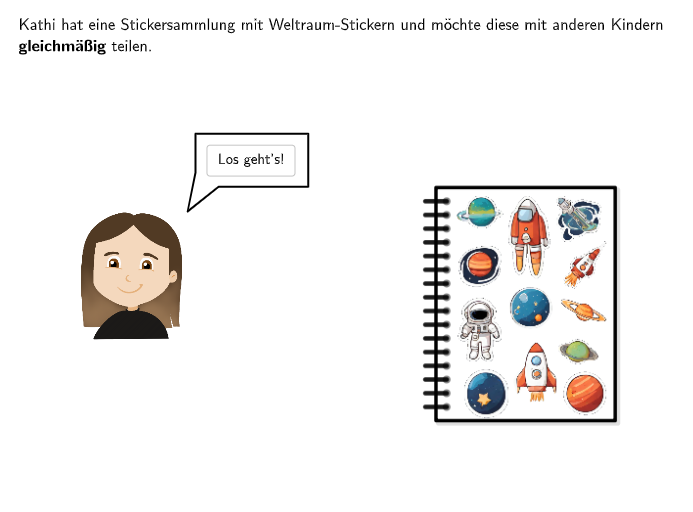
This example demonstrates how to distribute 12 space stickers evenly among 6 children. The core mathematical concept involved is the concept of ratios. Using GeoGebra commands such as Sequence, Point, Vector, etc., it visually illustrates how to calculate the number of stickers each child receives. Suitable for 5-6th grade students to learn about ratios and distribution problems.
GeoGebra Commands & Parameters
Point(Line[A41a, xAxis]) → A33aPoint(Line[A12a, xAxis]) → A61aIf(step < 5, 1, If[step < 7, 2, 3]) → rundeSelectedIndex(DropDown1) → numkids1SelectedIndex(DropDown2) → numkids2SelectedIndex(DropDown3) → numkids3Midpoint(Corner[Bild12, 1], Corner[Bild12, 3]) → M12Midpoint(Corner[Bild11, 1], Corner[Bild11, 3]) → M11Midpoint(Corner[Bild10, 1], Corner[Bild10, 3]) → M10Midpoint(Corner[Bild9, 1], Corner[Bild9, 3]) → M9Midpoint(Corner[Bild8, 1], Corner[Bild8, 3]) → M8Midpoint(Corner[Bild7, 1], Corner[Bild7, 3]) → M7Midpoint(Corner[Bild6, 1], Corner[Bild6, 3]) → M6Midpoint(Corner[Bild5, 1], Corner[Bild5, 3]) → M5Midpoint(Corner[Bild4, 1], Corner[Bild4, 3]) → M4Midpoint(Corner[Bild3, 1], Corner[Bild3, 3]) → M3Midpoint(Corner[Bild2, 1], Corner[Bild2, 3]) → M2Midpoint(Corner[Bild1, 1], Corner[Bild1, 3]) → M1Point(Line[Base1, xAxis]) → Base2Polygon(Aa, (x(Aa), y(Ab)), Ab, (x(Ab), y(Aa))) → v1, h, i, ab, jCountIf(A ∈ v1, A, {M1, M2, M3, M4, M5, M6, M7, M8, M9, M10, M11, M12}) → stickerin1If(step < 12, Element[{numkids1, numkids2, numkids3}, runde], 4) → numkidsJoin({Sequence[Base1 + (m * ((x(Base2) - x(Base1)) / numkids, 0)), m, 0, numkids - 1], Sequence[Base1 + (20, 0), m, 1, 3]}) → pointsBasePolygon(Ca, (x(Ca), y(Cb)), Cb, (x(Cb), y(Ca))) → v3, ca, m, cb, nCountIf(A ∈ v3, A, {M1, M2, M3, M4, M5, M6, M7, M8, M9, M10, M11, M12}) → stickerin3Polygon(Ba, (x(Ba), y(Bb)), Bb, (x(Bb), y(Ba))) → v2, ba, k, bb, lCountIf(A ∈ v2, A, {M1, M2, M3, M4, M5, M6, M7, M8, M9, M10, M11, M12}) → stickerin2Polygon(Da, (x(Da), y(Db)), Db, (x(Db), y(Da))) → v4, da, p, q, rCountIf(A ∈ v4, A, {M1, M2, M3, M4, M5, M6, M7, M8, M9, M10, M11, M12}) → stickerin4Polygon(Base1, Base2 + (-0.9, 0), (x(Base2) - 0.9, y(Ab)), (x(Base1), y(Ab))) → vstickera, f, g, s, tTextfield(input1) → Eingabefeld1Textfield(input2) → Eingabefeld2Sequence(Aa + (m * (0, (y(Ab) - y(Aa)) / numpaperpoints)), m, 1, numpaperpoints - 1) → paperpointsAZip(Segment[M - (linewidth / 2, 0), M + (linewidth / 2, 0)], M, paperpointsA) → paperlinesAZip(P + (linewidth / 2, 0), P, paperpointsA) → paperholesASequence(Ca + (m * (0, (y(Cb) - y(Ca)) / numpaperpoints)), m, 1, numpaperpoints - 1) → paperpointsCSequence(Da + (m * (0, (y(Db) - y(Da)) / numpaperpoints)), m, 1, numpaperpoints - 1) → paperpointsDZip(Segment[M - (linewidth / 2, 0), M + (linewidth / 2, 0)], M, paperpointsC) → paperlinesCZip(Segment[M - (linewidth / 2, 0), M + (linewidth / 2, 0)], M, paperpointsD) → paperlinesDZip(P + (linewidth / 2, 0), P, paperpointsD) → paperholesDIf(step ≟ 1, K1, K2) → KaPointIn(vstickera) → P1aPointIn(vstickera) → P2aPointIn(vstickera) → P3aPointIn(vstickera) → P4aPointIn(vstickera) → P5aPointIn(vstickera) → P6aPointIn(vstickera) → P7aPointIn(vstickera) → P8aPointIn(vstickera) → P9aPointIn(vstickera) → P11aPointIn(vstickera) → P10aPointIn(vstickera) → P12aVector(Aa, Ab) → vLaTeX(v, true, true) → Text5Translate(vstickera, (1, 0)) → vstickerbPointIn(vstickerb) → P10bPointIn(vstickerb) → P11bPointIn(vstickerb) → P12bPointIn(vstickerb) → P1bPointIn(vstickerb) → P2bPointIn(vstickerb) → P3bPointIn(vstickerb) → P4bPointIn(vstickerb) → P5bPointIn(vstickerb) → P6bPointIn(vstickerb) → P7bPointIn(vstickerb) → P8bPointIn(vstickerb) → P9bElement({Ab, Bb, Cb, Db}, numkids) → Base3Textfield(input3) → Eingabefeld3Point(Line[Gr1a + (0, -0.6), xAxis]) → Gr3aPoint(Line[Gr1a + (0, -0.6), xAxis]) → Gr4aPoint(Line[Gr1a, xAxis]) → Gr2aIf(step ≟ 12, 552, 605) → posTextAnzahlSpeechBubbleLeft(B, 2.3, 1) → Vieleck1Point(Line[E, xAxis]) → FDistance(Aa, Ba) → absABDistance(Aa, Ca) → absACDistance(Aa, Da) → absADPoint(Line[G, xAxis]) → HZip(P + (linewidth / 2, 0), P, paperpointsC) → paperholesCSequence(Ba + (m * (0, (y(Bb) - y(Ba)) / numpaperpoints)), m, 1, numpaperpoints - 1) → paperpointsBZip(Segment[M - (linewidth / 2, 0), M + (linewidth / 2, 0)], M, paperpointsB) → paperlinesBZip(P + (linewidth / 2, 0), P, paperpointsB) → paperholesB
AI Drawing Prompt Reference
On a coordinate plane, draw two symmetric reference lines and create several equally spaced locations. Use a horizontal base segment with left and right endpoints as the distribution bottom edge, then place points along it at equal intervals according to the selected number of children. Perform corresponding equal partitioning along the matched vertical sides, connecting the base and partition points to form a tiling-like set of polygon regions. Construct a row of internal reference positions using midpoints from multiple corner-based segments, and use those midpoints as the key positions to determine where the “sticker” points land within each region (counting overlaps with the midpoint set). Add text input controls so the number of children and the number of division points along the vertical direction can be adjusted, and illustrate the resulting vertical holes and short line segments along the partition heights.
The prompt above was compiled from the original drawing commands and is for reference only.