
Solving Linear Equations
Loading the math board and drawing, please wait…
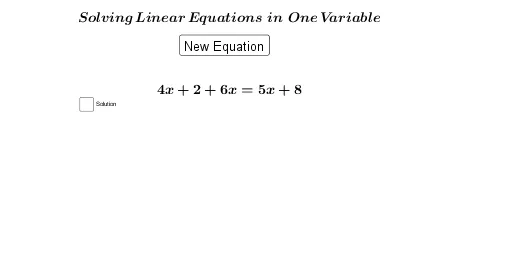
This example demonstrates solving linear equations. Key mathematical concepts include solving linear equations and basic arithmetic operations. Using GeoGebra commands like RandomElement and If, dynamic generation and solving of linear equations are achieved. Suitable for middle school and above students to learn solving linear equations.
GeoGebra Commands & Parameters
RandomElement(list) → aIf(a ≟ 1, true) → bIf(a ≟ 2, true) → cIf(a ≟ 3, true) → dIf(a ≟ 4, true) → eIf(a ≟ 5, true) → fRandomElement({-9, -8, -7, -6, -5, -4, -3, -2, 1, 2, 4, 5, 8, 10}) → lRandomElement({-10, -9, -8, -6, -3, -4, -2, -1, 1, 2, 4, 5, 7, 8, 9}) → hRandomElement({-9, -7, -6, -5, -3, -1, 2, 3, 6, 7, 8, 9, 10}) → jRandomElement({-7, -6, -5, -4, -1, 2, 3, 4, 5, 6, 7, 8, 9, 10}) → kRandomElement({-10, -9, -8, -7, -6, -5, -4, -3, -2, -1, 1, 2, 3, 4, 5, 6, 7, 8, 9, 10}) → mRandomElement({-10, -9, -8, -7, -6, -5, -4, -3, -2, -1, 1, 2, 3, 4, 5, 6, 7, 8, 9, 10}) → i
AI Drawing Prompt Reference
This is a graphic showing the process of solving linear equations. It includes a dynamic variable a and a series of randomly generated numbers l, h, j, k, m, i. These numbers are linked to a through conditional logic If(a ≟ 1, true), forming different equations. The graphic demonstrates the generation and solving of linear equations through random elements and logical conditions, helping to understand the basic concepts of linear equations.
The prompt above was compiled from the original drawing commands and is for reference only.