
Similar Triangles Task 1
Loading the math board and drawing, please wait…
In collections
Similar Triangles Tranformations
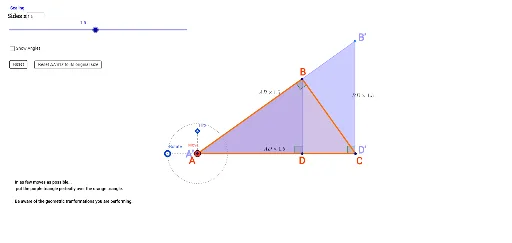
This example demonstrates the properties and criteria of similar triangles. It involves core mathematical concepts such as triangle similarity theorems, angle bisectors, circle properties, isosceles triangles, and natural numbers. The construction uses GeoGebra commands like Polygon, AngularBisector, Intersect, Angle, Circle, Segment, Point, Rotate, OrthogonalLine, Midpoint, Line, and Textfield. It is suitable for high school mathematics education to help students understand the geometric properties and applications of similar triangles.
GeoGebra Commands & Parameters
Polygon(A, B, D) → poly1, c, a, bAngularBisector(c, b) → f, gAngularBisector(c, a) → d, eIntersect(e, g) → EAngle(A, B, D) → αAngle(B, A, D) → βAngle(B, D, A) → γCircle(A', Segment[A', B']) → hCircle(D', Segment[D', B']) → kIntersect(h, k, 2) → FPolygon(B', A', F, D') → poly2, b', a', f_1, d'Segment(A', D') → iCircle(A', 4) → pPoint(p) → GSegment(G, A') → jAngle(D', A', G) → ΘRotate(B', Θ - 180°, A') → B''Rotate(A', Θ - 180°, A') → A''Rotate(F, Θ - 180°, A') → F'Rotate(D', Θ - 180°, A') → D''Polygon(B'', A'', F', D'') → poly2', b'', a'', f', d''Polygon(B'', A', D'') → poly3, d''_1, b''_1, a'_1Polygon(A', F', D'') → poly4, d''_2, a'_2, f'_1OrthogonalLine(A', b''_1) → lPoint(l) → HSegment(H, A') → mAngle(D'', A', B'') → δAngle(A', B'', D'') → εAngle(B'', D'', A') → ζMidpoint(d''_1) → IMidpoint(a'_1) → JMidpoint(b''_1) → KMidpoint(d''_2) → LMidpoint(a'_2) → MRotate(A_0, 90°, B_0) → NAngle(A_0, B_0, N) → ηSegment(B_0, N) → rPoint(r) → CPolygon(A_0, B_0, C) → poly5, c_1, a_0, b_0Angle(A', D'', F') → θSegment(B'', A') → nSegment(B'', D'') → qSegment(D'', A') → sSegment(F', A') → tSegment(D'', F') → a_1Line(A', xAxis) → b_1Intersect(p, b_1, 1) → OAngle(F', A', D'') → ιAngle(D'', F', A') → κTextfield(scale) → inputBox1Angle(B_0, C, A_0) → λ
AI Drawing Prompt Reference
Draw a geometric figure with two sets of similar triangles. Start with a triangle and construct the angle bisectors of two of its angles, marking their intersection. Use this point as the center of a circle with a given radius, and place a point on the circle, connecting it to the center. Then rotate the original triangle around the center by a specific angle to obtain a rotated triangle. In the rotated triangle, mark the midpoints of its three sides and connect them to form a new triangle. Finally, add a right triangle and label all relevant angles.
The prompt above was compiled from the original drawing commands and is for reference only.