
Seven Quadrilateral Tools
Loading the math board and drawing, please wait…
In collections
Elementary Geometry
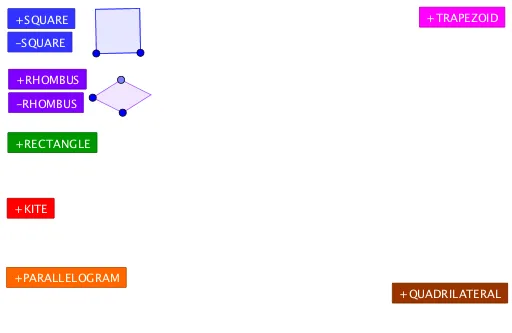
This example demonstrates how to generate seven different types of quadrilateral tools by pressing a button. It involves core math concepts like polygons, linear equations, and coordinate geometry. Construction highlights include using GeoGebra commands such as Polygon, Point, Intersect, and Mirror. Suitable for middle school and above students to explore quadrilateral properties and geometric constructions.
GeoGebra Commands & Parameters
Polygon(A, B, 4) → poly1, f, g, h, i, C, DPolygon(A_1, B_1, 4) → poly1_1, f_1, g_1, h_1, i_1, C_1, D_1Polygon(A_2, B_2, 4) → poly1_2, f_2, g_2, h_2, i_2, C_2, D_2Polygon(A_3, B_3, 4) → poly1_3, f_3, g_3, h_3, i_3, C_3, D_3Polygon(A_4, B_4, 4) → poly1_4, f_4, g_4, h_4, i_4, C_4, D_4Polygon(A_5, B_5, 4) → poly1_5, f_5, g_5, h_5, i_5, C_5, D_5Polygon(A_6, B_6, 4) → poly1_6, f_6, g_6, h_6, i_6, C_6, D_6Polygon(A_7, B_7, 4) → poly1_7, f_7, g_7, h_7, i_7, C_7, D_7Point(CircleArc[E, Rotate[F, -1°, E], Rotate[F, -179°, E]]) → GIntersect(Circle[G, E], Circle[F, E]) → H, I, ,Polygon(E, F, I, G) → q1, e, f_8, i_8, g_8Point(CircleArc[E_1, Rotate[F_1, -1°, E_1], Rotate[F_1, -179°, E_1]]) → G_1Intersect(Circle[G_1, E_1], Circle[F_1, E_1]) → H_1, I_1, ,Polygon(E_1, F_1, I_1, G_1) → q1_1, e_1, f_9, i_9, g_9Point(CircleArc[E_2, Rotate[F_2, -1°, E_2], Rotate[F_2, -179°, E_2]]) → G_2Intersect(Circle[G_2, E_2], Circle[F_2, E_2]) → H_2, I_2, ,Polygon(E_2, F_2, I_2, G_2) → q1_2, e_2, f_{10}, i_{10}, g_{10}Point(CircleArc[E_3, Rotate[F_3, -1°, E_3], Rotate[F_3, -179°, E_3]]) → G_3Intersect(Circle[G_3, E_3], Circle[F_3, E_3]) → H_3, I_3, ,Polygon(E_3, F_3, I_3, G_3) → q1_3, e_3, f_{11}, i_{11}, g_{11}Point(CircleArc[E_4, Rotate[F_4, -1°, E_4], Rotate[F_4, -179°, E_4]]) → G_4Intersect(Circle[G_4, E_4], Circle[F_4, E_4]) → H_4, I_4, ,Polygon(E_4, F_4, I_4, G_4) → q1_4, e_4, f_{12}, i_{12}, g_{12}Point(CircleArc[E_5, Rotate[F_5, -1°, E_5], Rotate[F_5, -179°, E_5]]) → G_5Intersect(Circle[G_5, E_5], Circle[F_5, E_5]) → H_5, I_5, ,Polygon(E_5, F_5, I_5, G_5) → q1_5, e_5, f_{13}, i_{13}, g_{13}Point(CircleArc[E_6, Rotate[F_6, -1°, E_6], Rotate[F_6, -179°, E_6]]) → G_6Intersect(Circle[G_6, E_6], Circle[F_6, E_6]) → H_6, I_6, ,Polygon(E_6, F_6, I_6, G_6) → q1_6, e_6, f_{14}, i_{14}, g_{14}Point(CircleArc[E_7, Rotate[F_7, -1°, E_7], Rotate[F_7, -179°, E_7]]) → G_7Intersect(Circle[G_7, E_7], Circle[F_7, E_7]) → H_7, I_7, ,Polygon(E_7, F_7, I_7, G_7) → q1_7, e_7, f_{15}, i_{15}, g_{15}Point(OrthogonalLine[J, Line[J, K]]) → MPolygon(J, K, N, M) → q2, j, k, n, mPoint(OrthogonalLine[J_1, Line[J_1, K_1]]) → M_1Polygon(J_1, K_1, N_1, M_1) → q2_1, j_1, k_1, n_1, m_1Point(OrthogonalLine[J_2, Line[J_2, K_2]]) → M_2Polygon(J_2, K_2, N_2, M_2) → q2_2, j_2, k_2, n_2, m_2Point(OrthogonalLine[J_3, Line[J_3, K_3]]) → M_3Polygon(J_3, K_3, N_3, M_3) → q2_3, j_3, k_3, n_3, m_3Mirror(Q, Line[O, P]) → Q'Polygon(O, Q, P, Q') → q3, o, q, p, q'Mirror(Q_1, Line[O_1, P_1]) → Q'_1Polygon(O_1, Q_1, P_1, Q'_1) → q3_1, o_1, q_1, p_1, q'_1Mirror(Q_2, Line[O_2, P_2]) → Q'_2Polygon(O_2, Q_2, P_2, Q'_2) → q3_2, o_2, q_2, p_2, q'_2Mirror(Q_3, Line[O_3, P_3]) → Q'_3Polygon(O_3, Q_3, P_3, Q'_3) → q3_3, o_3, q_3, p_3, q'_3Polygon(S, U, T, R) → q4, s, u, t, rPolygon(S_1, U_1, T_1, R_1) → q4_1, s_1, u_1, t_1, r_1Polygon(S_2, U_2, T_2, R_2) → q4_2, s_2, u_2, t_2, r_2Polygon(S_3, U_3, T_3, R_3) → q4_3, s_3, u_3, t_3, r_3Point(Ray[Z, Z + W - V]) → L_1Polygon(V, W, L_1, Z) → q5, v, w, l_1, z_1Point(Ray[Z_1, Z_1 + W_1 - V_1]) → L_2Polygon(V_1, W_1, L_2, Z_1) → q5_1, v_1, w_1, l_2, z_2Point(Ray[Z_2, Z_2 + W_2 - V_2]) → L_3Polygon(V_2, W_2, L_3, Z_2) → q5_2, v_2, w_2, l_3, z_3Point(Ray[Z_3, Z_3 + W_3 - V_3]) → L_4Polygon(V_3, W_3, L_4, Z_3) → q5_3, v_3, w_3, l_4, z_4Polygon(J_4, K_4, M_4, N_4) → q6, j_4, k_4, m_4, n_4Polygon(J_5, K_5, M_5, N_5) → q6_1, j_5, k_5, m_5, n_5Polygon(J_6, K_6, M_6, N_6) → q6_2, j_6, k_6, m_6, n_6Polygon(J_7, K_7, M_7, N_7) → q6_3, j_7, k_7, m_7, n_7
AI Drawing Prompt Reference
Draw seven different types of quadrilaterals, each with four vertices, generated by pressing a button. First, draw a quadrilateral, then draw six more with the same characteristics. Next, draw an arc and find its intersection with a circle, then use these points to draw a quadrilateral. Repeat this process to draw six more quadrilaterals with the same characteristics. Finally, draw a line perpendicular to a given line, use this line and two points to draw a quadrilateral, and repeat this process to draw six more quadrilaterals with the same characteristics. Lastly, reflect a quadrilateral across a line to draw its symmetric counterpart, and repeat this process to draw six more quadrilaterals with the same characteristics.
The prompt above was compiled from the original drawing commands and is for reference only.