
Segment Multiplication: Geometric Construction of Numerical Product
Loading the math board and drawing, please wait…
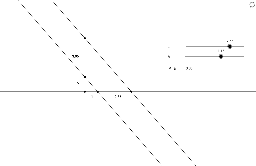
This GeoGebra example demonstrates how to perform multiplication of two numbers using geometric construction, transforming arithmetic multiplication into a proportional relationship between segments. The core mathematical concepts involve similar triangles, ratios, midpoints, intersections, and geometric transformations such as scaling. The construction uses GeoGebra commands including Line, Intersect, and Midpoint, with objects such as d, C, c, B, A, h, a, b, f, D, E, xnumber, ynumber, F, G, unit, H, I, xy, xlabel, ylabel, xylabel, and xy_1. By setting a unit length and coordinate labels, the product is visualized dynamically. This is suitable for middle school to high school students learning the connection between multiplication and geometry, and can be used in lessons on geometric transformations, ratios, and coordinate geometry.
GeoGebra Commands & Parameters
Line(A, C) → hLine(B, h) → fIntersect(a, f) → DMidpoint(A, B) → EIntersect(a, b) → FMidpoint(A, F) → GMidpoint(C, D) → HMidpoint(F, C) → I
AI Drawing Prompt Reference
Draw a horizontal number line with a unit length marked. Place two points on the line representing the two factors. From a point above the line, draw two rays to these points, creating two intersecting lines. One ray intersects the number line at an auxiliary point, and the other ray intersects it at another auxiliary point. Then construct midpoints: the midpoint of the two factor points, the midpoint of one auxiliary point and a factor point, the midpoint of the other auxiliary point and the upper point, and the midpoint of the two auxiliary points. Connect these midpoints to form a geometric configuration. Using similar triangles and proportional relationships, mark the product point on the number line and display its numeric label. The final diagram shows the geometric multiplication construction with axes, ticks, points, and connecting lines.
The prompt above was compiled from the original drawing commands and is for reference only.