
Rotation Triangle Grid 1
Loading the math board and drawing, please wait…
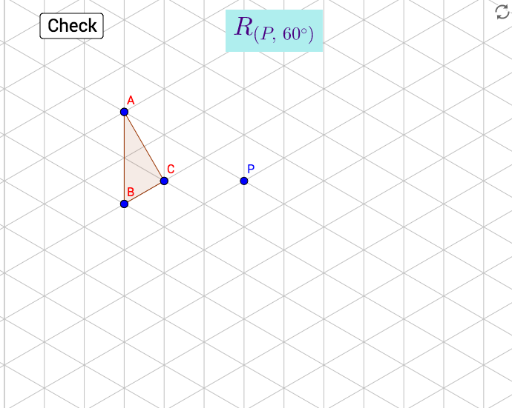
This example demonstrates a triangular grid generated through rotation. Key mathematical concepts include rotation, geometric transformations, and triangle properties. Using GeoGebra commands such as Polygon, Line, and Rotate, a dynamic rotating triangular grid can be constructed. Suitable for middle school and above students to learn about geometric transformations and triangle-related knowledge.
GeoGebra Commands & Parameters
Polygon(A, B, C) → poly1, c, a, bPolygon(A', B', C') → poly3, f, d, eLine(D, E) → gRotate(B, α, P) → target2Rotate(A, α, P) → target1Rotate(C, α, P) → target3Polygon(target1, target2, target3) → poly1', c'_1, a'_1, b'_1
AI Drawing Prompt Reference
Create a triangular grid generated through rotation. First, draw triangle ABC. Then, rotate triangle ABC around point P by angle α to get triangle A'B'C'. Next, draw line segment DE, which is the perpendicular from point P to one side of triangle ABC. Finally, use triangle A'B'C' to construct a new triangular grid.
The prompt above was compiled from the original drawing commands and is for reference only.